frequently asked questions
about orders
To place an order:
1. Choose products and set quantity.
2. Click «add to cart».
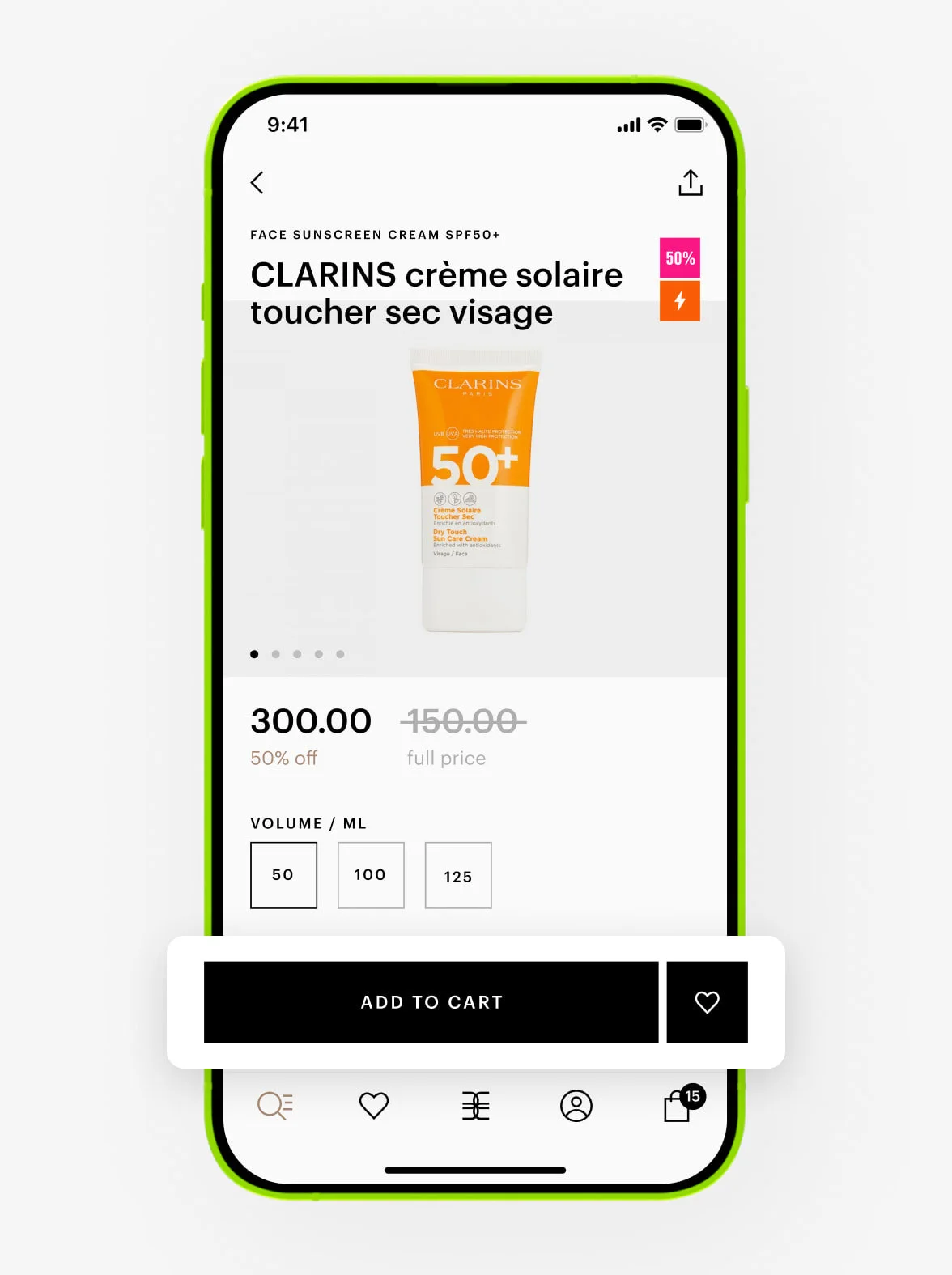
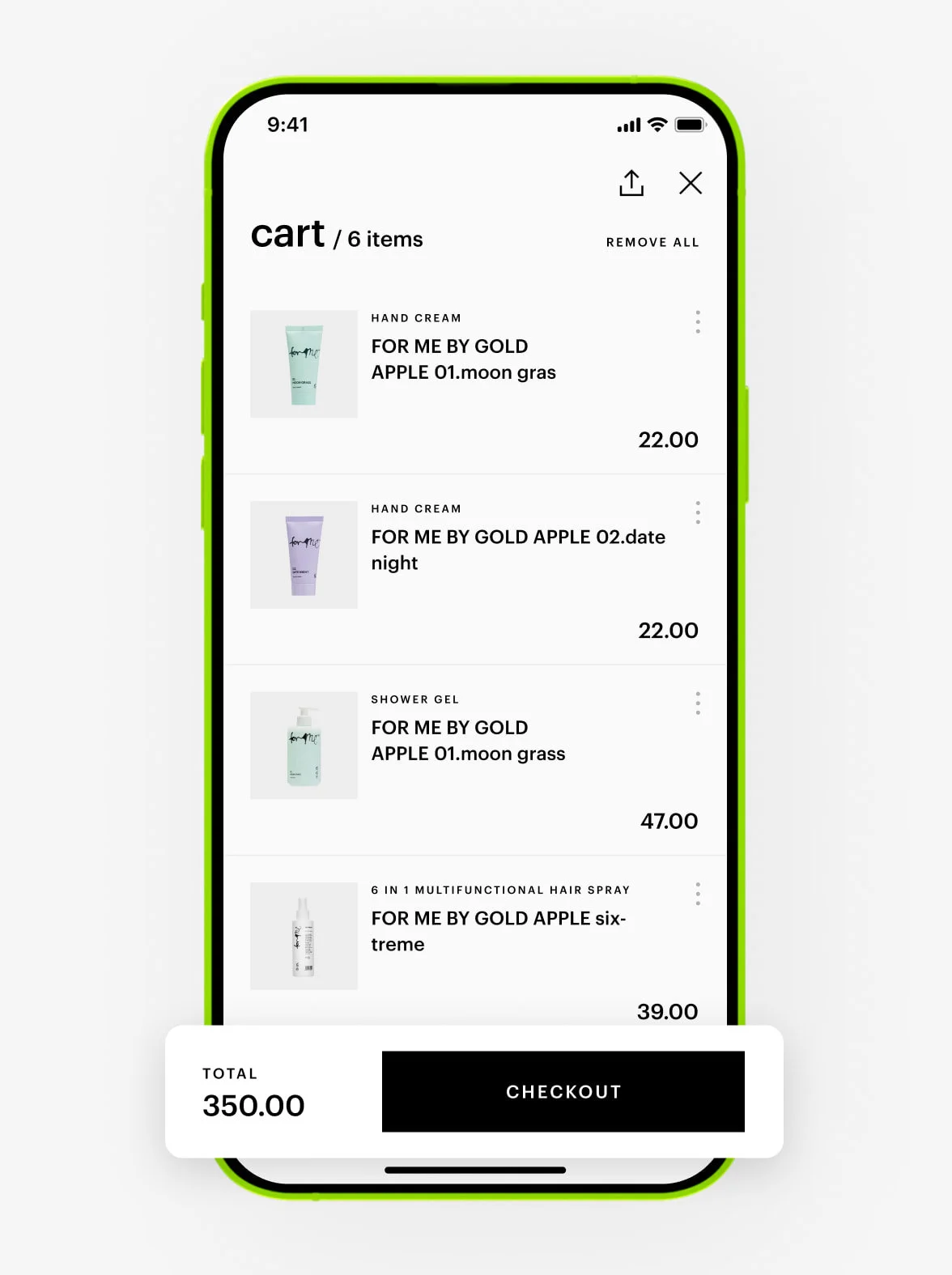
3. Go to the cart.
4. If you have a promo code, enter it in the special field and click «checkout».
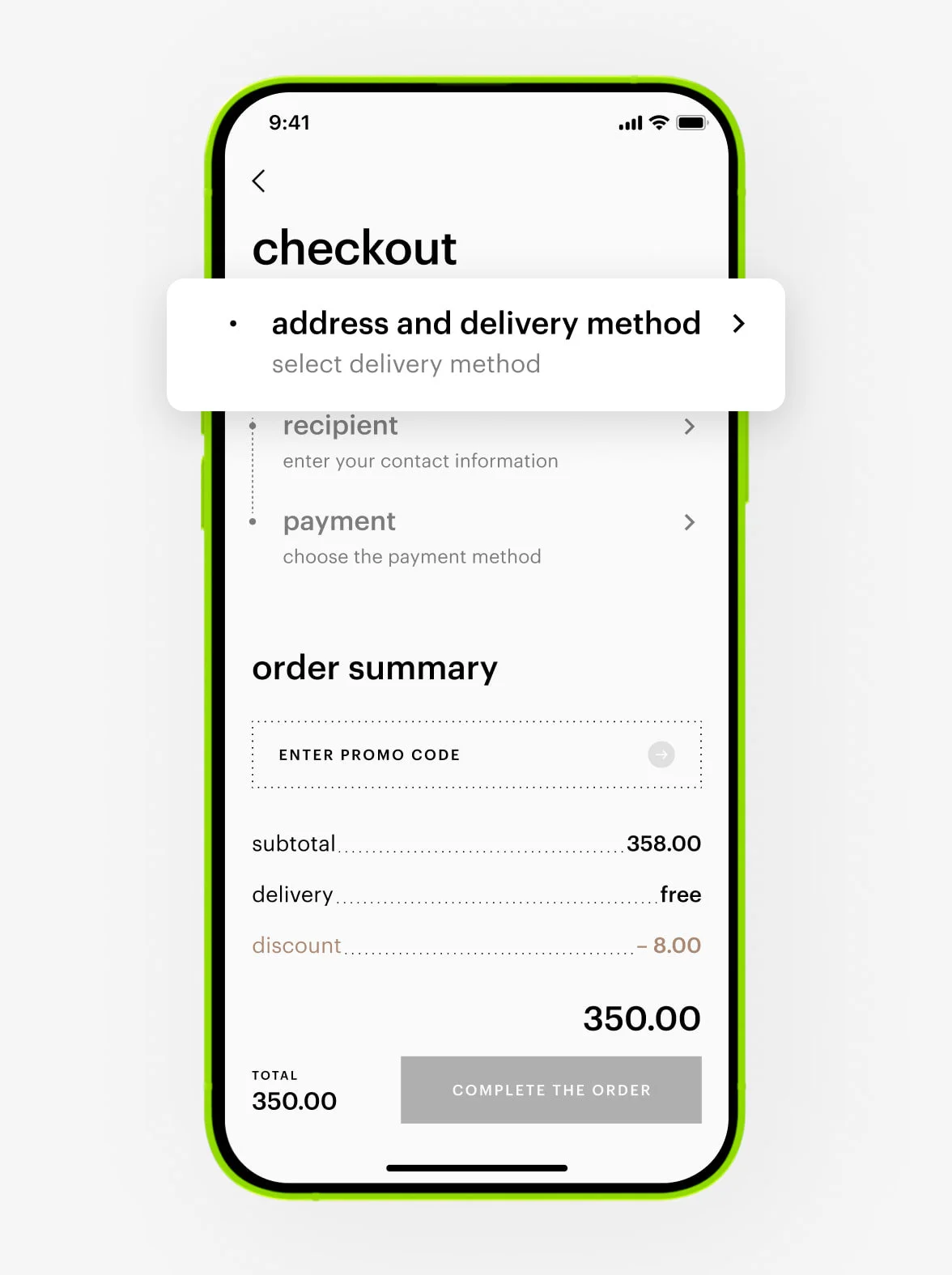
5. Select a delivery method and enter your address.
6. Choose the delivery date.
7. Enter your contact details or those of another recipient (name, phone, email).
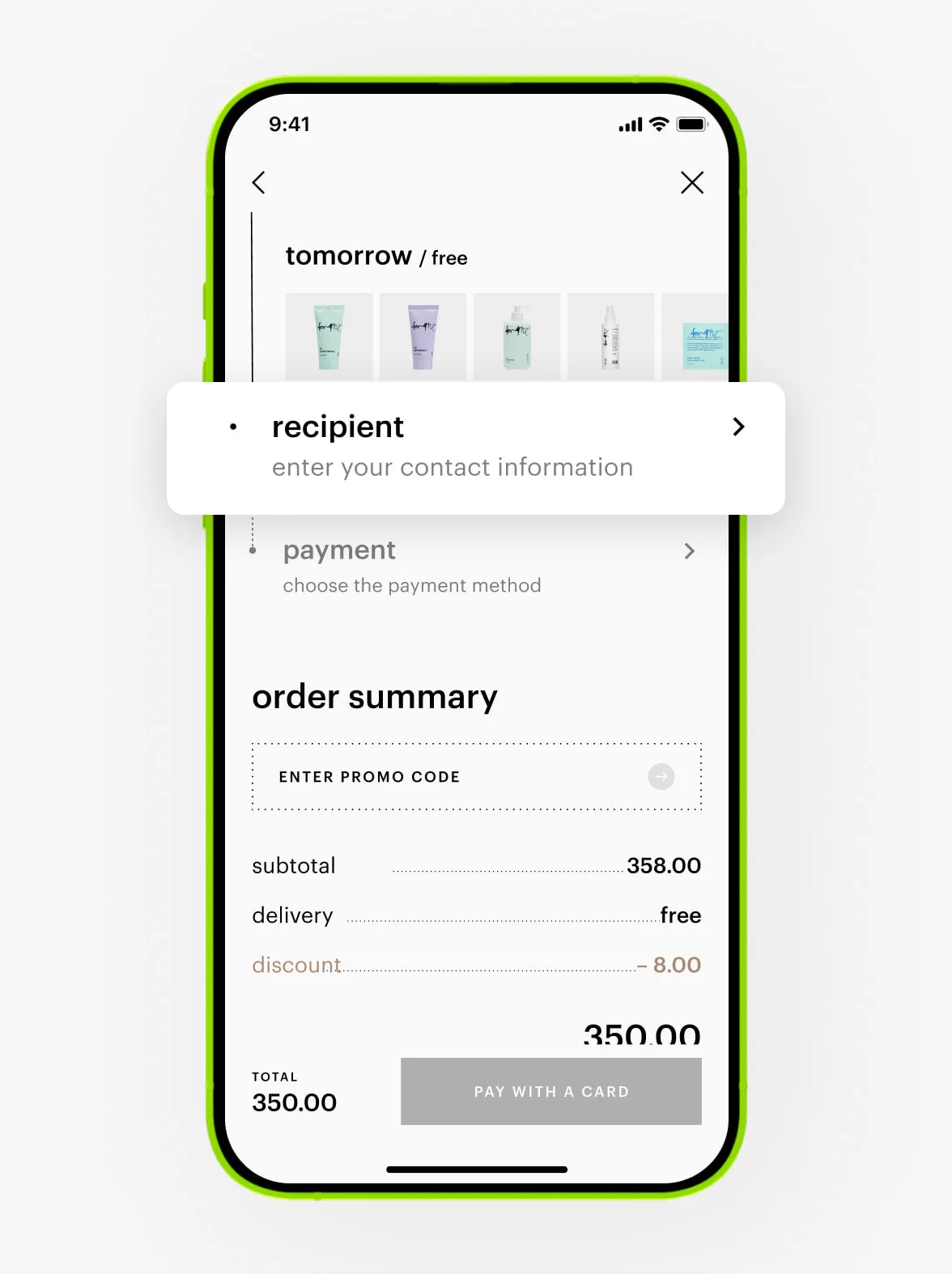
8. Choose a payment method.
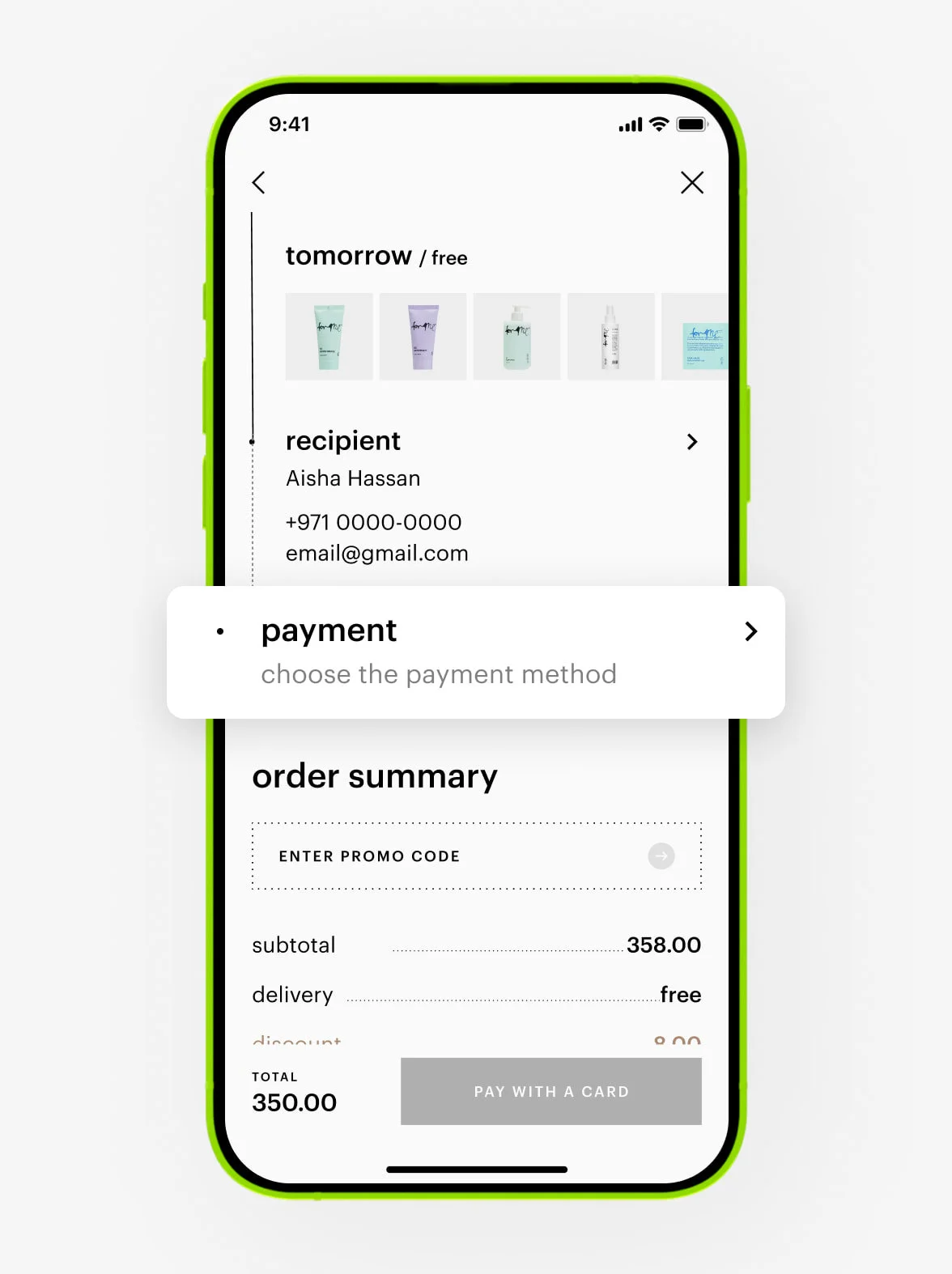
Click «continue».
You can always check information about your current and completed orders in the «my orders» section of your personal account in the app or on the website.
If your order exceeds the maximum limit of 50 items, we recommend placing several separate orders.
To remove a product from your cart:
1. Go to your cart.
2. Find the product you want to remove.
3. Swipe left.
4. Tap «delete».
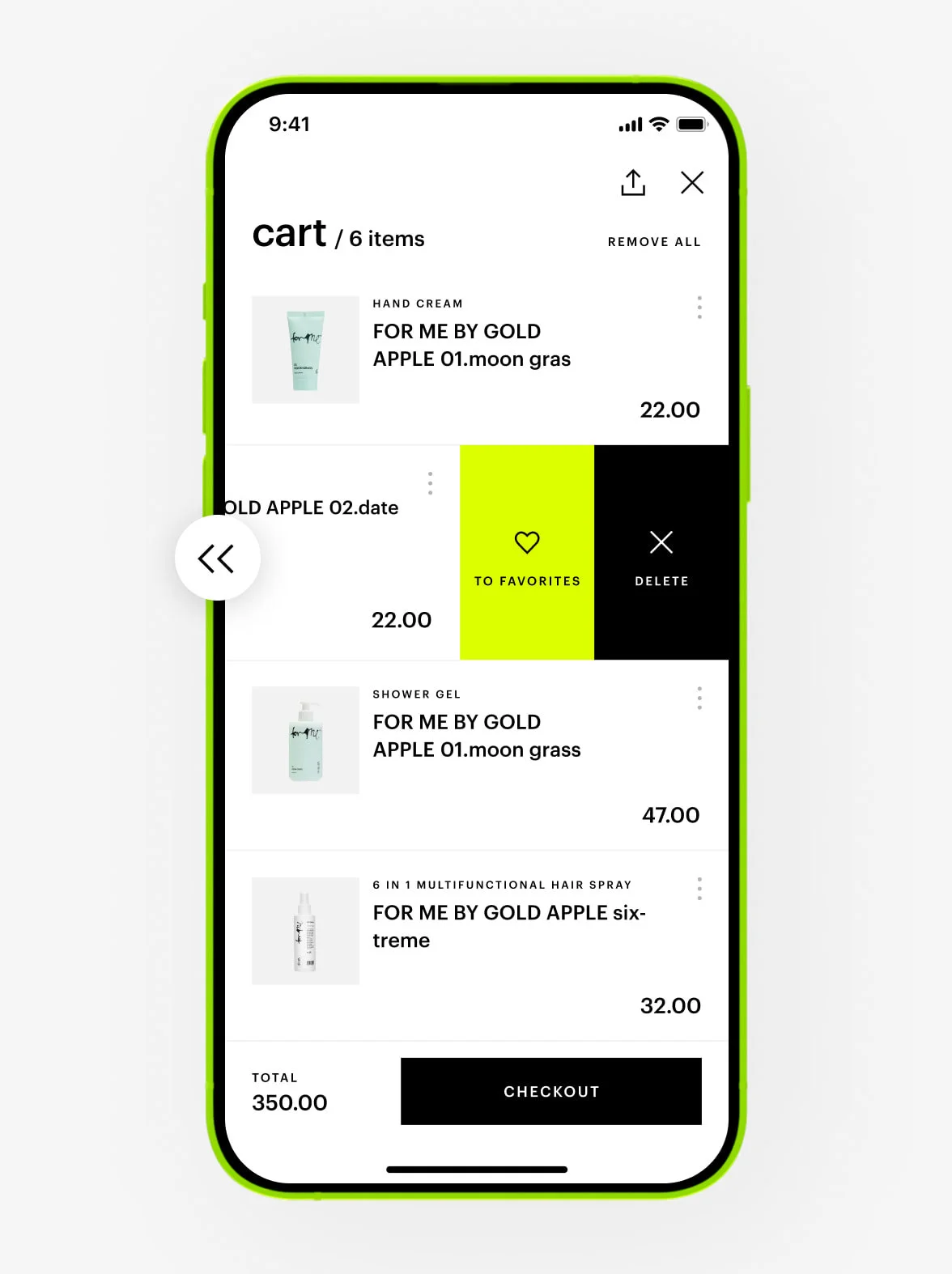
The product will be removed from your cart.
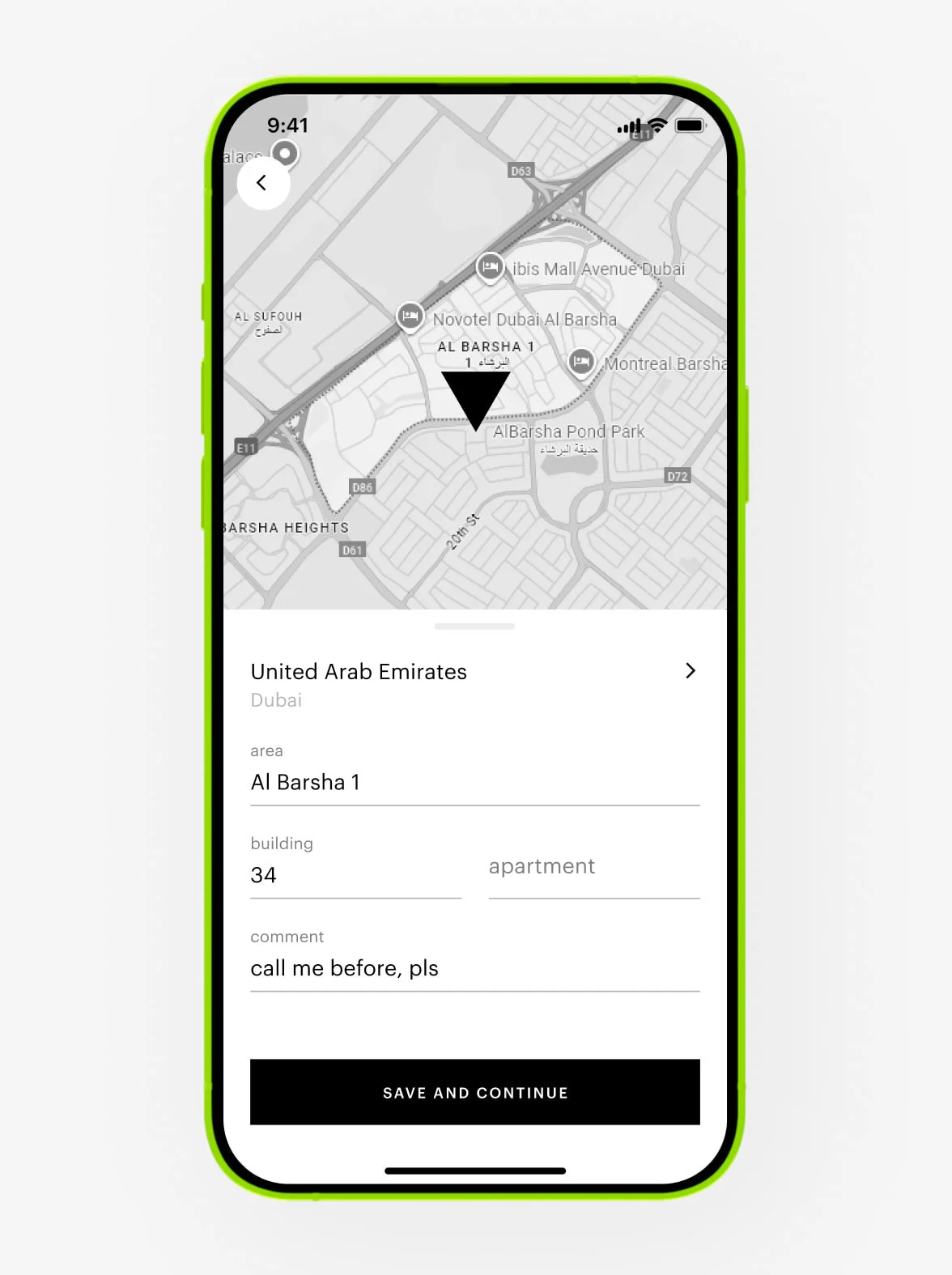
To enter an address:
Fill it in under the «address and delivery» section or tap the map.
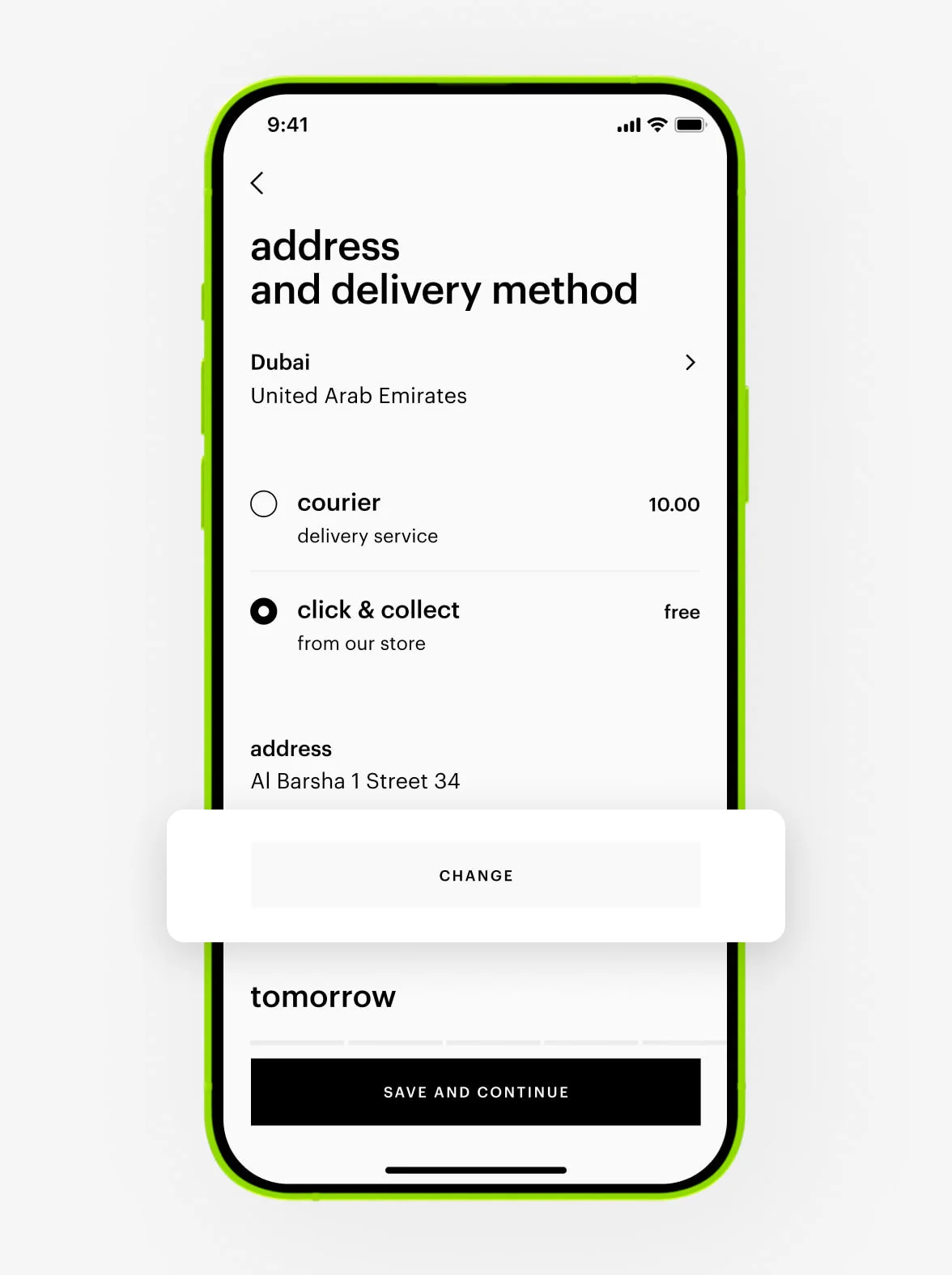
To change the address:
Tap the «change» button.
1. Choose the products you need and set the quantity.
2. Click «add to cart».
3. Go to the cart.
4. If you have a promo code, enter it in the special field and click «checkout».
5. Enter your contact details or those of another recipient (name, phone, email).
6. Choose the delivery date.
7. Enter the delivery address.
8.Choose online payment and toggle points to spend them on your order.
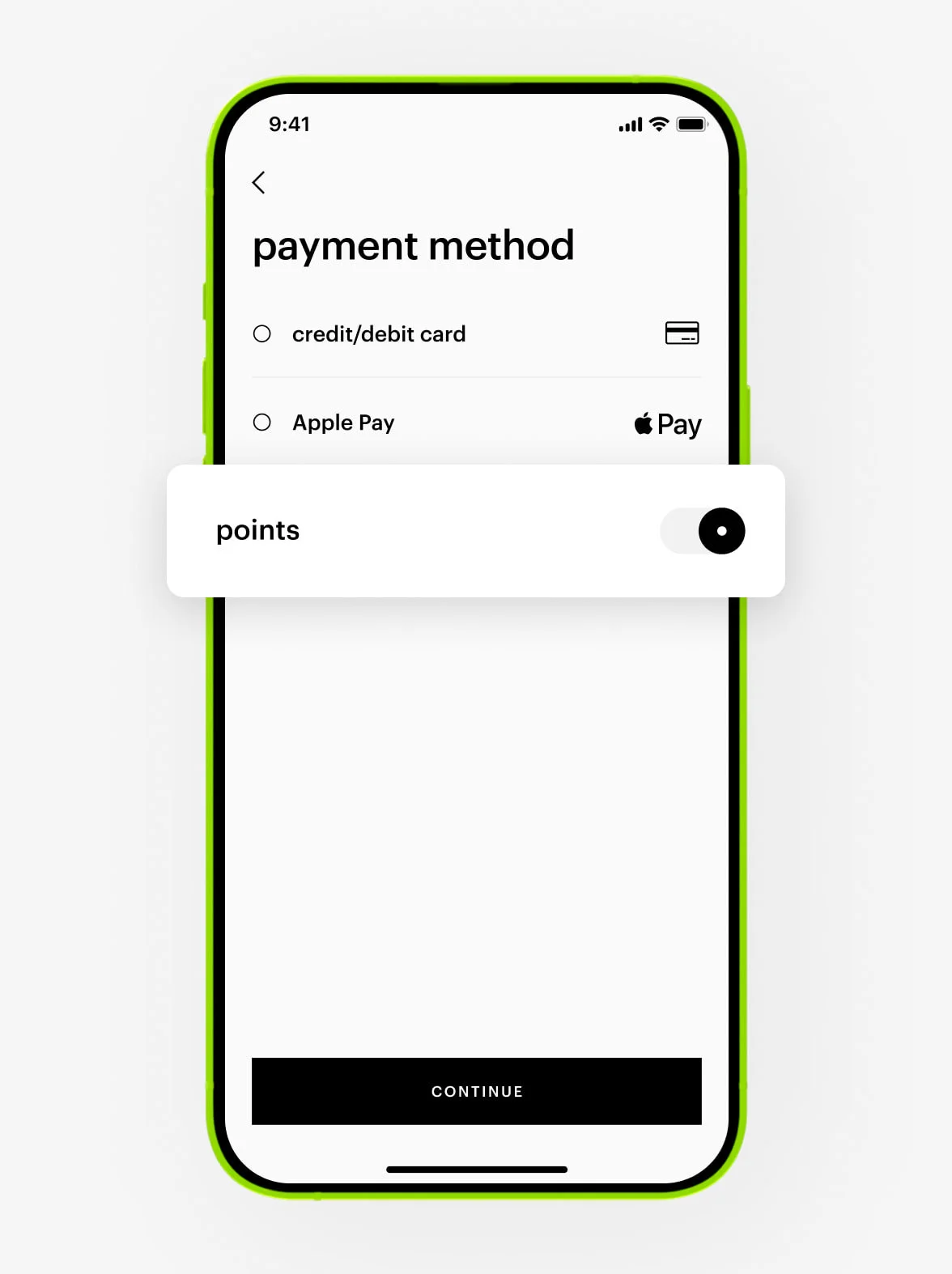
9. Click «continue».
Points can’t be used with Tabby or payment on delivery.
Points can cover up to 50% of your order total. You can redeem them partially before they expire. You can spend as many points as you have available on your rewards card. Check your current points balance in your account.
Please try selecting another payment method or placing your order again later.
If you used points, a gift card, or a promo code, they will be restored within 30 minutes.
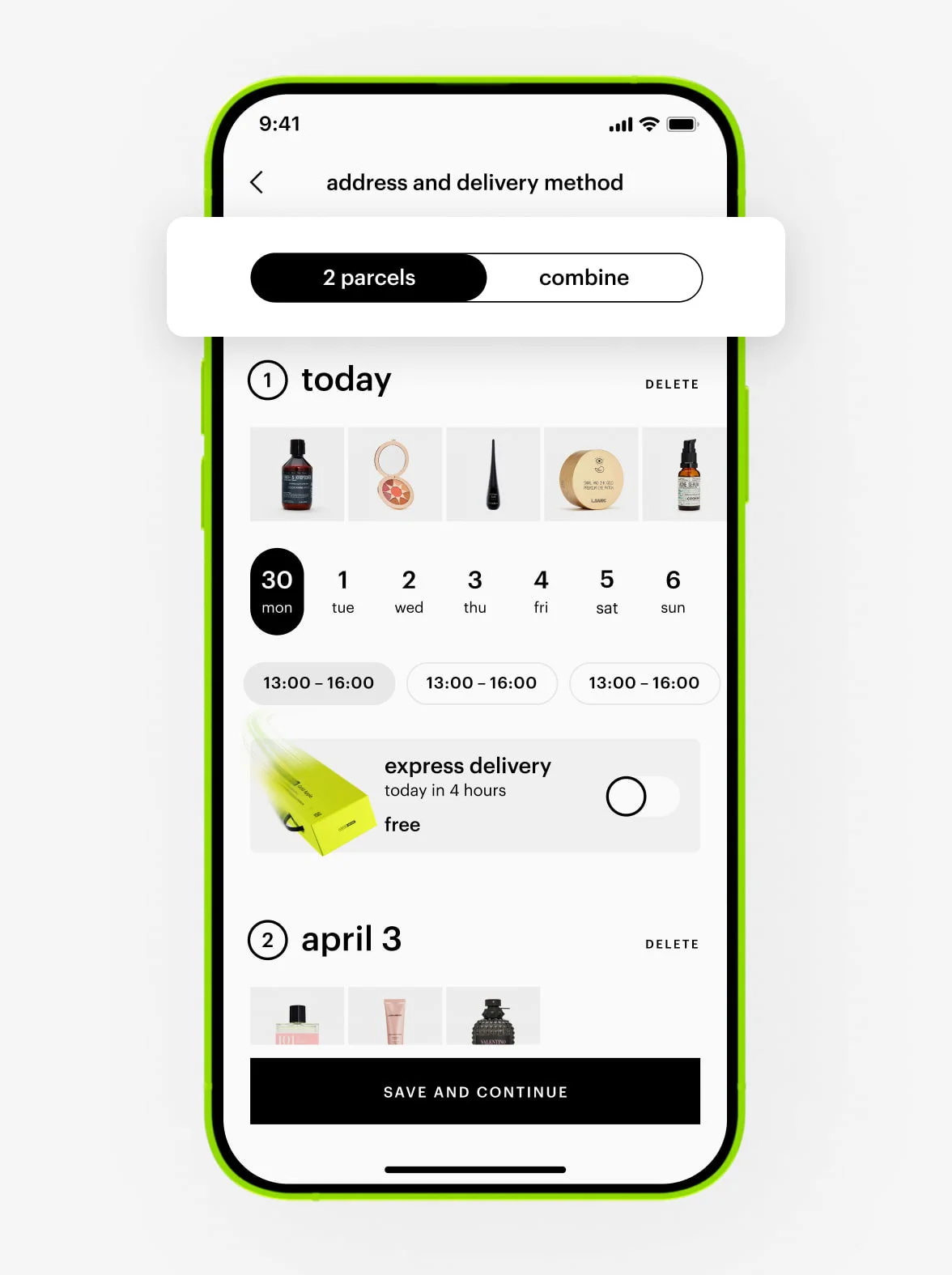
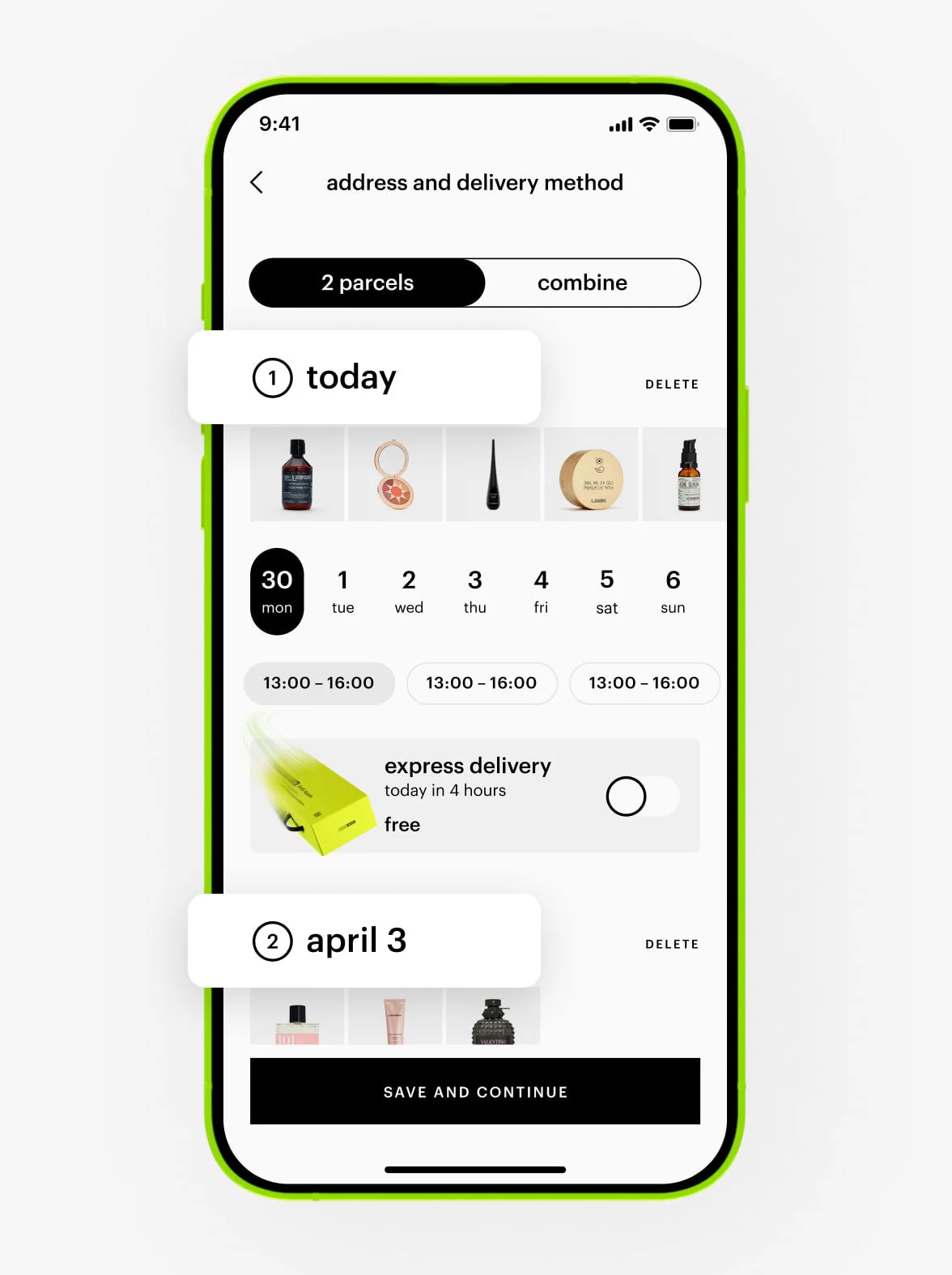
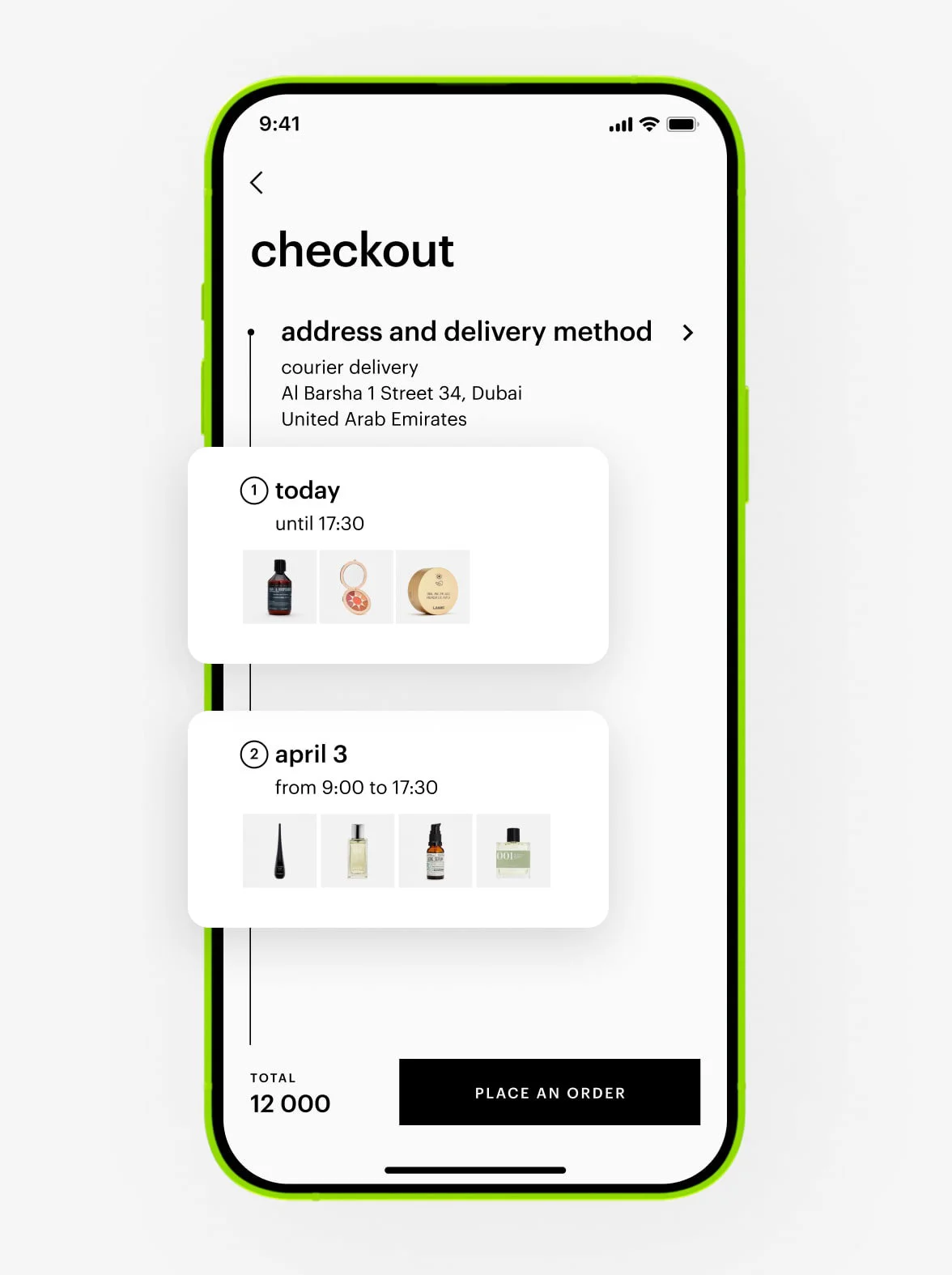
If we can deliver part of your order faster, we’ll offer to split it into multiple deliveries. In this case, free shipping will apply if the total value of your order is 100 AED or more. If your order total is less, each delivery will cost 10 AED.
If you’d prefer to receive all your products together, you can combine them into a single delivery. However, this may not be available if the products in your order are located in different warehouses.
To change the country in the app:
1. Go to the menu.
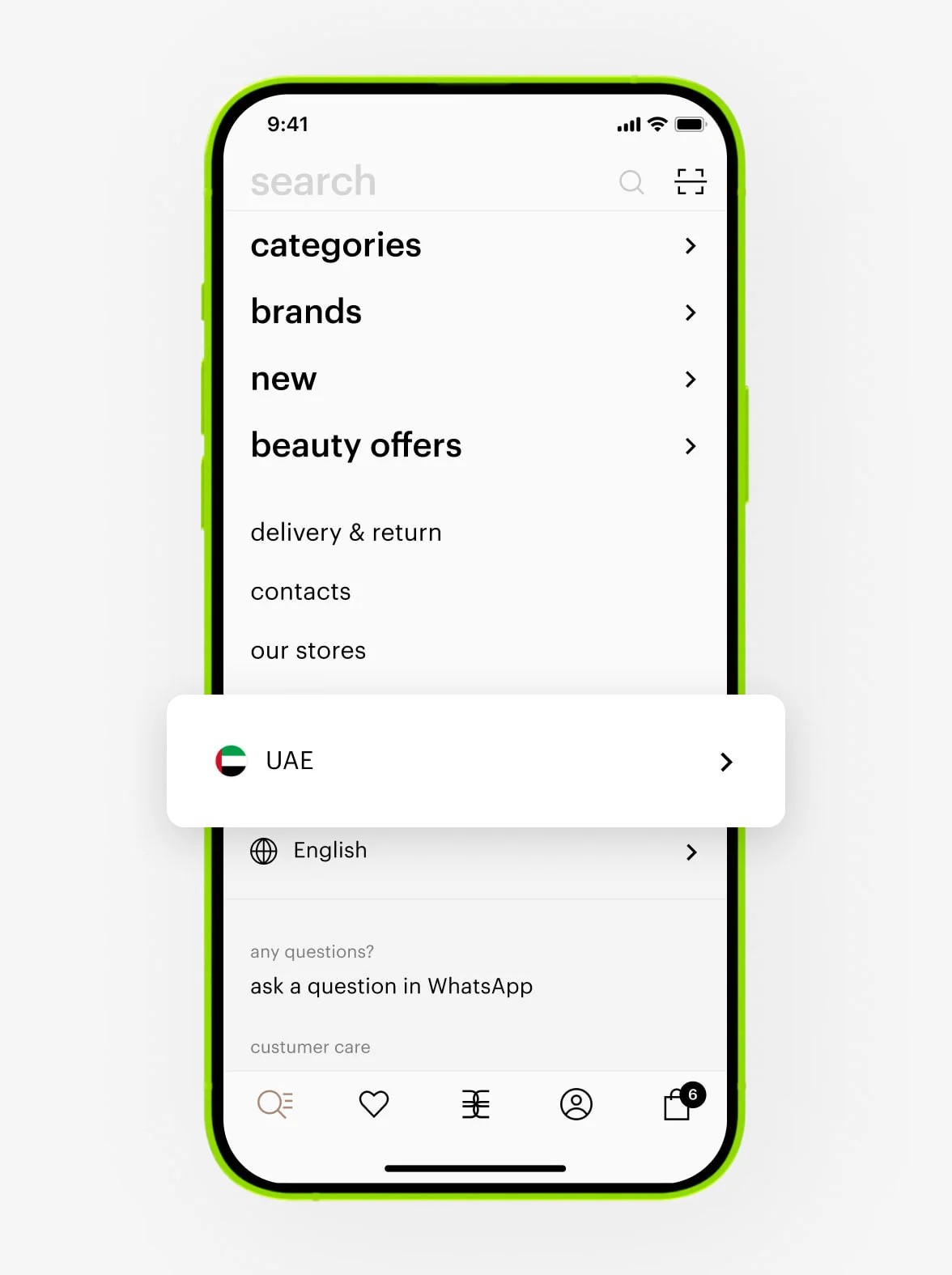
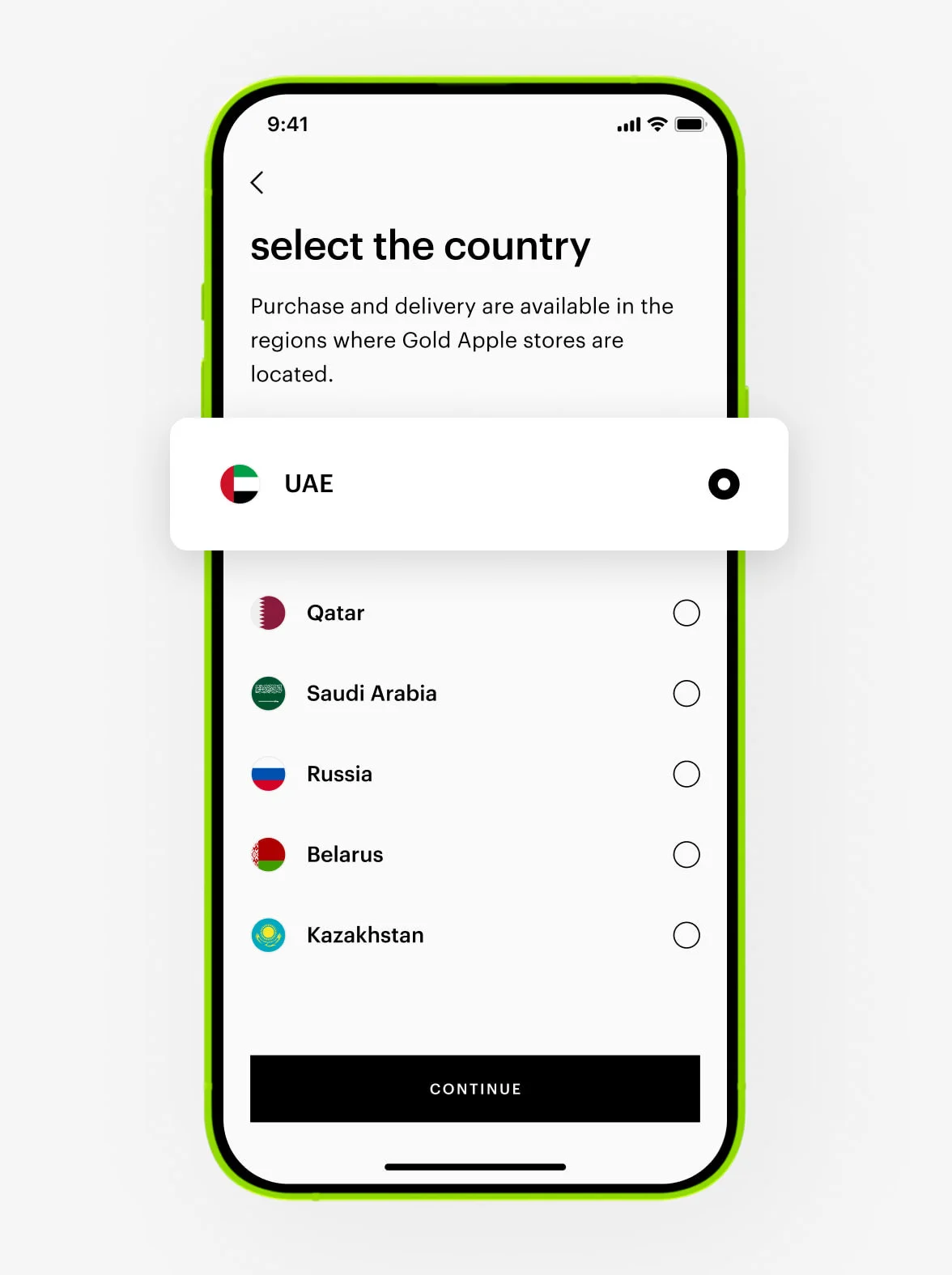
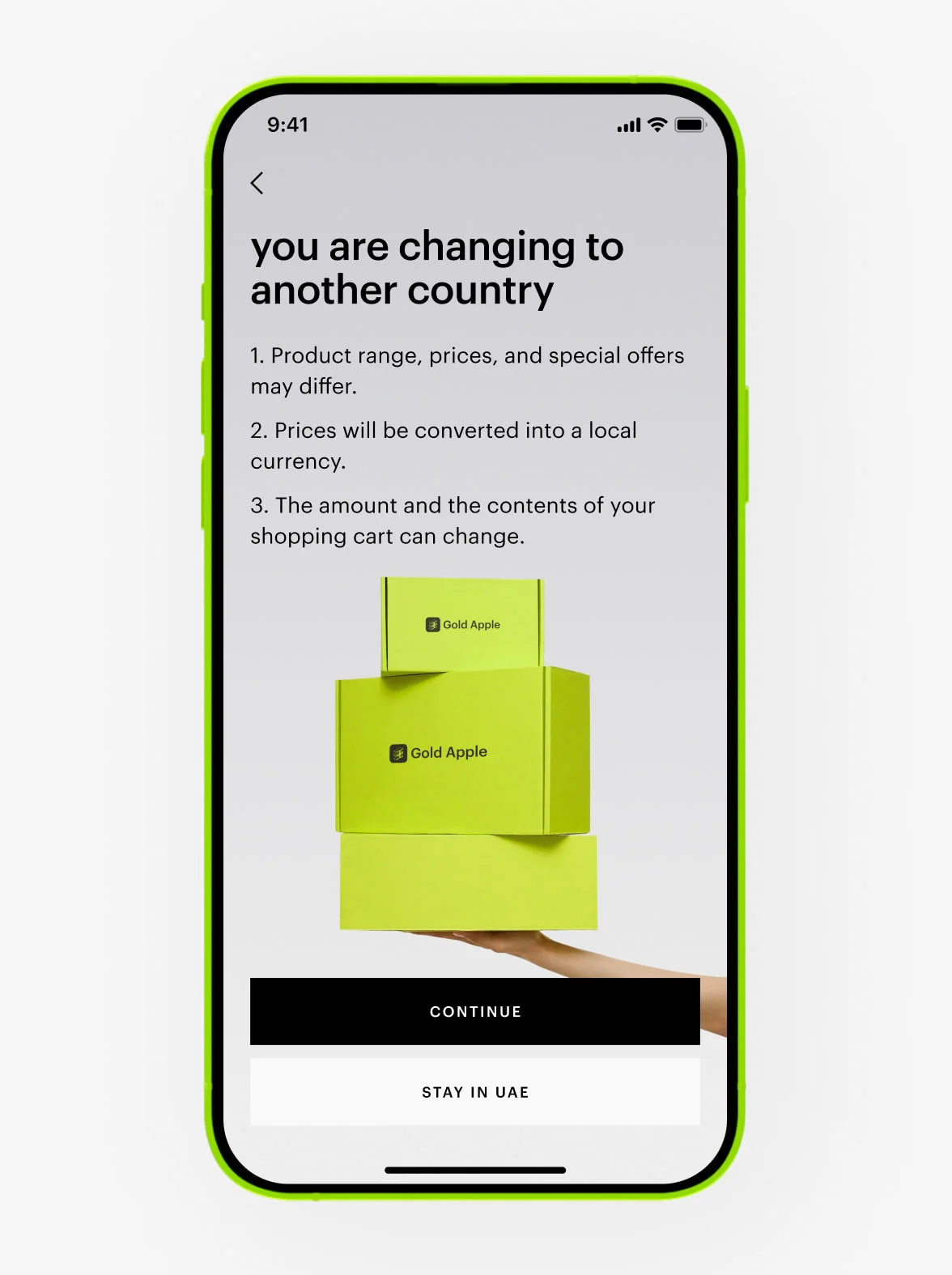
2. Tap on the country and choose from: Qatar, the UAE, Saudi Arabia, Russia, Belarus, or Kazakhstan. When switching between countries in the Middle East, your account will remain the same. However, when switching between the Middle East and the CIS, accounts will be different.
authorization
You can sign in using:
- Phone number — we will send you a verification code via SMS.
- WhatsApp — we will send you a code.
- Google account — we may also ask you to provide your phone number.
- Apple ID — you will be asked to enter your phone number.
For sign-in with Apple ID or Google account, we request your phone number so that we can contact you about your order. These services do not provide us with this information.
If you didn’t receive the code, please call the number below to request a new one from our bot.
about your placed order
If you want to change the address for courier delivery, please contact our Customer Care +97 145 569 100, available daily from 10 am to 11 pm, or reach us via WhatsApp chat +971 527 732 032, and provide the dispatcher with your order number, last name, and first name.
You can’t change the delivery type, but our Customer Care team can adjust the date or time for more convenient delivery. Please contact our Customer Care at +97 145 569 100, available daily from 10 am to 11 pm, or reach us via WhatsApp chat +971 527 732 032, and provide your order number, last name, and first name.
To reschedule your courier delivery, please contact our Customer Care at +97 145 569 100, available daily from 10 am to 11 pm, or reach us via WhatsApp chat +971 527 732 032, and provide your order number, last name, first name, and your preferred new date and time.
We hold your order for three days.
You can change the delivery date and time in your personal account. Click «extend the storage period» and select a convenient day and time. Delivery can be rescheduled once, and the new date can’t be later than three days from the original delivery date.
The updated storage period will be shown in your order details in your account.
If your order information contains a tracking number, delivery is handled by an external courier company. In this case, you can either:
Contact our Customer Care at +97 145 569 100, available daily from 10 am to 11 pm, or reach us via WhatsApp chat +971 527 732 032, providing your order number, last name, first name, and preferred delivery date. You can also contact the courier service directly. Please note that the new delivery date may not be displayed in your account.
If the delivery date or time of your order is changed by Gold Apple, we will notify you via email, push notification, or SMS.
If you want to change the name or phone number of the person receiving your order, please contact our Customer Care at +97 145 569 100, available daily from 10 am to 11 pm, or reach us via WhatsApp chat +971 527 732 032, and provide your order number and the details you wish to update.
Once your order has been placed, it’s no longer possible to add or remove products. If you’d like to purchase additional products, please place a new order.
Yes, someone else can receive your order on your behalf. You can leave special instructions in the notes when placing your order, or simply inform our support team in advance. We will make sure everything is in place for the designated person to receive your order without any issues.
If you want to update the recipient’s name, please contact our Customer Care at +97 145 569 100, available daily from 10 am to 11 pm, or reach us via WhatsApp chat +971 527 732 032, and provide your order number and the details you wish to update.
We will send you a push notification as soon as the courier picks up your package. The courier may also call, text, or contact you via WhatsApp.
If Gold Apple is delivering:
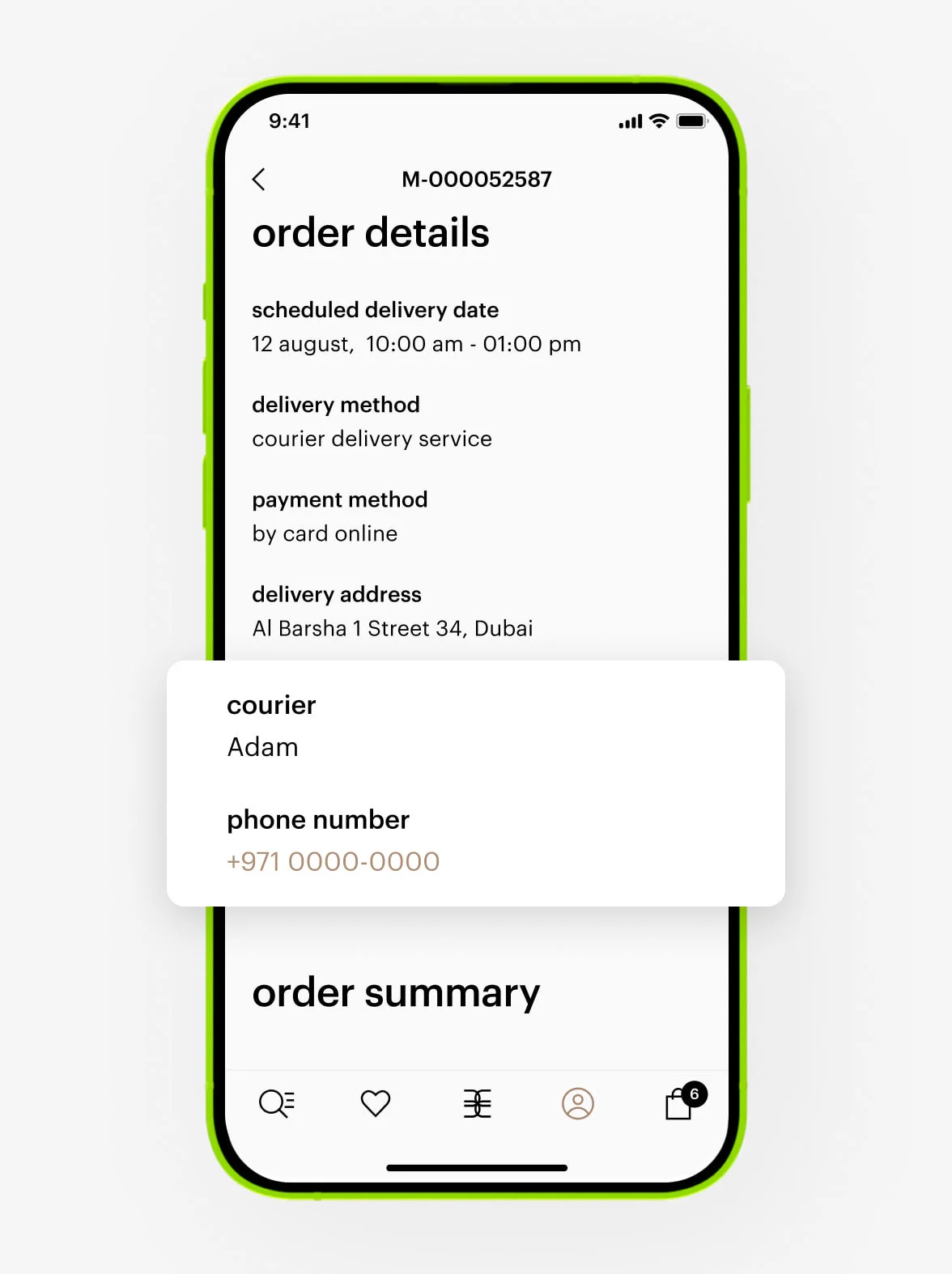
You can find the courier’s phone number in your personal account under order details. Feel free to call or contact them via WhatsApp.
If an external courier service is delivering:
We don’t share the courier’s contact information, but you can track your order directly on the courier’s website.
1. Go to your order.
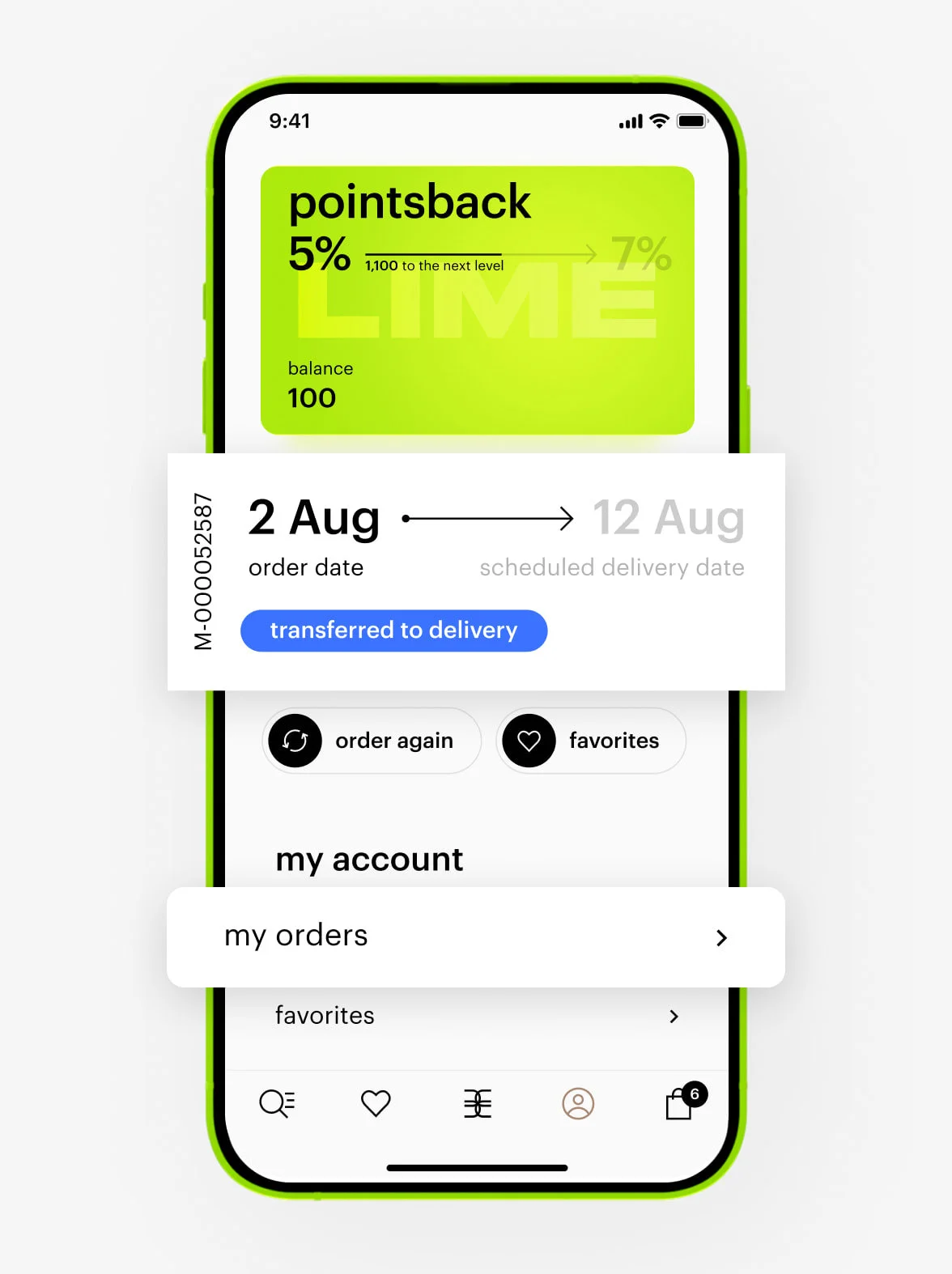
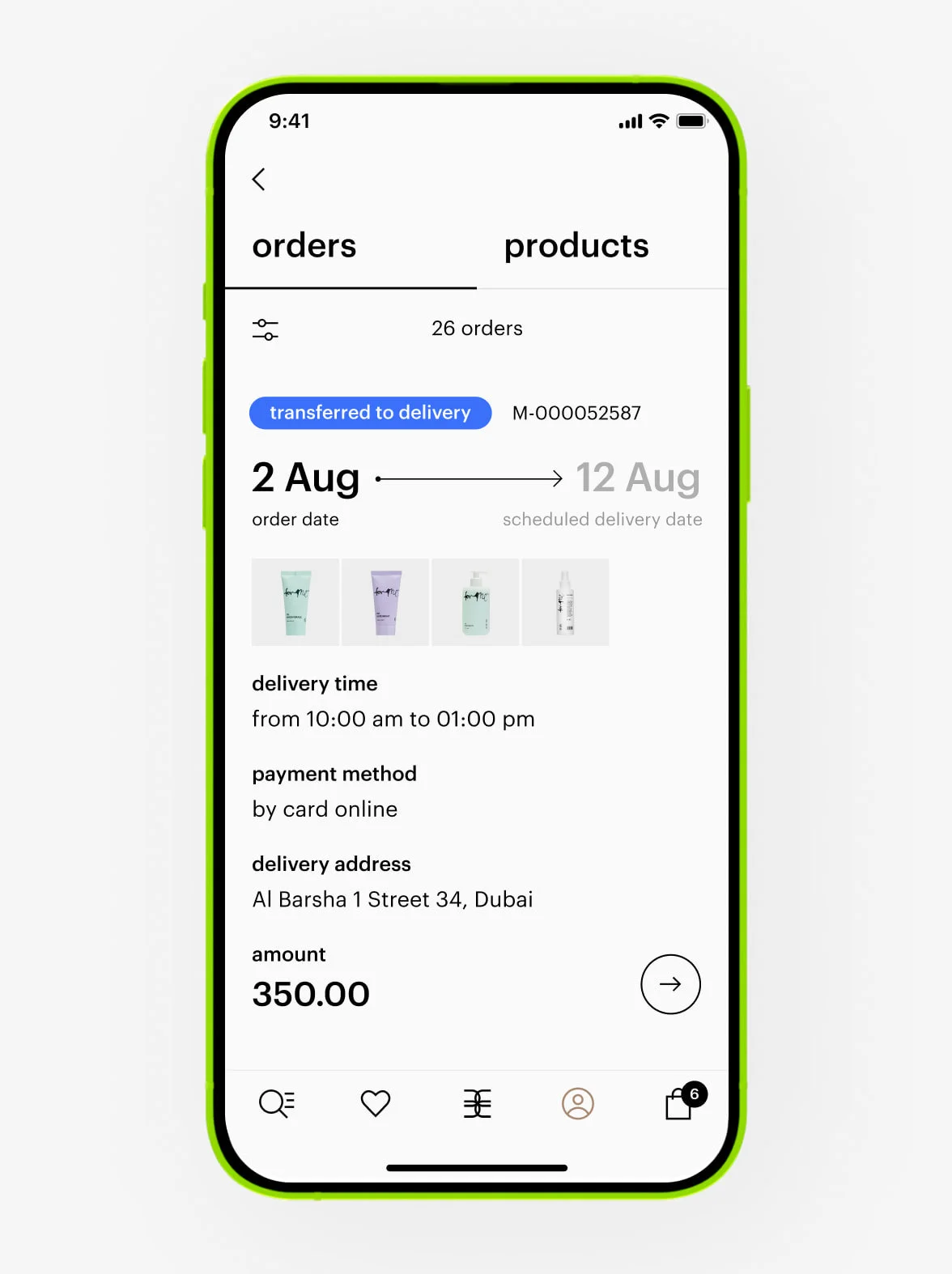
2. In the order details, find the tracking number.
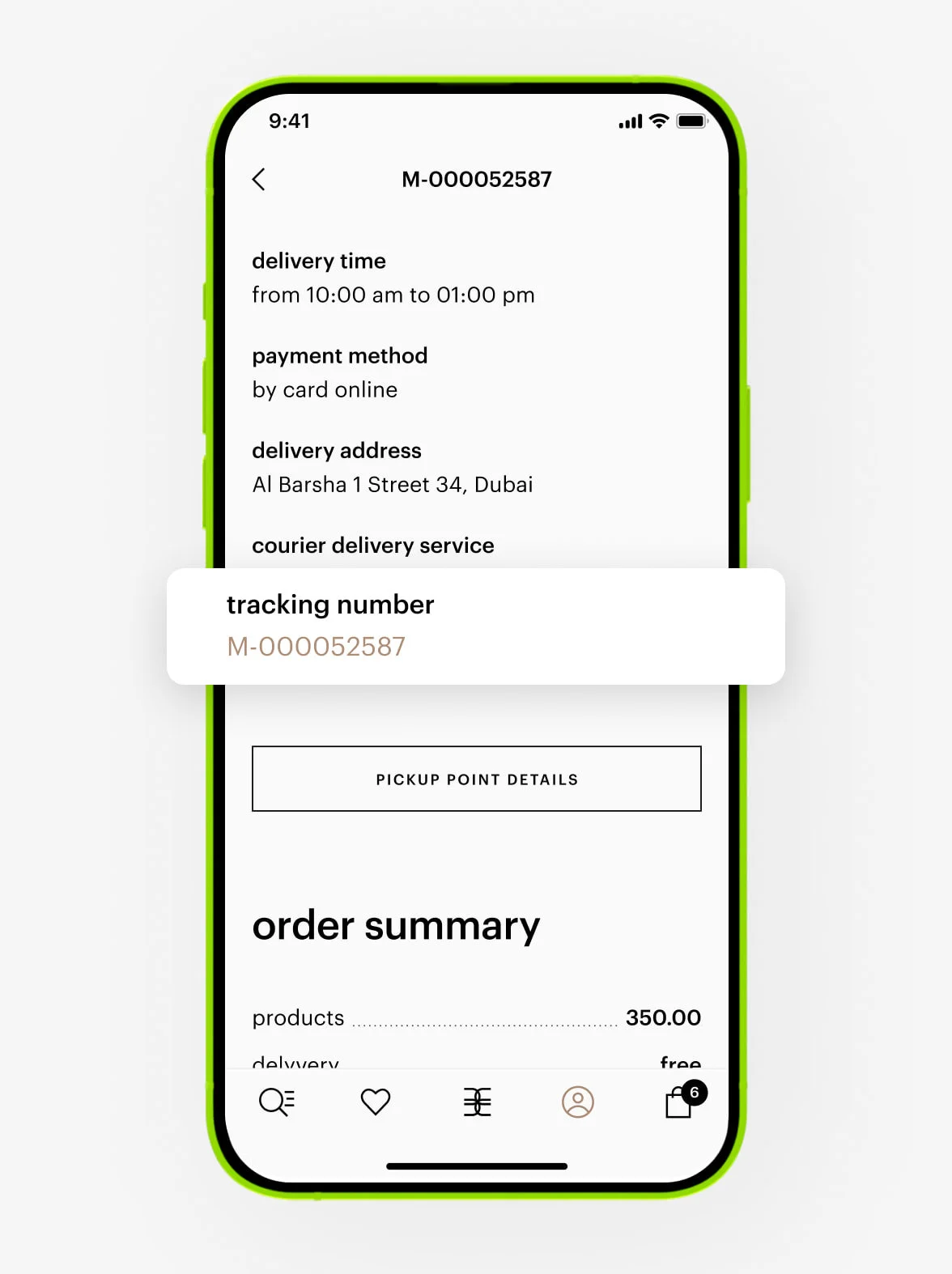
3. Tap the tracking number.
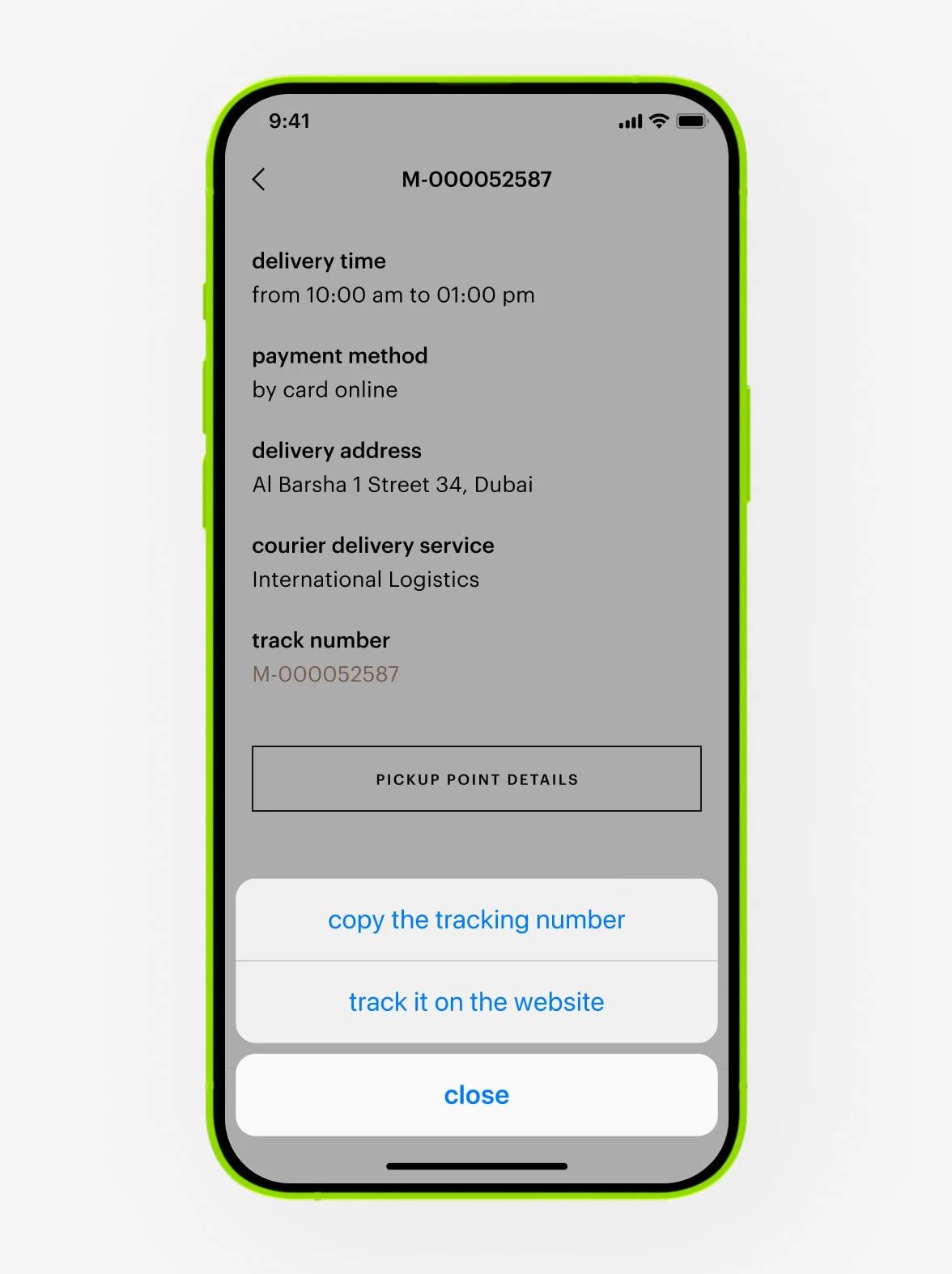
4. You will be redirected to the courier service’s website, where you can track your order.
— Your order may change if some products are out of stock. This happens when: products appear available at the time of your order, but other customers purchase them simultaneously, or products become unavailable during order processing.
— Order contents may change due to stock availability. Our website and app update with a slight delay, so stock information may not always be fully up to date.
In such cases, we will notify you about any changes to your order during processing.
You can cancel your order in your personal account. Open the order details to see which courier service is delivering it:
- Gold Apple delivery: You can cancel before the status changes to «completed».
- External courier service: You can cancel before the status changes to «transferred to delivery».
Tap the «cancel order» button.
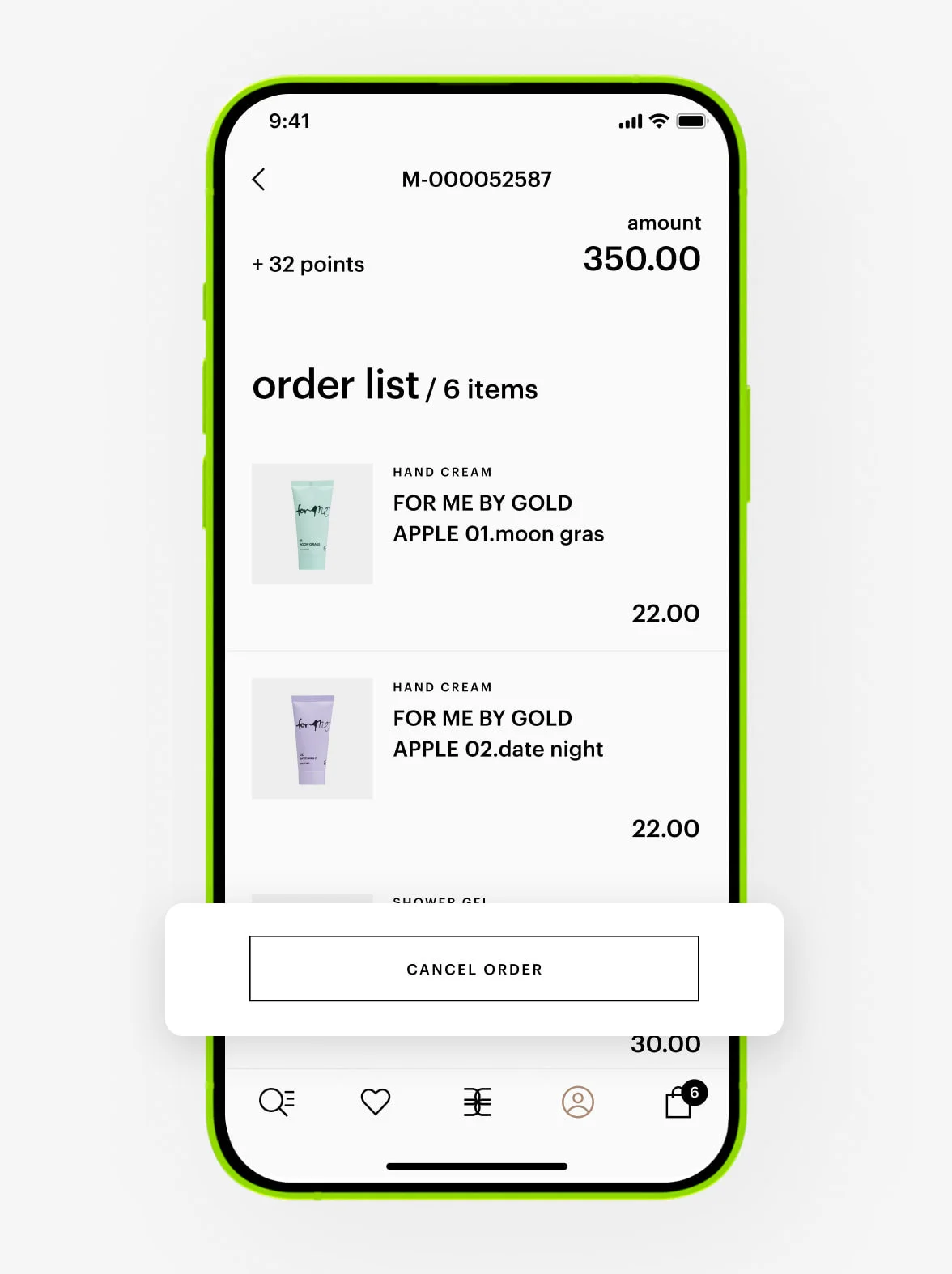
You will automatically receive a refund within 14 days. Please note that the actual credit to your card depends on your bank and may take up to 30 days.
If you have any questions, feel free to contact our Customer Care at +97 145 569 100, available daily from 10 am to 11 pm, or reach us via WhatsApp chat +971 527 732 032.
If this happens, please contact our Customer Care at +97 145 569 100, available daily from 10 am to 11 pm, or reach us via WhatsApp chat +971 527 732 032, and provide your order number, last name, and first name.
You can find the tracking number of your order in your personal account in the Gold Apple app.
If an external courier service is delivering your order, you will receive a tracking number. We will send you a notification and a direct link to track your order as soon as it’s out for delivery.
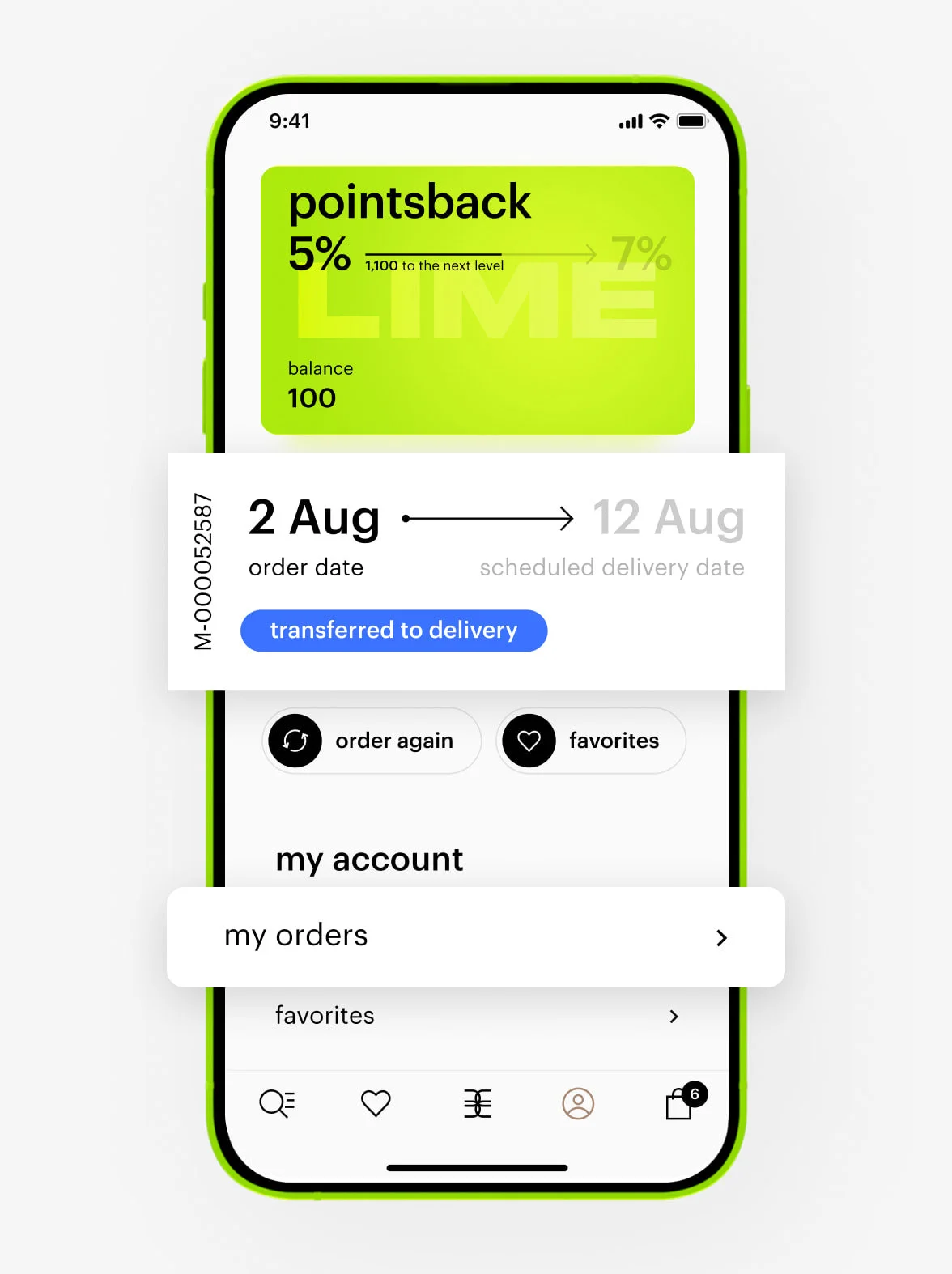
You can also find the tracking number anytime in your account:
1. Go to the order.
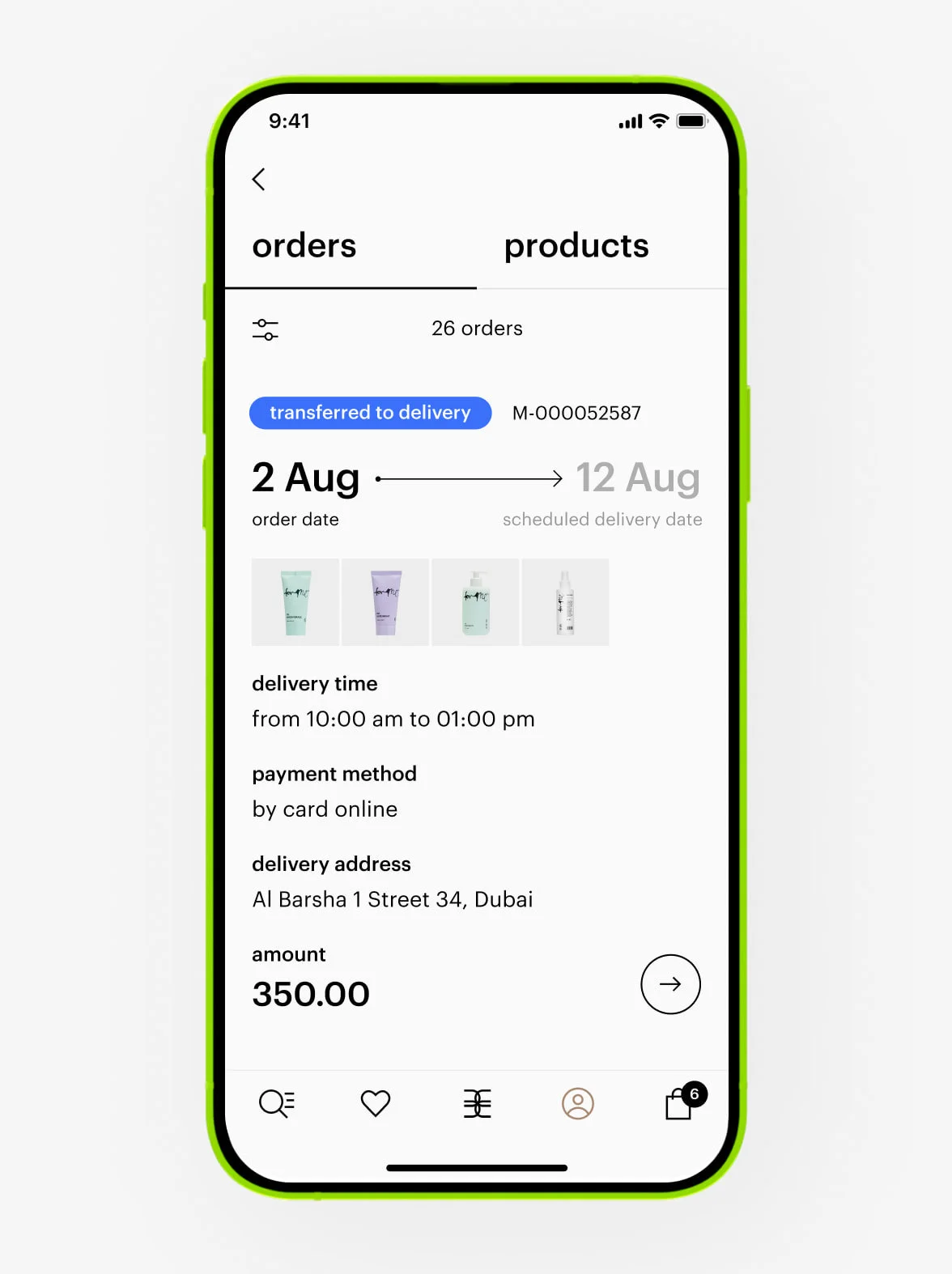
2. In the order details, find the tracking number.
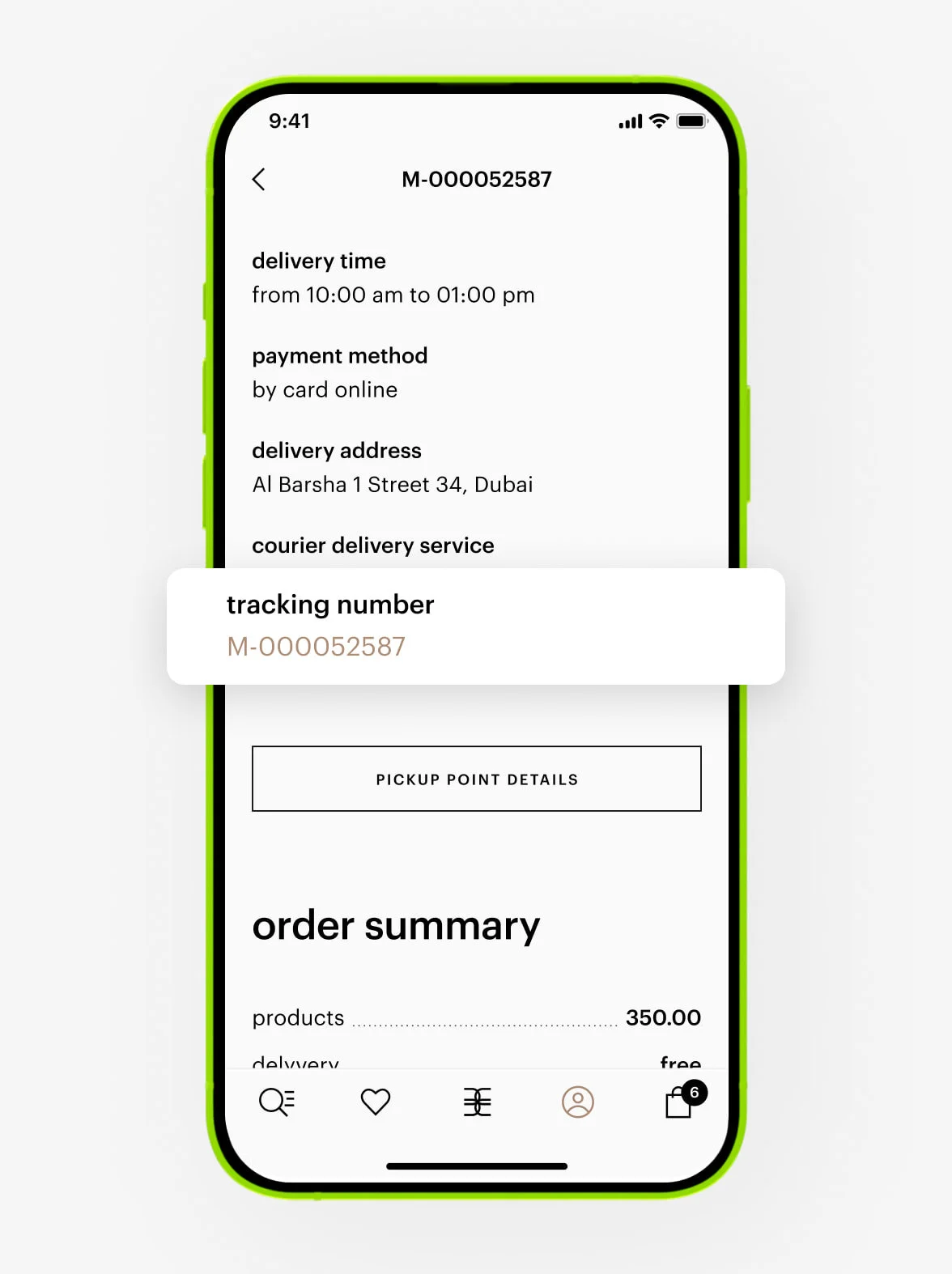
3. Tap the tracking number.
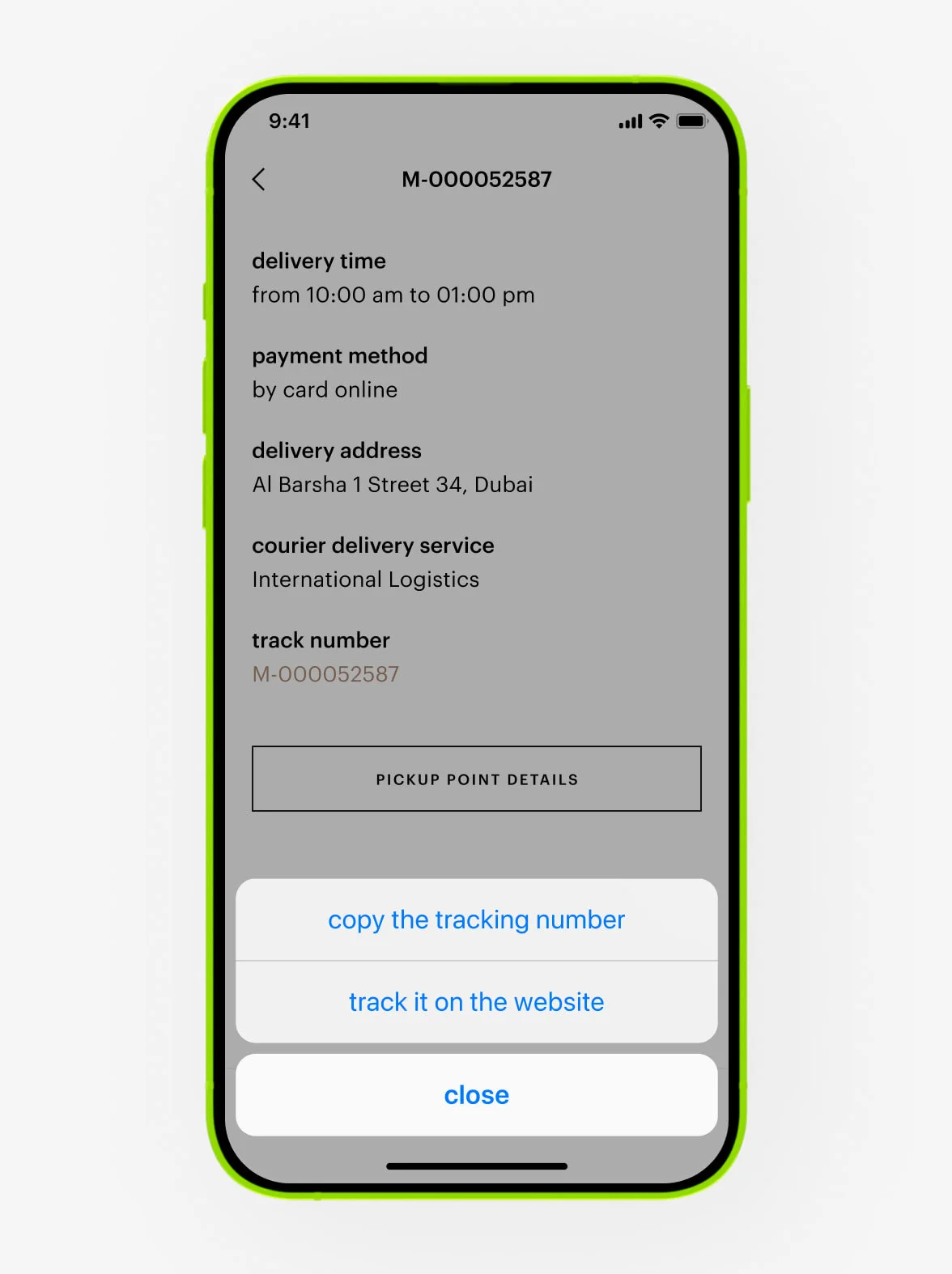
4. You will be redirected to the courier service’s website, where you can track your order.
You can find the status of your order in your personal account in the Gold Apple app.
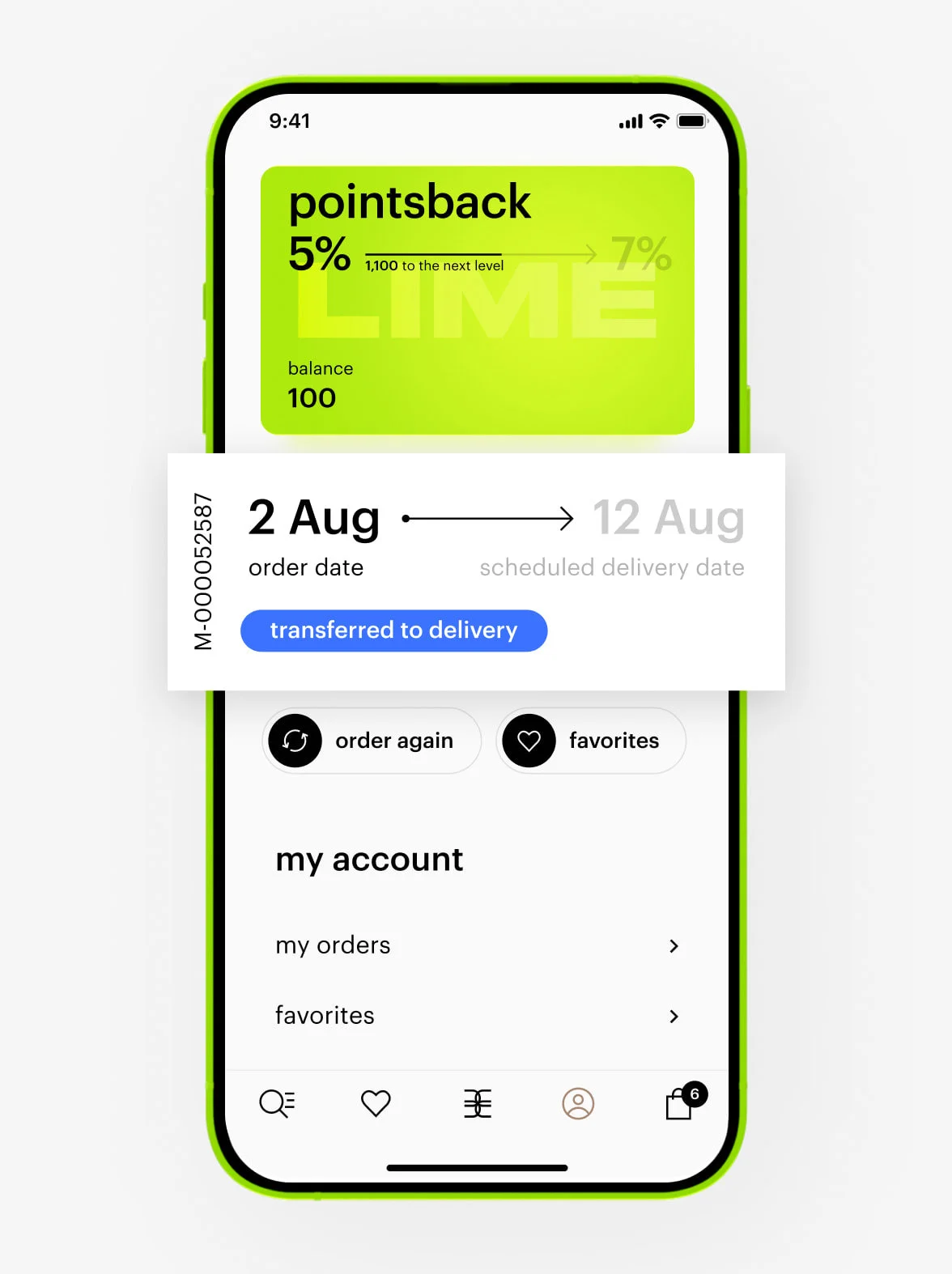
After each stage of order processing, your order status is updated. We reflect these changes in your personal account and send notifications via email, SMS, or push with full details.
Possible order statuses:
— Accepted
You’ve created and paid for the order. It hasn’t been transferred for packaging yet.
— Being packed
Your order is being prepared at our warehouse.
— Preparing for delivery
We’re preparing your order for delivery. Don’t worry if the status doesn’t change to «ready for delivery» immediately — we’re working on it and will update it soon.
— Ready for delivery
Your order is packed and either awaiting courier pickup, or the courier couldn’t reach you.
— Transferred to delivery
Your order is with an external courier service or Gold Apple delivery. Check your account for the courier’s contact information or tracking number (if delivered by an external courier service).
— With courier
The order has been handed to the courier.
— Ready for pickup
Your order has arrived at the pickup point, and you can collect it.
— Canceling
We’re processing your cancellation request and preparing your refund.
— Canceled
Your order has been canceled and the refund processed.
— Completed
You’ve received the order via courier delivery, or in-store pickup
— In-store purchase
You bought products directly at the Gold Apple store.
offers and promo codes
Look for products with special labels. If a promo code applies, you will see the code displayed below the product, along with the discount and coupon details in your cart.
Labels and their meanings:
1+1 — add two products to your cart and pay for only one.
2=3 — get three products for the price of two.
gift — receive a free gift with your purchase.
You can find more details in the «beauty offers» section. Your coupon in the cart will also guide you to the relevant offer.
At checkout, enter your promo code or tap an available coupon in your cart. The discount will apply automatically once all promotion conditions are met.
Your promo code will apply only when products meet all promotion conditions. If it doesn’t apply, we will show you what needs to be corrected.
— If you cancel or return your order, the promo code will no longer be valid and can’t be reused.
— If Gold Apple cancels your order, we will send you a new promo code with the same conditions via SMS on the same day.
— If payment fails and no funds were deducted, the promo code will be restored automatically within 30 minutes.
1+1 offer
Add at least 2 products to your cart. If they meet all promotion conditions, you will get the 1+1 deal. It applies to products of the same price, or you will get the cheaper one for free. Check the «beauty offers» section for all the details.
2=3 offer
Add at least 3 products to your cart. If they meet all promotion conditions, you will get the 2=3 deal. It applies to products of the same price, or you will get the cheaper one for free. Check the «beauty offers» section for all the details.
Perhaps you haven’t fulfilled the offer conditions, or gifts may be out of stock. Unfortunately, the number of gifts is limited, so they may not be available with all delivery methods.
Please note: the number of gifts is limited. After placing an order, we will send you a confirmation email with the exact contents. If the gift appears in your cart when ordering but isn’t in the email, this means the gifts are out of stock.
If you prepare your cart with a gift but don’t complete the order, the gifts may be out of stock by the time you check out. The final order contents will be shown in your confirmation email.
returns and refunds
You can exchange or refund products through your personal account.
1. Go to the «my orders» section in your personal account.
2. Select the order containing the products you want to refund.
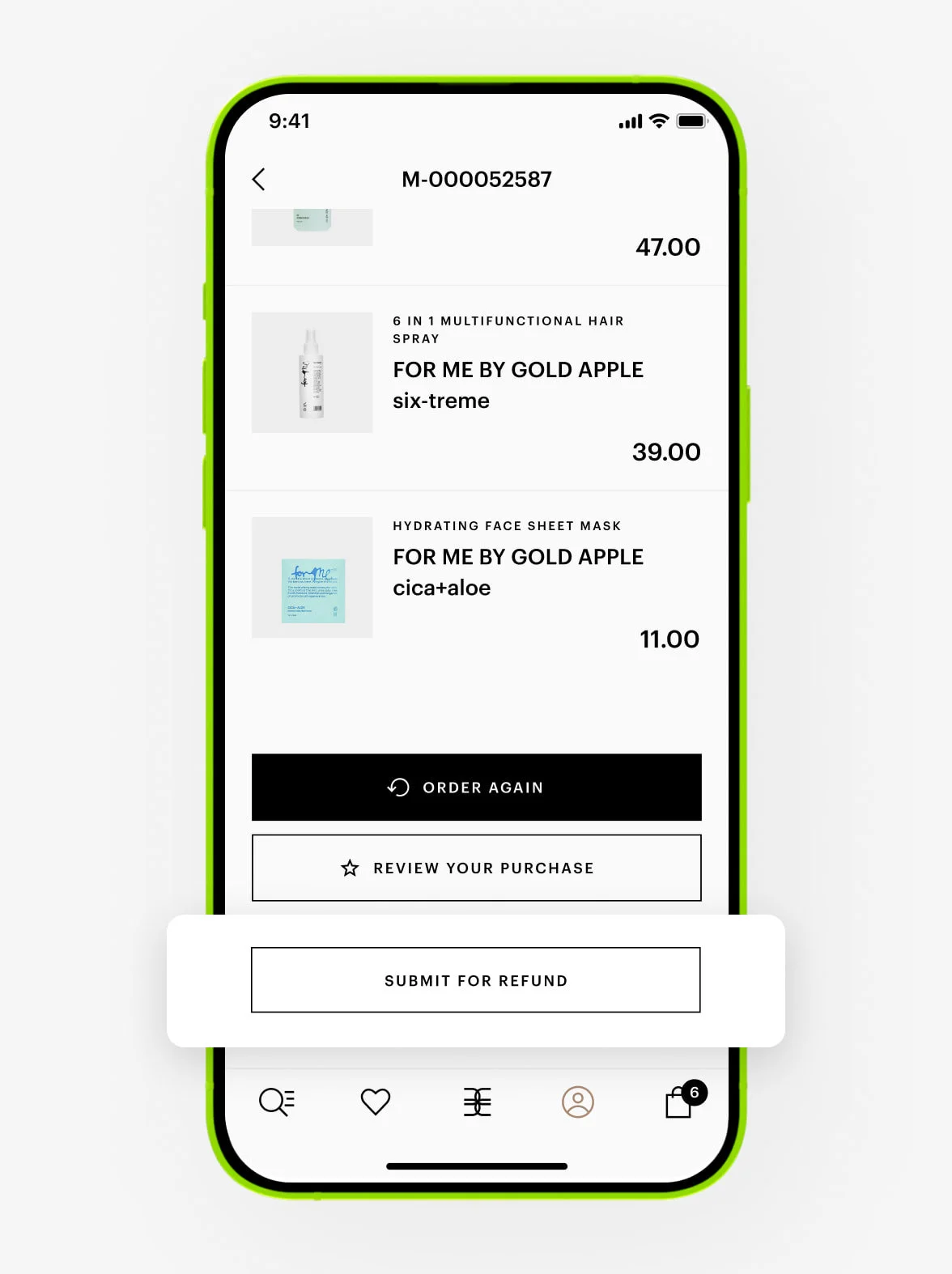
3. Choose the products.
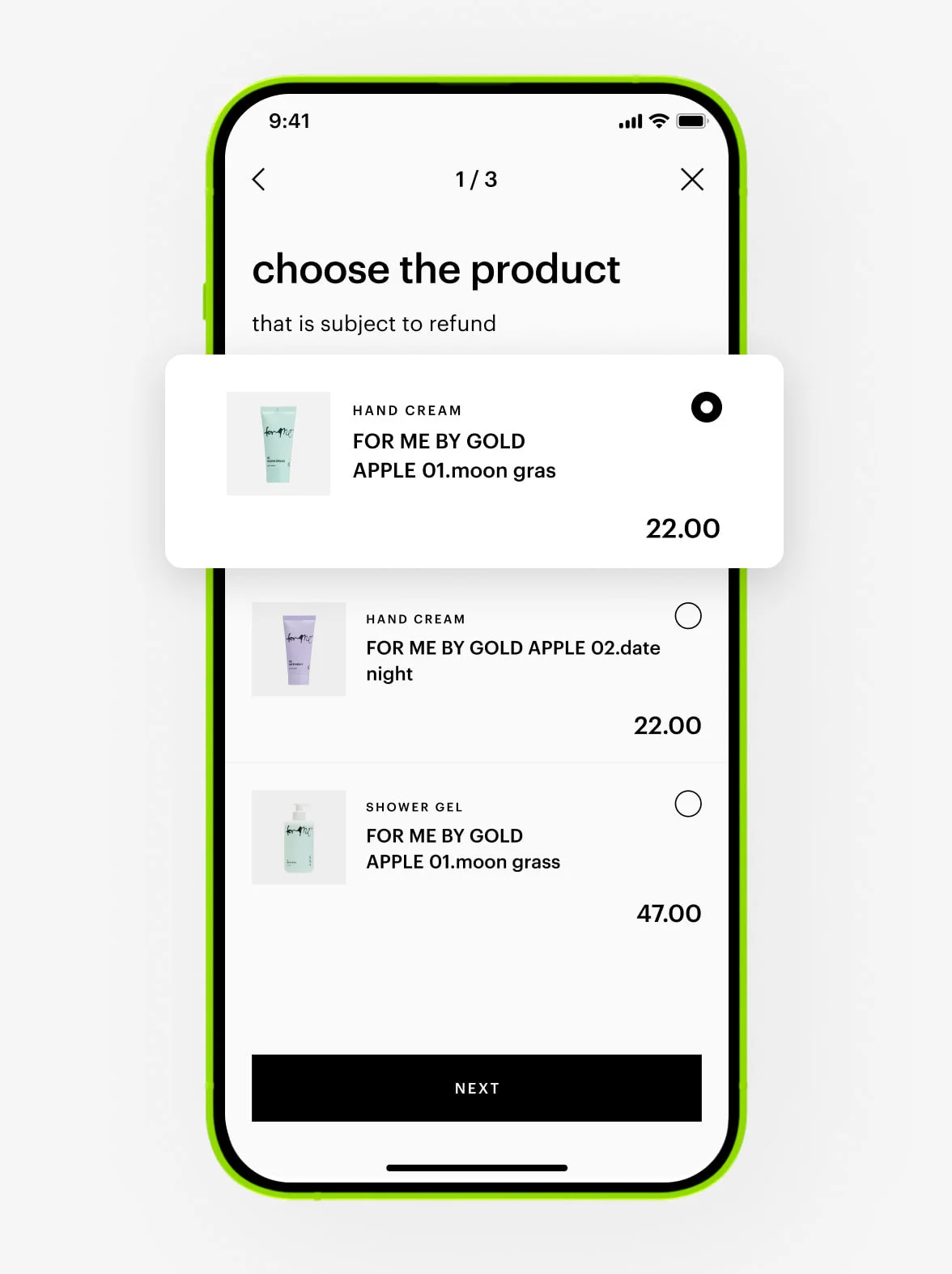
4. Choose the reason for the refund.
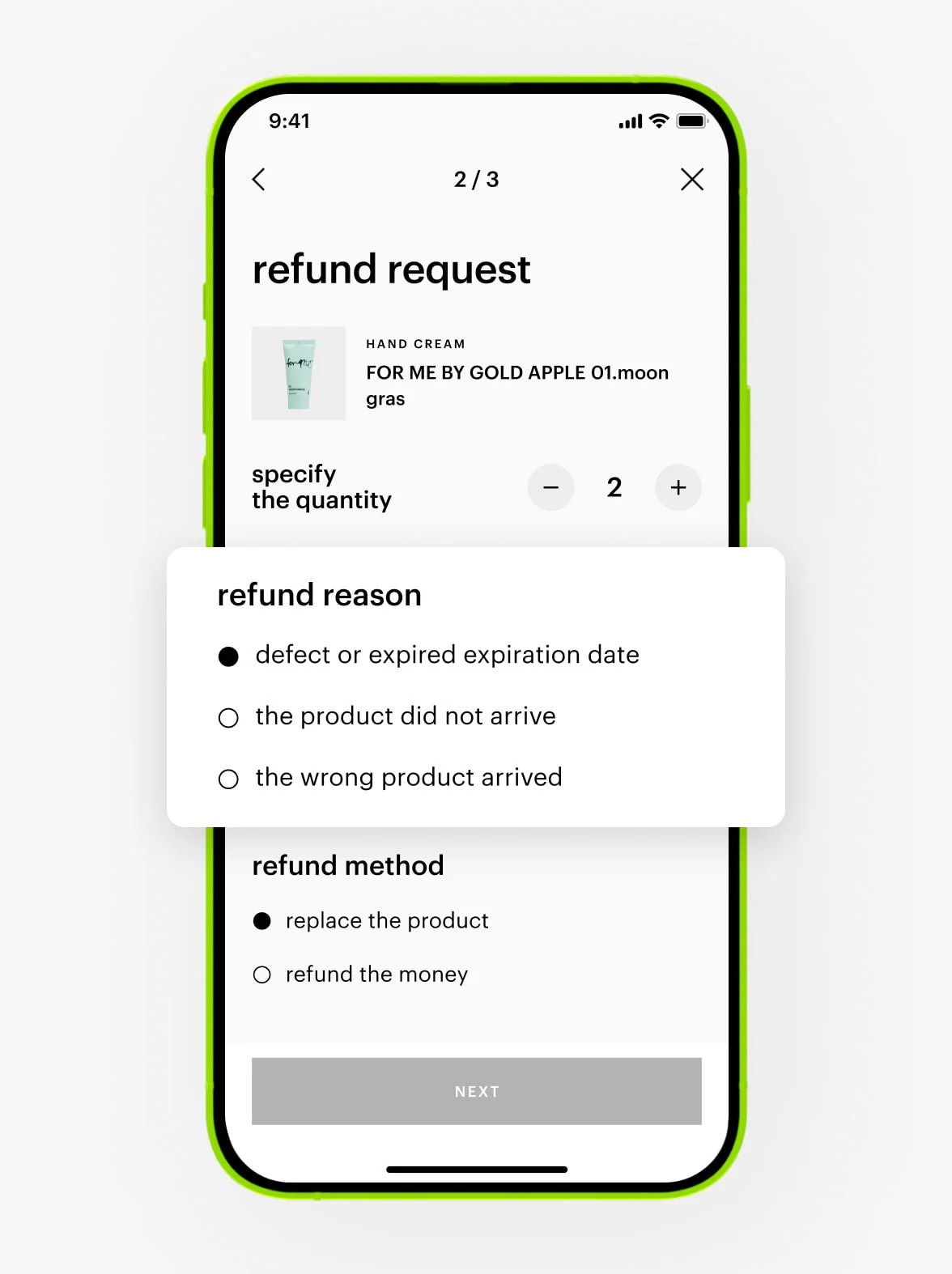
5. Select the refund method: replace the products or request a refund.
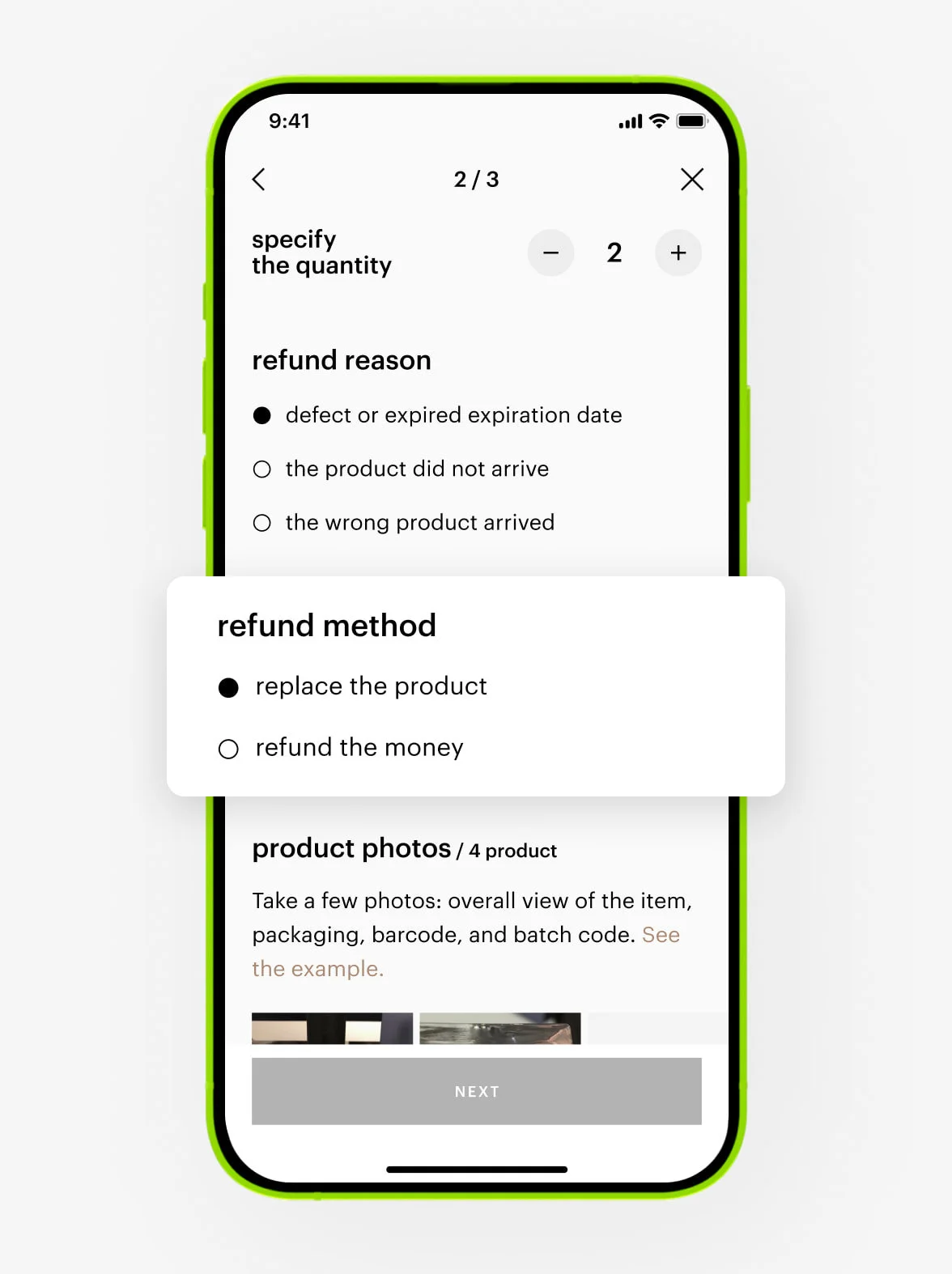
6. Tap the «submit for refund».
In the «product photos» section, you can attach photos of the defect — tap «attach photo or video». In some cases, attaching photos may be required.
Your refund or replace request will appear in the «my refunds» section of your personal account, where you can follow its status.
Upon approval, you will receive a refund within 14 days. Please note the actual credit to your card depends on your bank and may take up to 30 days.
In case of denial, we will send an official response to your email.
If you have any questions, feel free to contact our Customer Care at +97 145 569 100, available daily from 10 am to 11 pm, or reach us via WhatsApp chat +971 527 732 032.
Please try selecting another payment method or placing your order again later.
If you used points, a gift card, or a promo code, they will be restored within 30 minutes.
If you used points to pay for your online order and request a refund, your points will be returned to your rewards card within 24 hours after we approve your refund.
— If we refund your entire order, you will receive all your points back.
— If we partially refund your order, you will receive points back proportionally to the value of refunded products.
If you paid for an order with a gift card, the amount will be added to a new digital gift card. We will send you an email with all the details about your new gift card. This email will be sent to the address registered in your account — the same one you used when placing your order.
Orders may be cancelled due to technical errors like items selling out or pricing mistakes. We will email you about the cancellation and may suggest a refund or alternative options.
delivery
We offer free delivery for orders of 100 AED or more. If your order total is less, the delivery fee will be 10 AED. Free delivery is also offered to silver and gold loyalty program members.
Please note that delivery intervals and areas may change due to offers, season, or workload.
express delivery
We offer express delivery within 2 to 4 hours in Dubai. This service is available in select areas — check the full list here.
Orders can be placed from 9 am to 9 pm, with online payment only.
same and next-day delivery
External courier services:
- Next-day delivery or later.
- In Dubai, Abu Dhabi, Sharjah, Ajman, Ras Al Khaimah, Umm Al Quwain, Fujairah, and Al Ain.
- Select your preferred delivery time slot.
- Pay online or by cash on delivery.
Gold Apple courier service:
- Same-day, next-day delivery, or later.
- Available only in Dubai.
- Select your preferred delivery time slot: 10 am — 3 pm, 3 pm — 7 pm, or 7 pm — 11 pm.
- Pay online or by card on delivery.
You can check the order details to see which courier service is delivering your order.
The delivery of your orders is supported by our partners:
Transcorp — scheduled delivery, ensuring you receive your order at the exact time.
Quickap — express delivery for the fastest possible service.
We work only with trusted courier services to ensure your comfort and the timely delivery of every order.
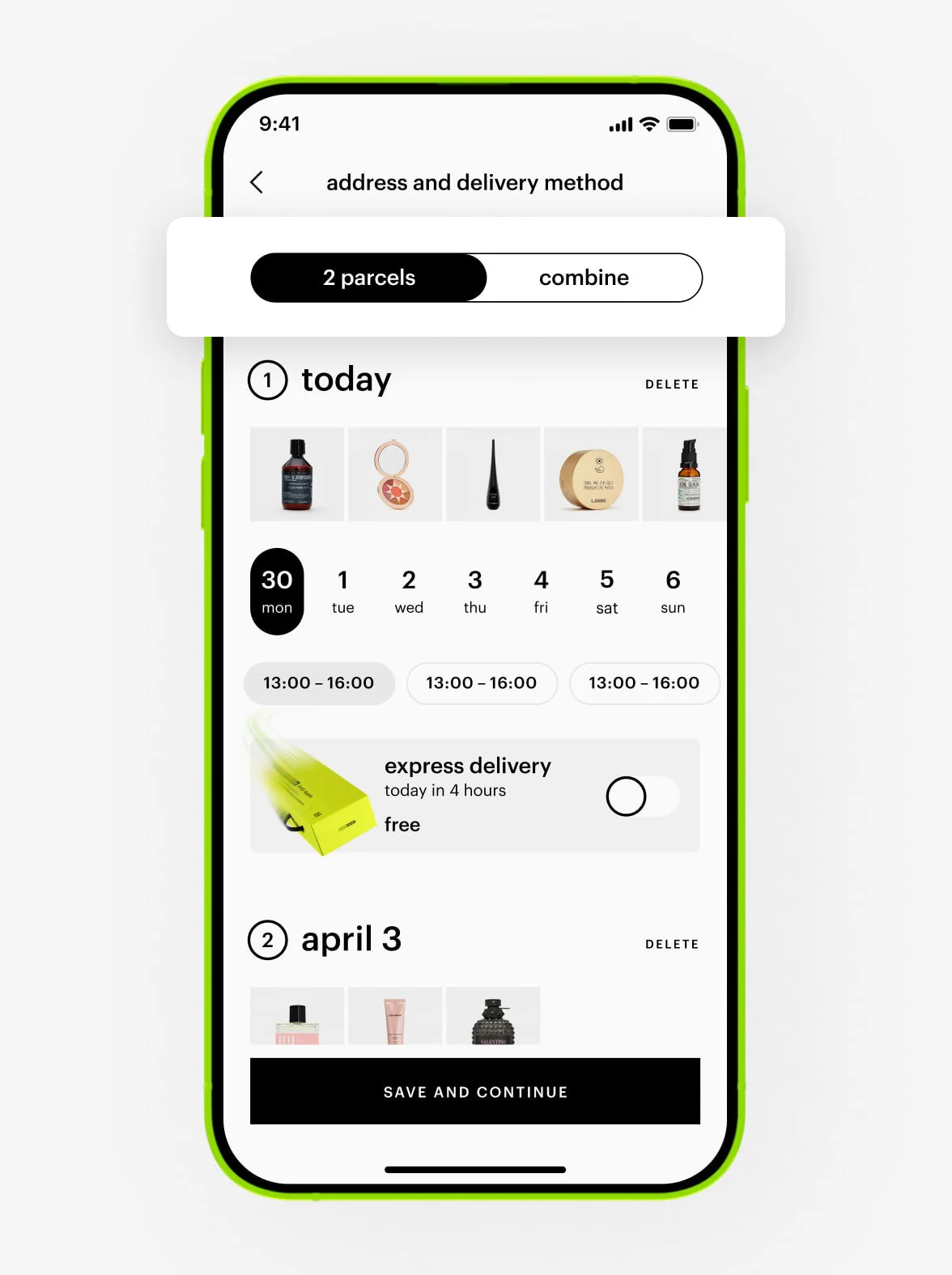
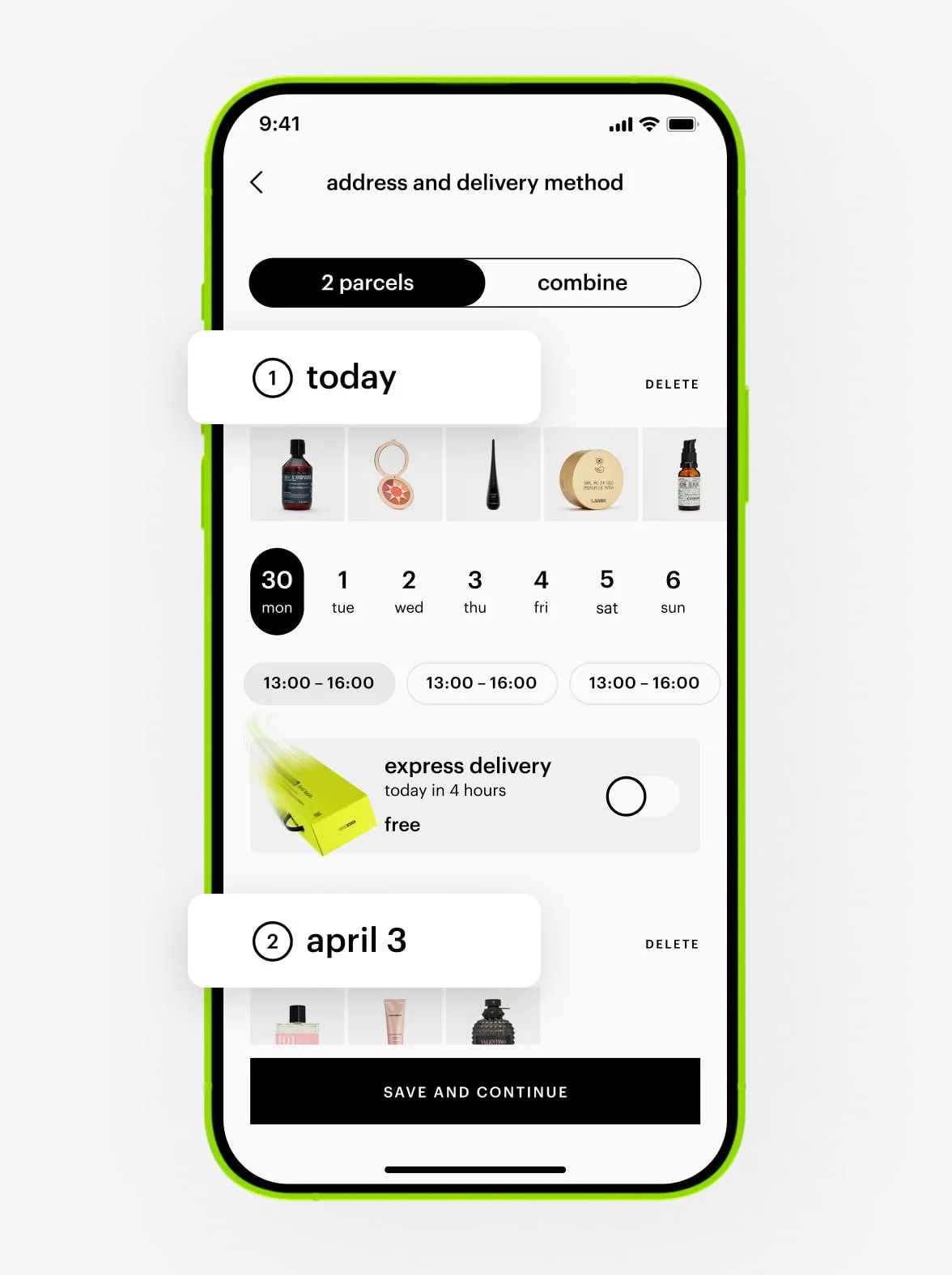
If we can deliver part of your order faster, we’ll offer to split it into multiple deliveries. In this case, free shipping will apply if the total value of your order is 100 AED or more. If your order total is less, each delivery will cost 10 AED.
If you’d prefer to receive all your products together, you can combine them into a single delivery. However, this may not be available if the products in your order are located in different warehouses.
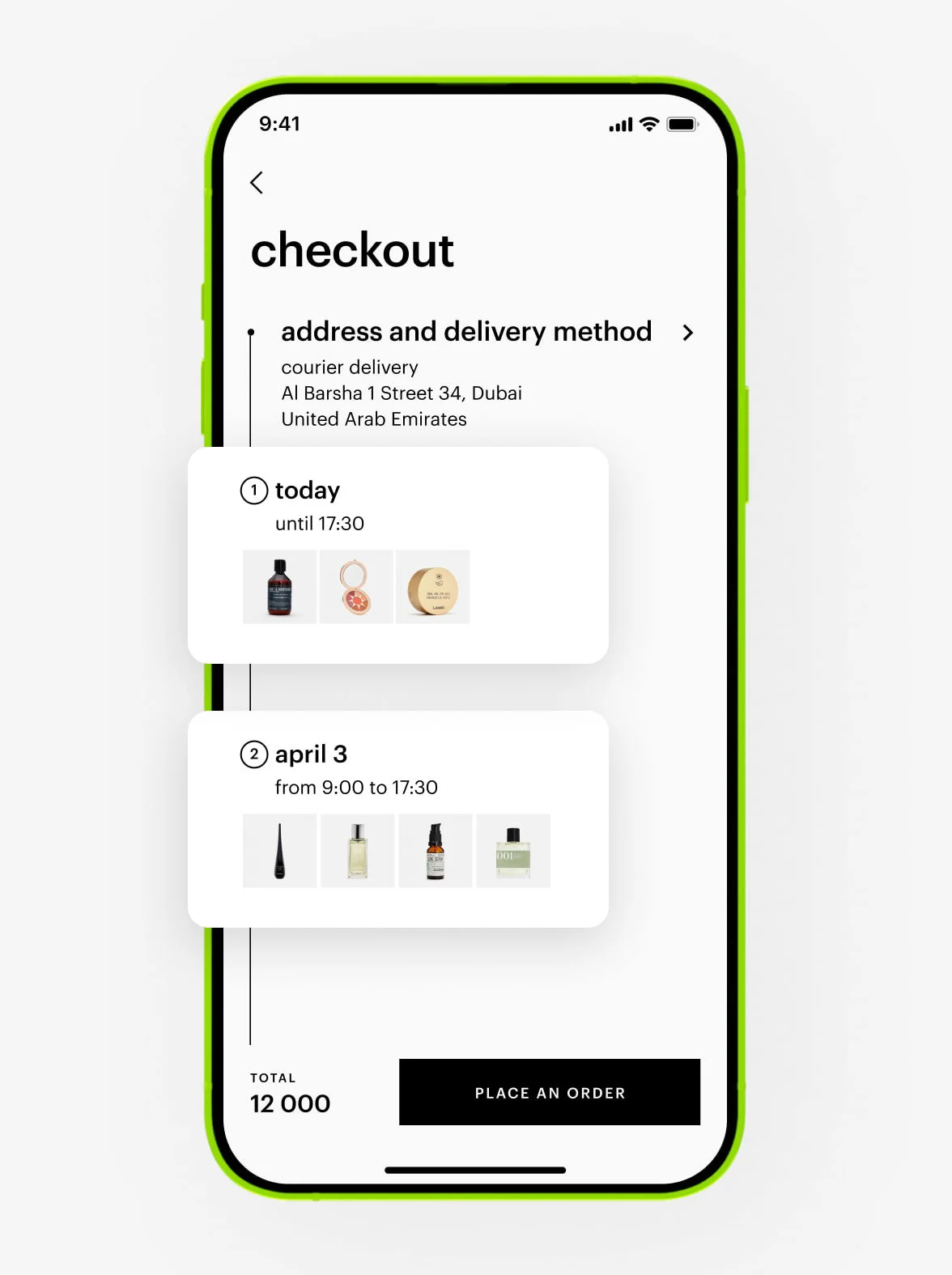
To reschedule your courier delivery, please contact our Customer Care at +97 145 569 100, available daily from 10 am to 11 pm, or reach us via WhatsApp chat at +971 527 732 032. Provide your order number, last name, first name, and your preferred new date and time.
If you want to change the address for courier delivery, please contact our Customer Care at +97 145 569 100, available daily from 10 am to 11 pm, or reach us via WhatsApp chat at +971 527 732 032. Provide your order number, last name, and first name.
You can’t change the delivery type, but our Customer Care team can adjust the date or time for more convenient delivery. Contact our Customer Care at +97 145 569 100, available daily from 10 am to 11 pm, or reach us via WhatsApp chat at +971 527 732 032. Provide your order number, last name, and first name.
We hold your order for three days.
You can change the delivery date and time interval in your account. Tap «extend the storage period» and select a convenient day and time. You can reschedule the delivery only once, and the new date can’t be later than three days after the originally scheduled delivery date.
The updated storage period will be shown in your order details in your account.
If your order includes a tracking number, it is delivered by an external courier service. In this case, you can contact our Customer Care at +97 145 569 100, available daily from 10 am to 11 pm, or reach us via WhatsApp chat at +971 527 732 032. Provide your order number, last name, first name, and your preferred delivery date, or contact the courier service directly. Please note that the new delivery date may not appear in your account.
If Gold Apple changes the delivery date or time, we will notify you via email, push notification, or SMS.
If the courier is delayed in delivering your order, we will notify you via text message. The updated delivery date and/or time will also be available in the detailed order information in your account.
You can also contact our Customer Care team at +97 145 569 100, available daily from 10 am to 11 pm, or reach us via WhatsApp chat at +971 527 732 032.
We will send you a push notification as soon as the courier picks up your package. They may also contact you via phone call, text, or WhatsApp.
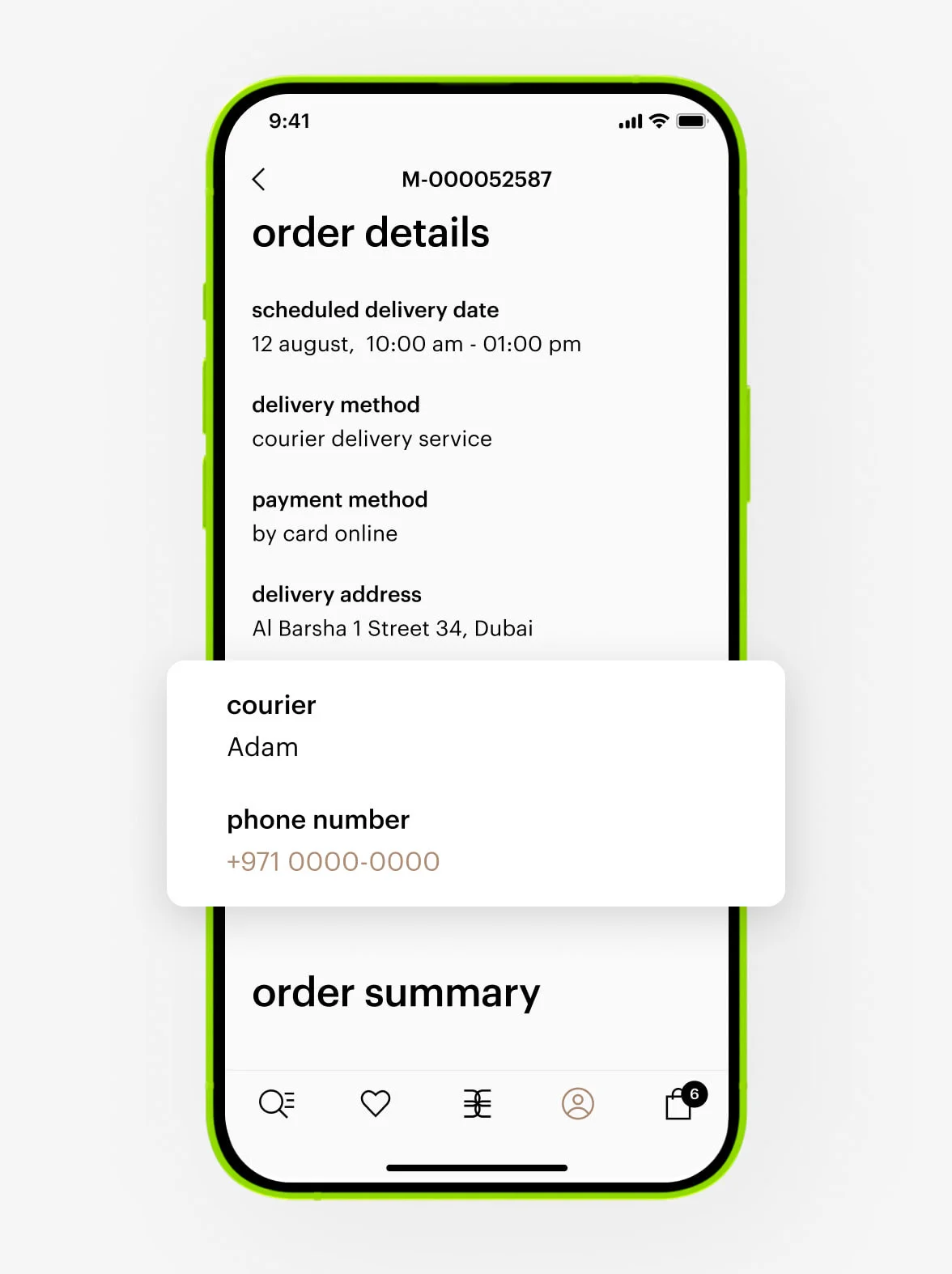
If Gold Apple is delivering:
You can find the courier’s phone number in your personal account under order details. Feel free to call or contact them via WhatsApp.
If an external courier service is delivering:
We don’t share the courier’s contact information, but you can track your order directly on the courier’s website.
1. Go to the order.
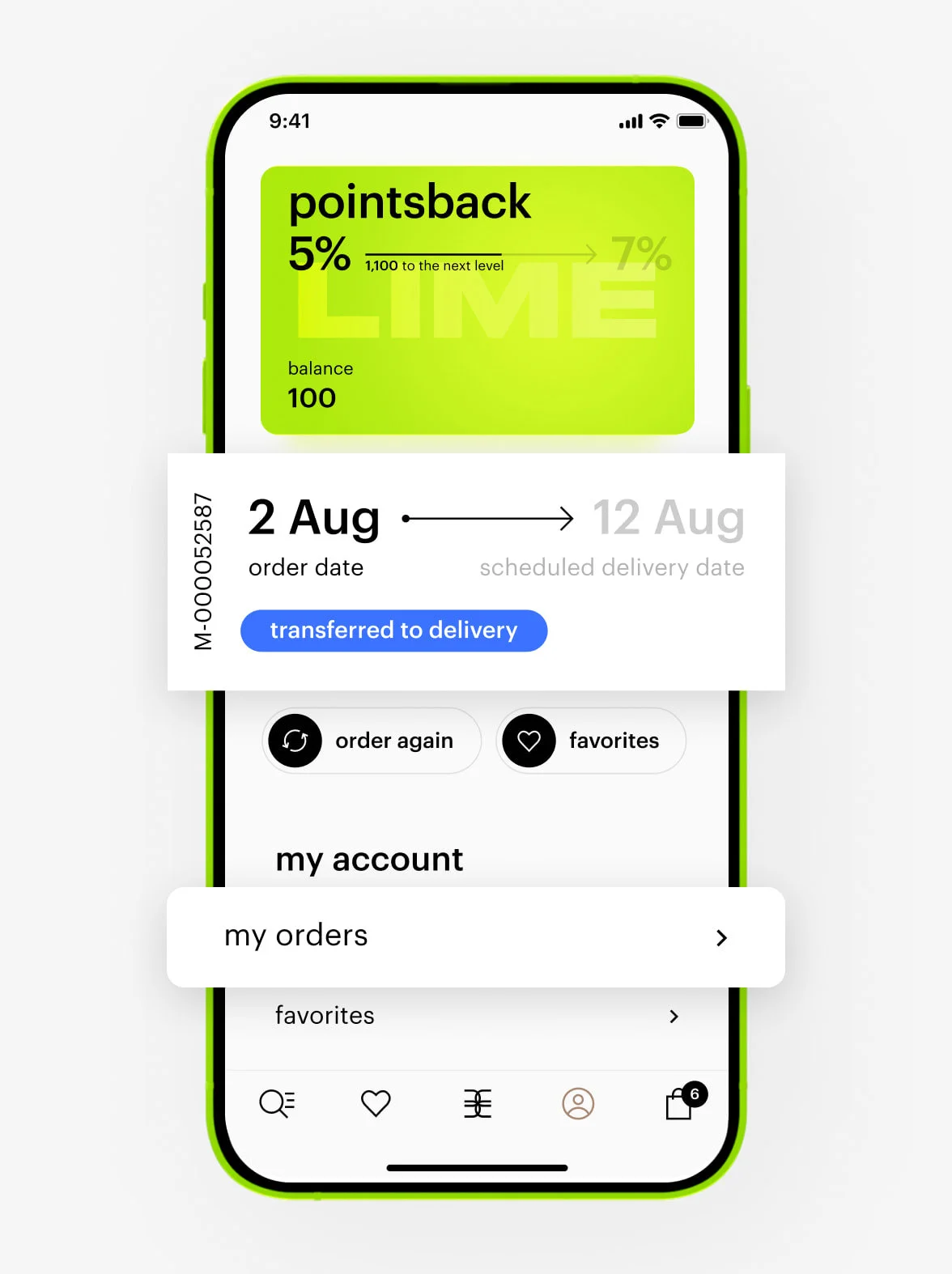
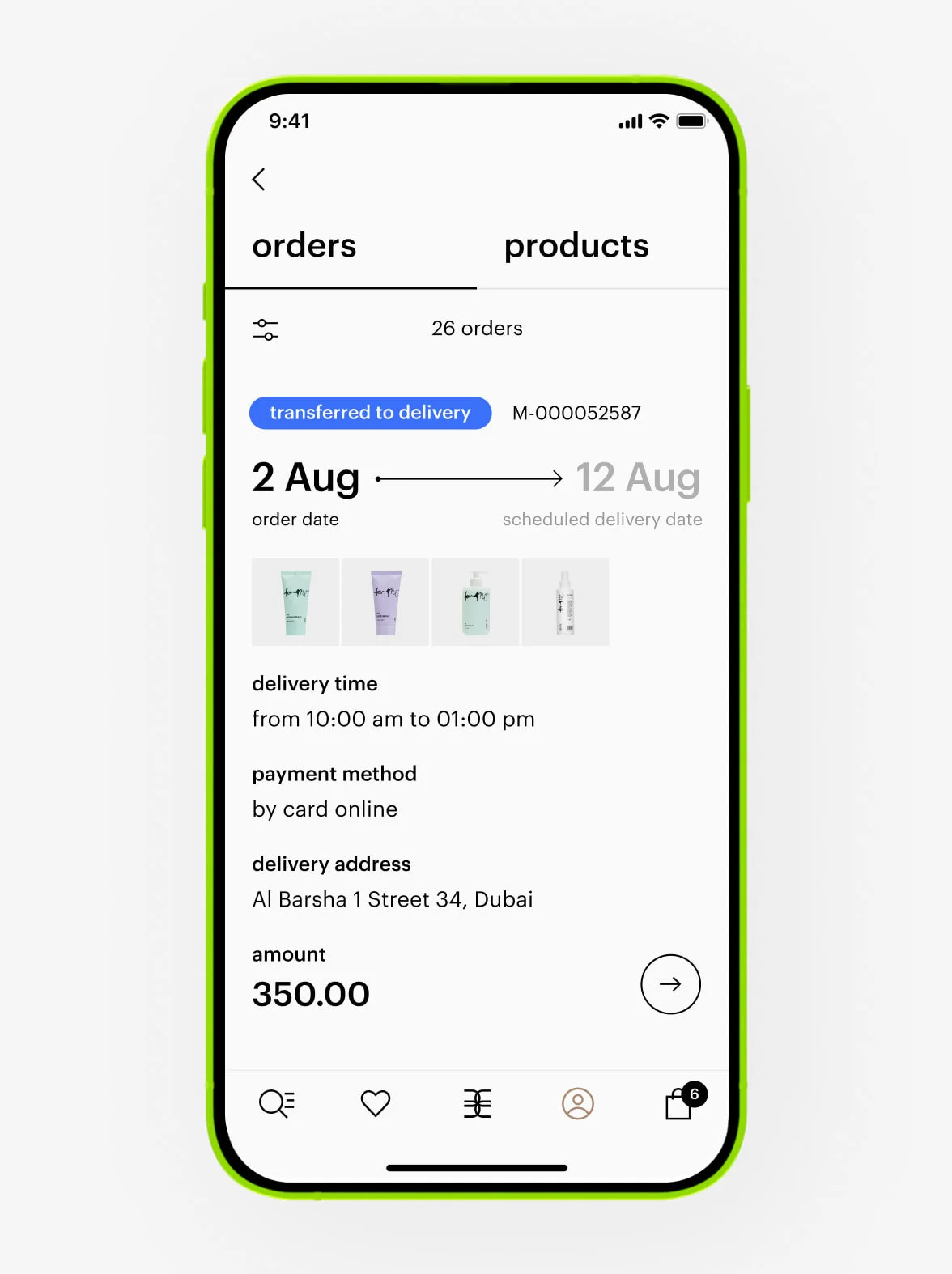
2. In the order details, you will find the tracking number.
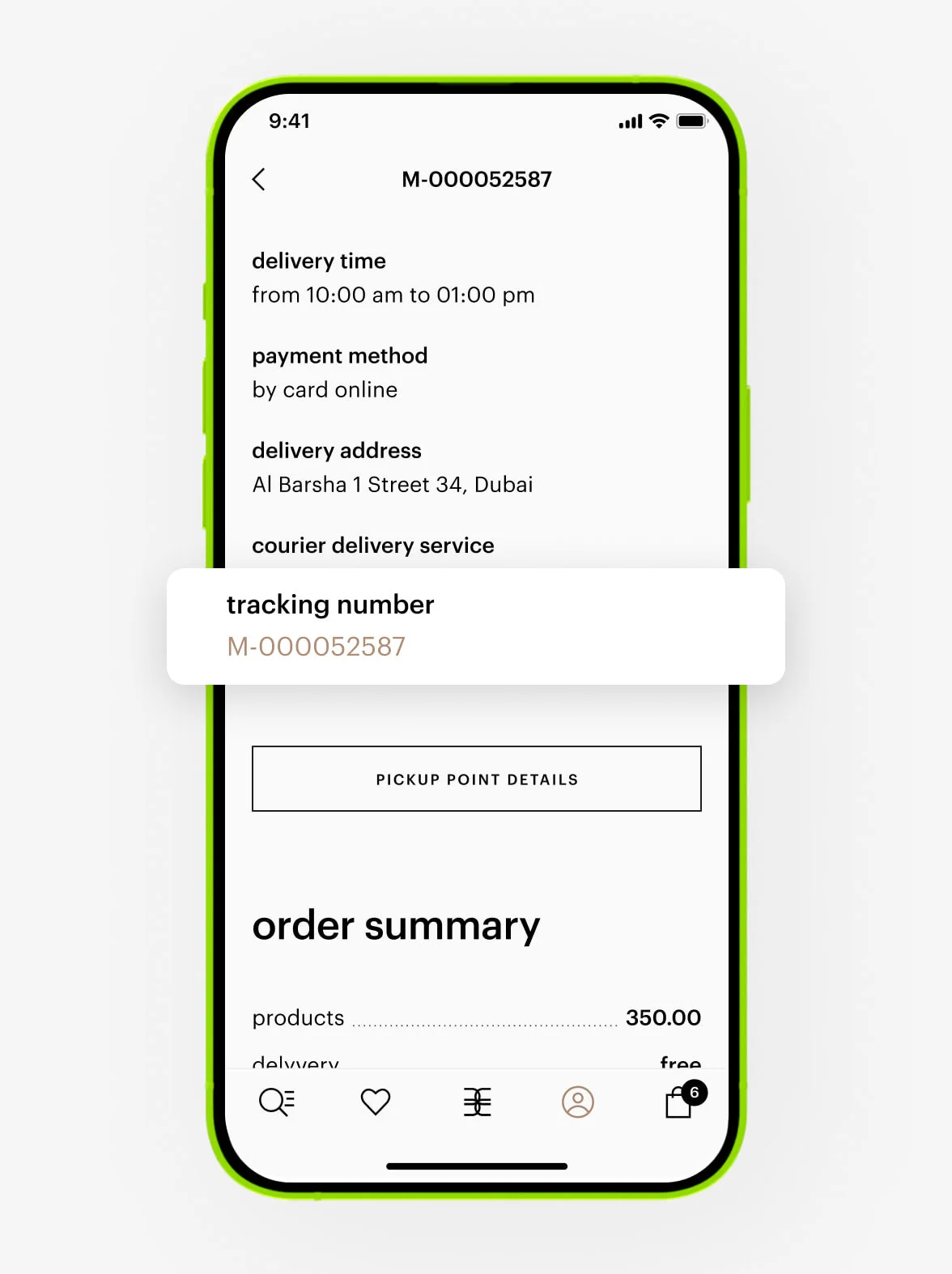
3. Tap the tracking number.
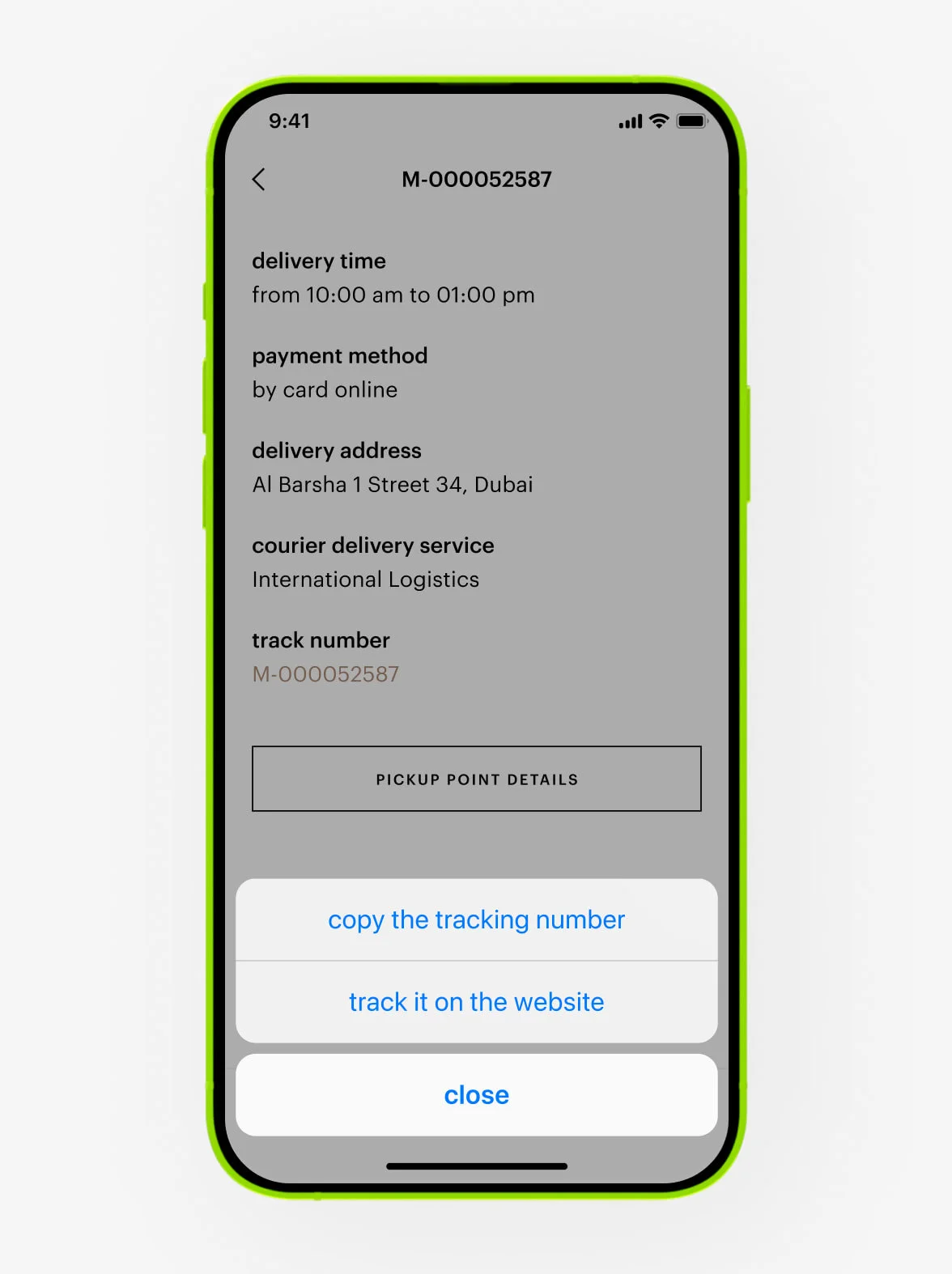
4. You will be redirected to the courier service’s website, where you can track your order.
If Gold Apple is delivering:
You can find the courier’s phone number in your personal account under order details. Feel free to call or contact them via WhatsApp.
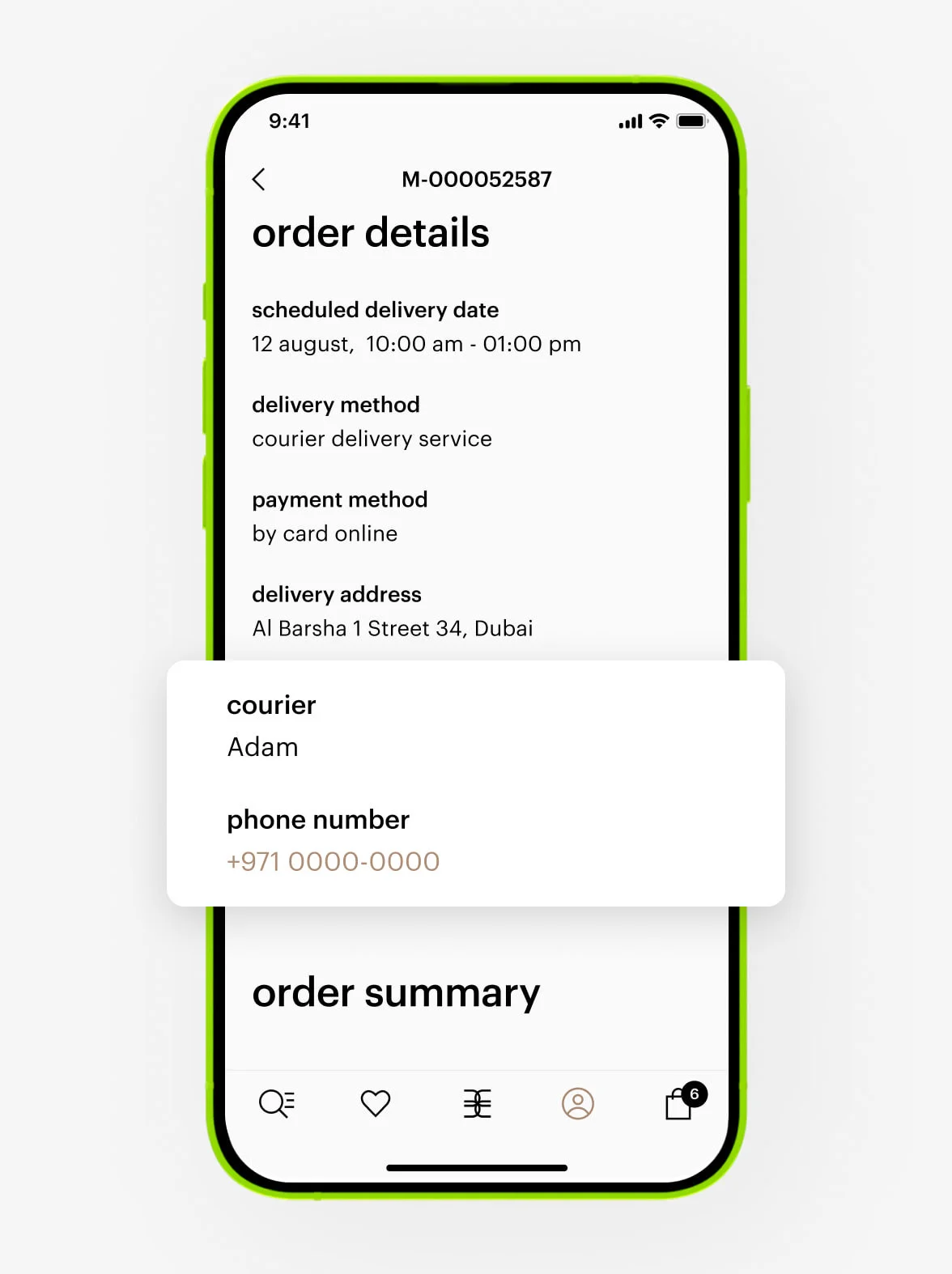
If an external courier service is delivering:
We don’t share the courier’s contact information, but you can track your order on the courier’s official website.
payment
You can choose from the following options:
— Online payment. Points can be redeemed. Payment with a bank card must be authorized by the bank.
— Cash on delivery.- Card on delivery (QR code).
— Instalments with Tabby. Points can’t be redeemed.
By delivery type:
— Express delivery: online payment (points can be redeemed) or card on delivery.
— Delivery by an external courier service: online payment (points can be redeemed) or cash on delivery (points can’t be redeemed).
— Delivery by Gold Apple: online payment (points can be redeemed) or card on delivery.
Please try selecting another payment method or placing your order again later.
If you used points, a gift card, or a promo code, they will be restored within 30 minutes.
Please wait 15 minutes for the order to appear in your account. If it doesn’t appear, please contact our Customer Care at +97 145 569 100, available daily from 10 am to 11 pm, or reach us via WhatsApp chat at +971 527 732 032.
In the app:
Go to your personal account. Your order will have the receipt attached.
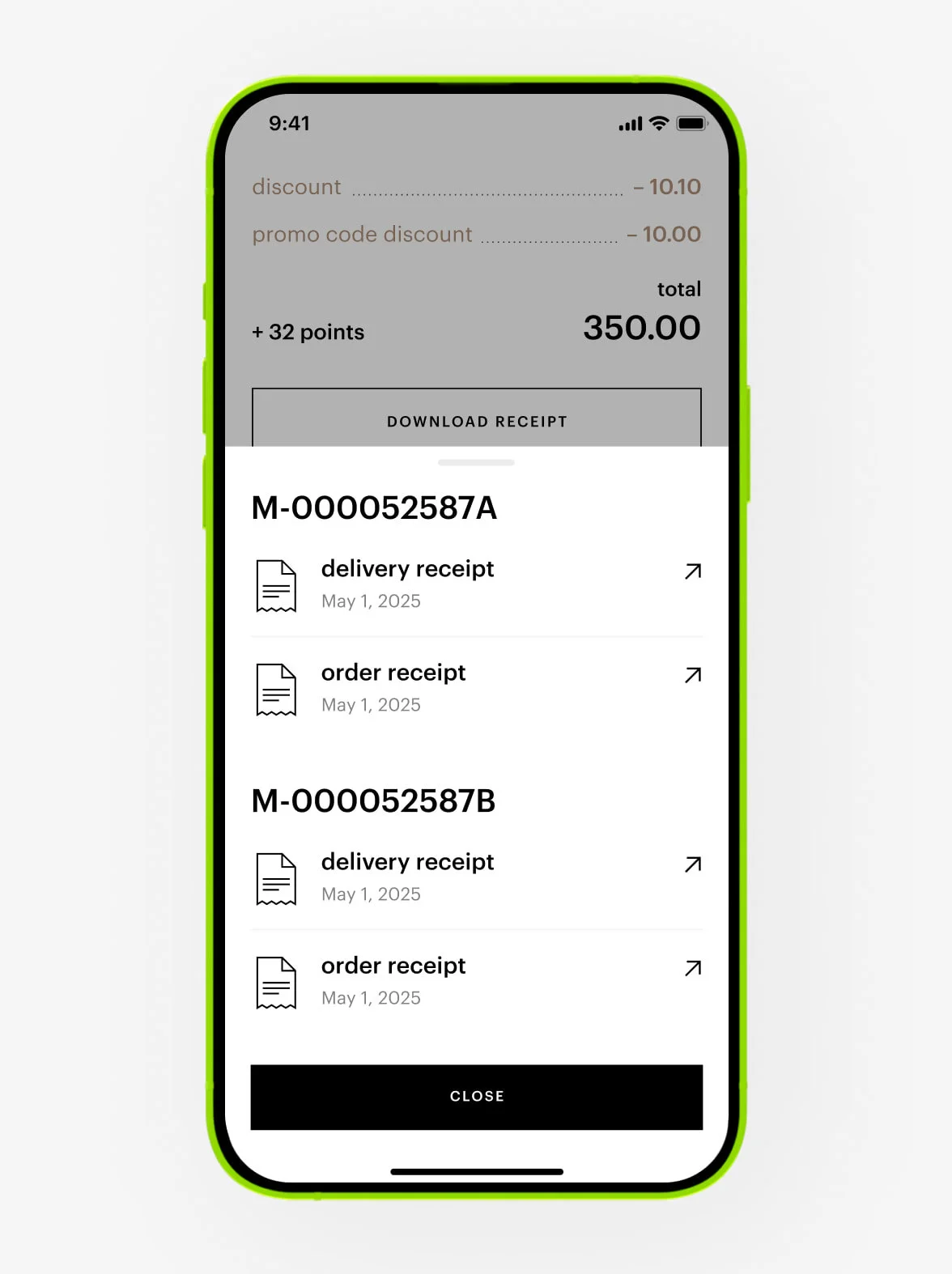
By email:
We send your receipt immediately after payment is confirmed. If you can’t find it, please check your spam or promotions folder.
gift cards
Gift cards are valid for use online and at the Gold Apple store.
The gift card is valid for 24 months.
You can buy a digital gift card in the «gift cards» section in the Gold Apple app or on the website.
You can buy a plastic gift card at the checkout in the Gold Apple store.
When you buy the card, you can select the date and time for delivery.
If you only provide the recipient’s phone number, your gift will be sent to the recipient via WhatsApp or SMS. If you also provide the recipient’s email, the card will additionally be sent to the recipient’s email.
The message will contain a link to the digital gift card.
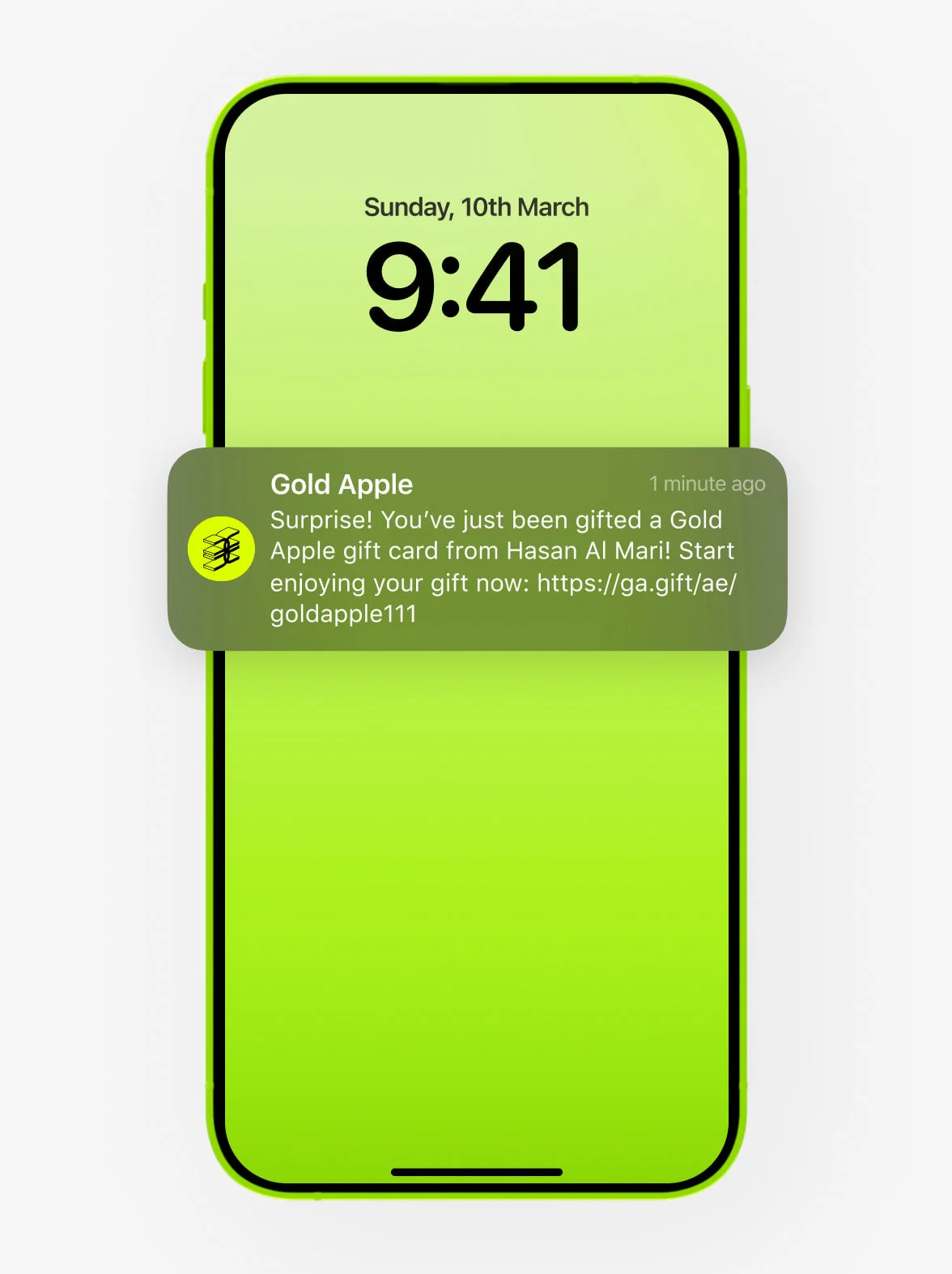
If the recipient logged into the app, the card will be added to the user’s personal account. For unauthorized users, the card will always be accessible in the message containing the link to the card.
The card doesn’t need to be activated. It’s already available for payment. You can use it both online and at the Gold Apple store.
You can use both the digital gift card and the plastic gift card for purchases at the Gold Apple store as well as online.
You can use any amount available on your card for payment. You can use the card for payment an unlimited number of times. For example, today you can redeem 100 AED, and tomorrow another 500 AED.
To use the gift card online:
1. Log in to the Gold Apple website or app.
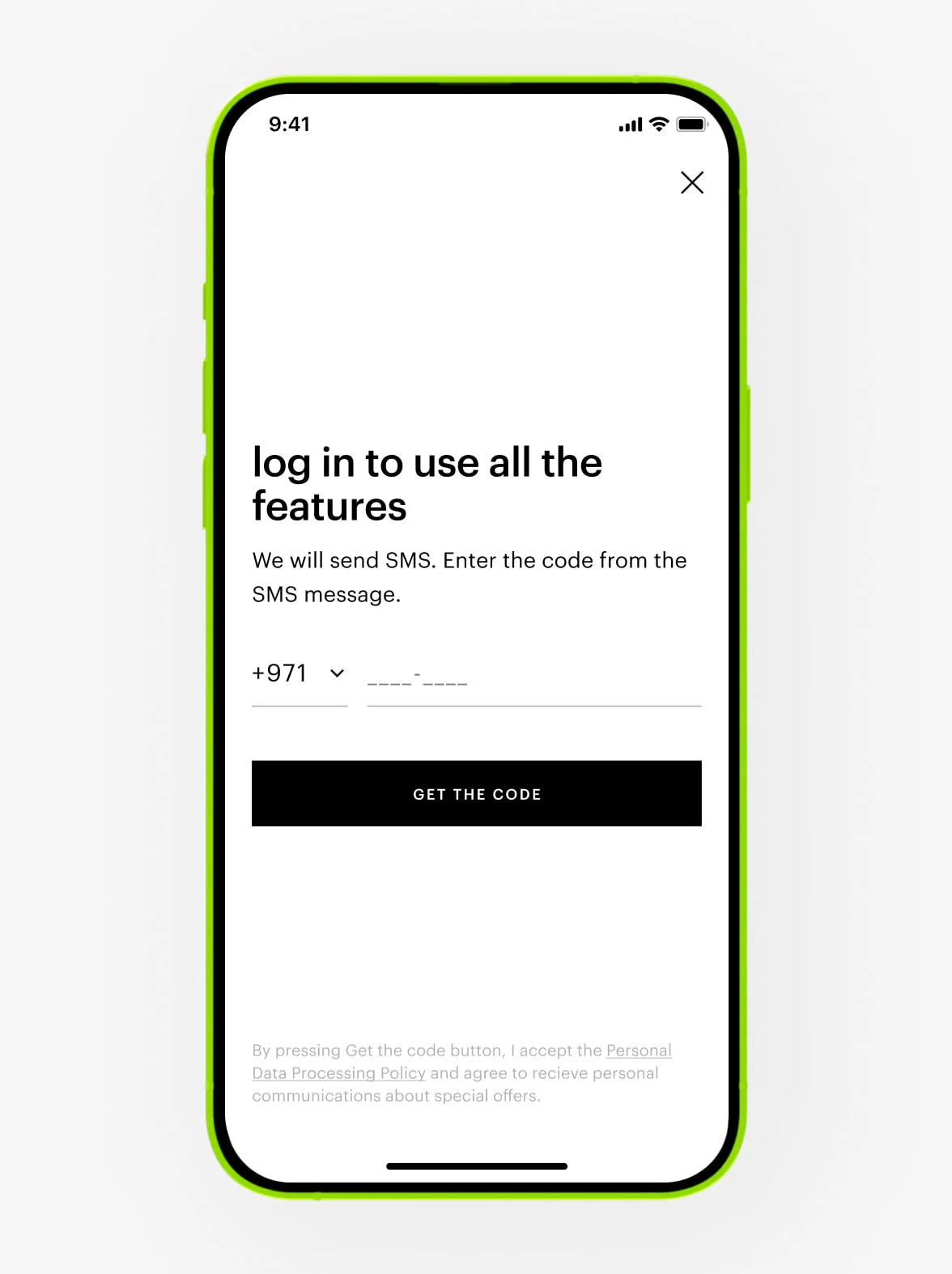
2. Add the selected products to the cart.
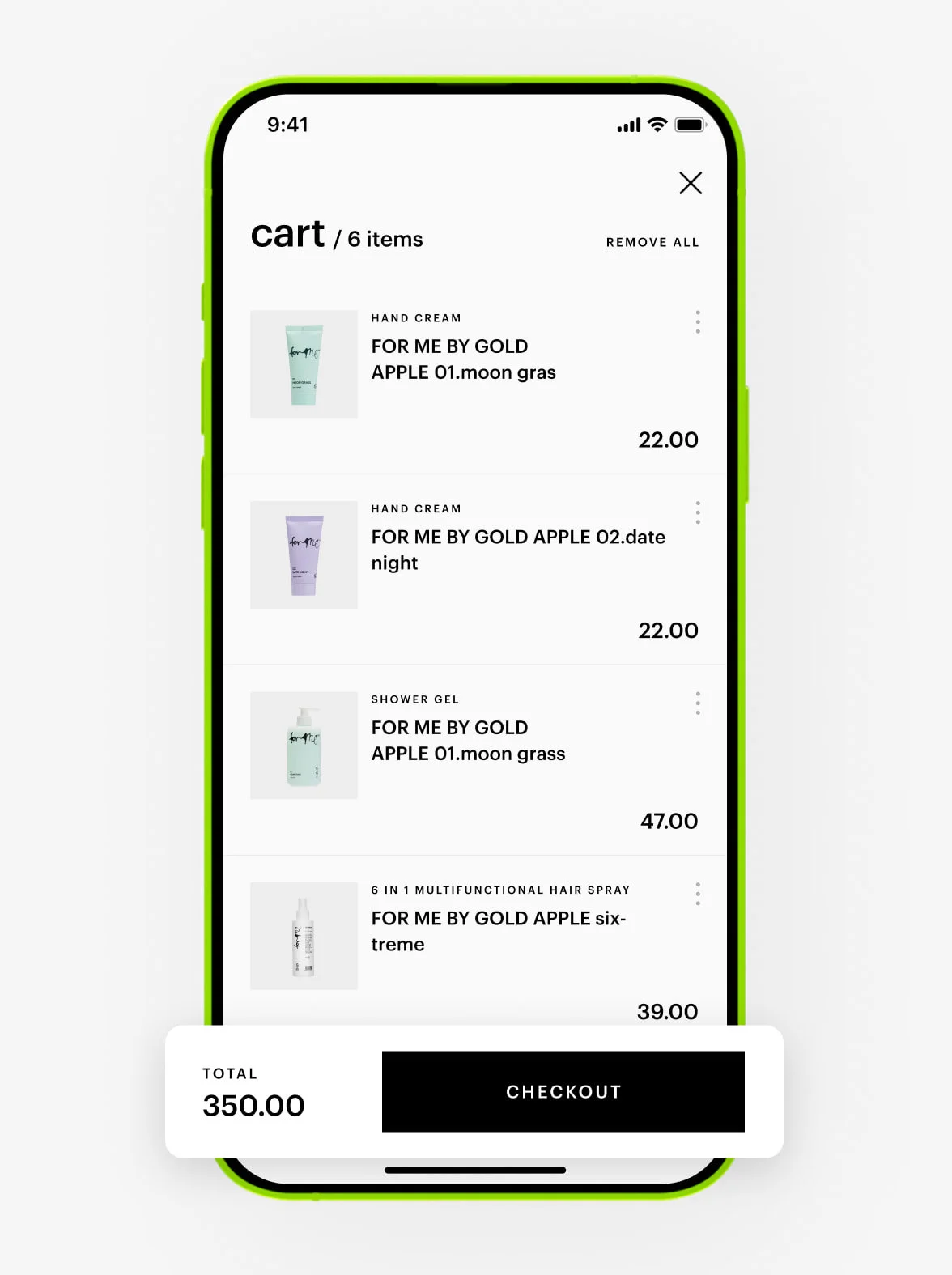
3. At checkout, select the «gift card» payment method.
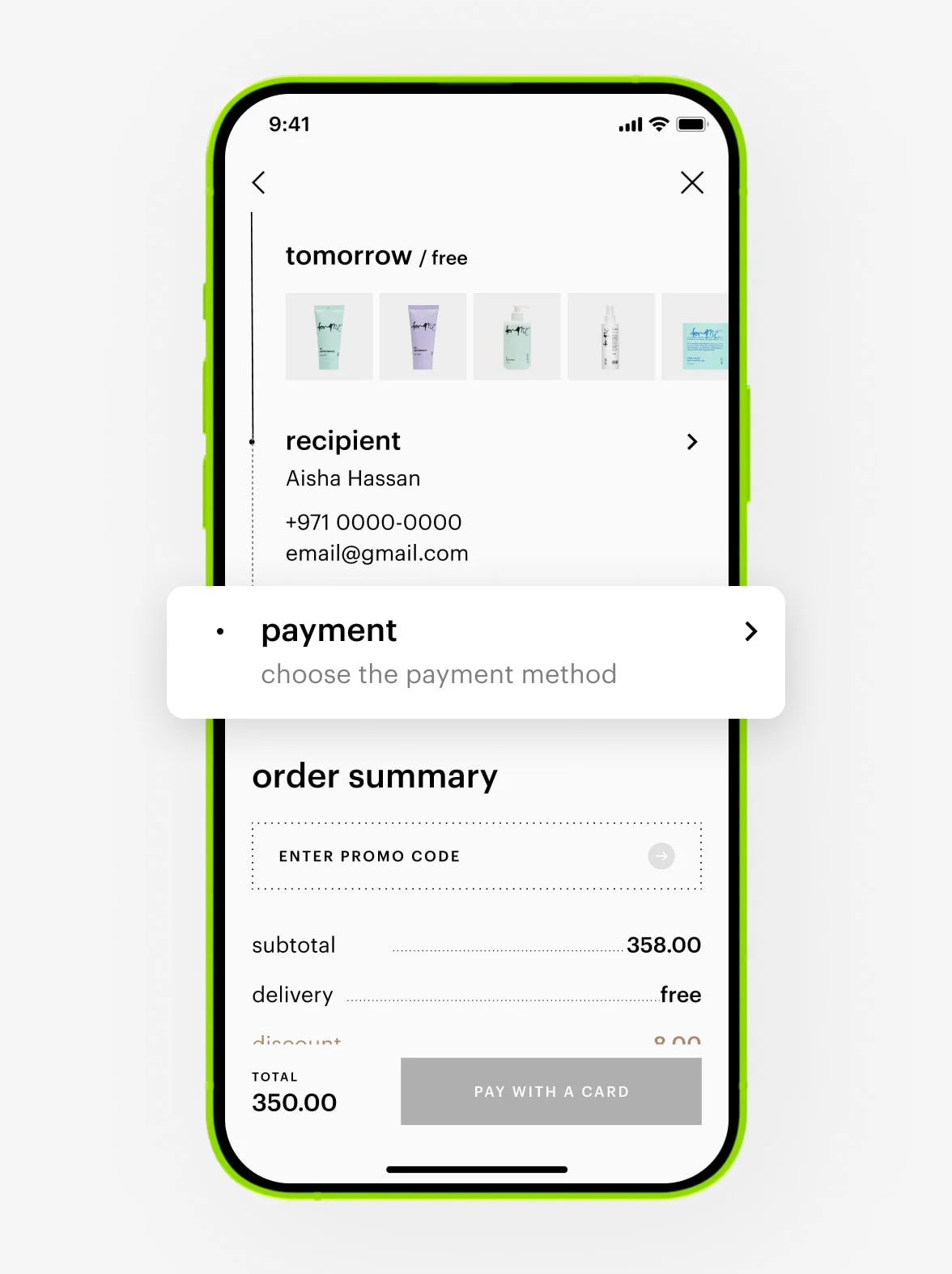
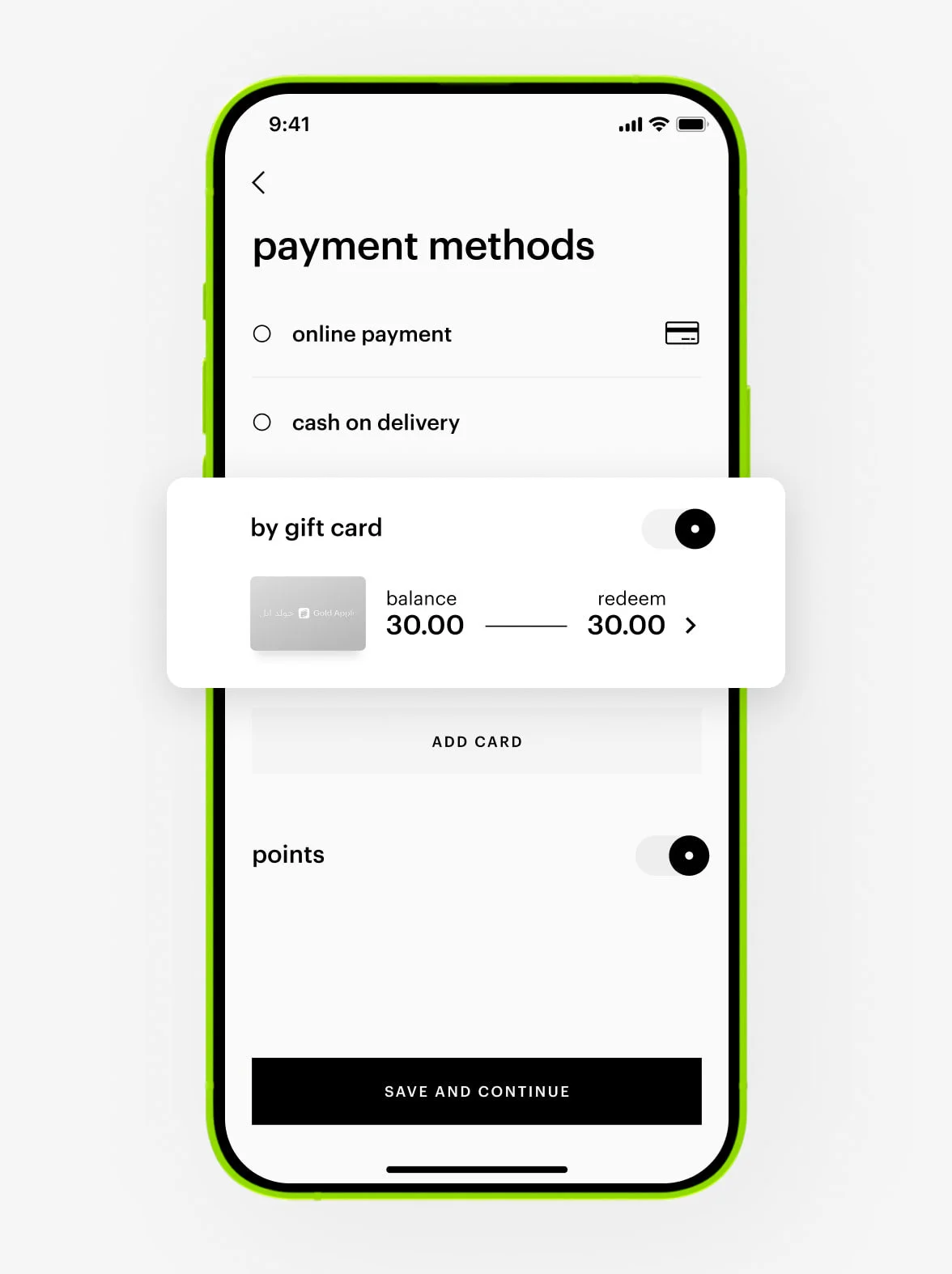
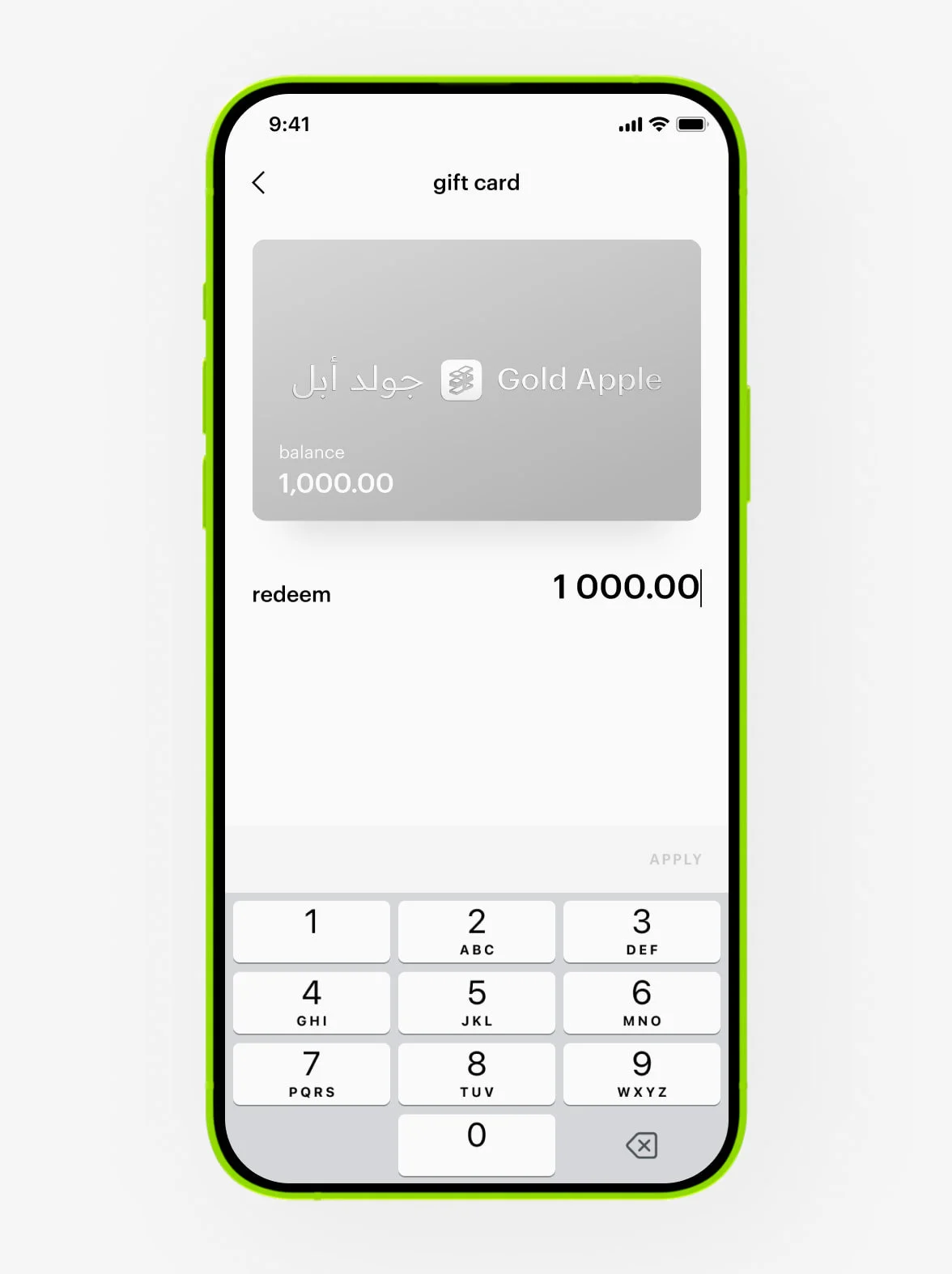
4. Enter any amount available on your card.
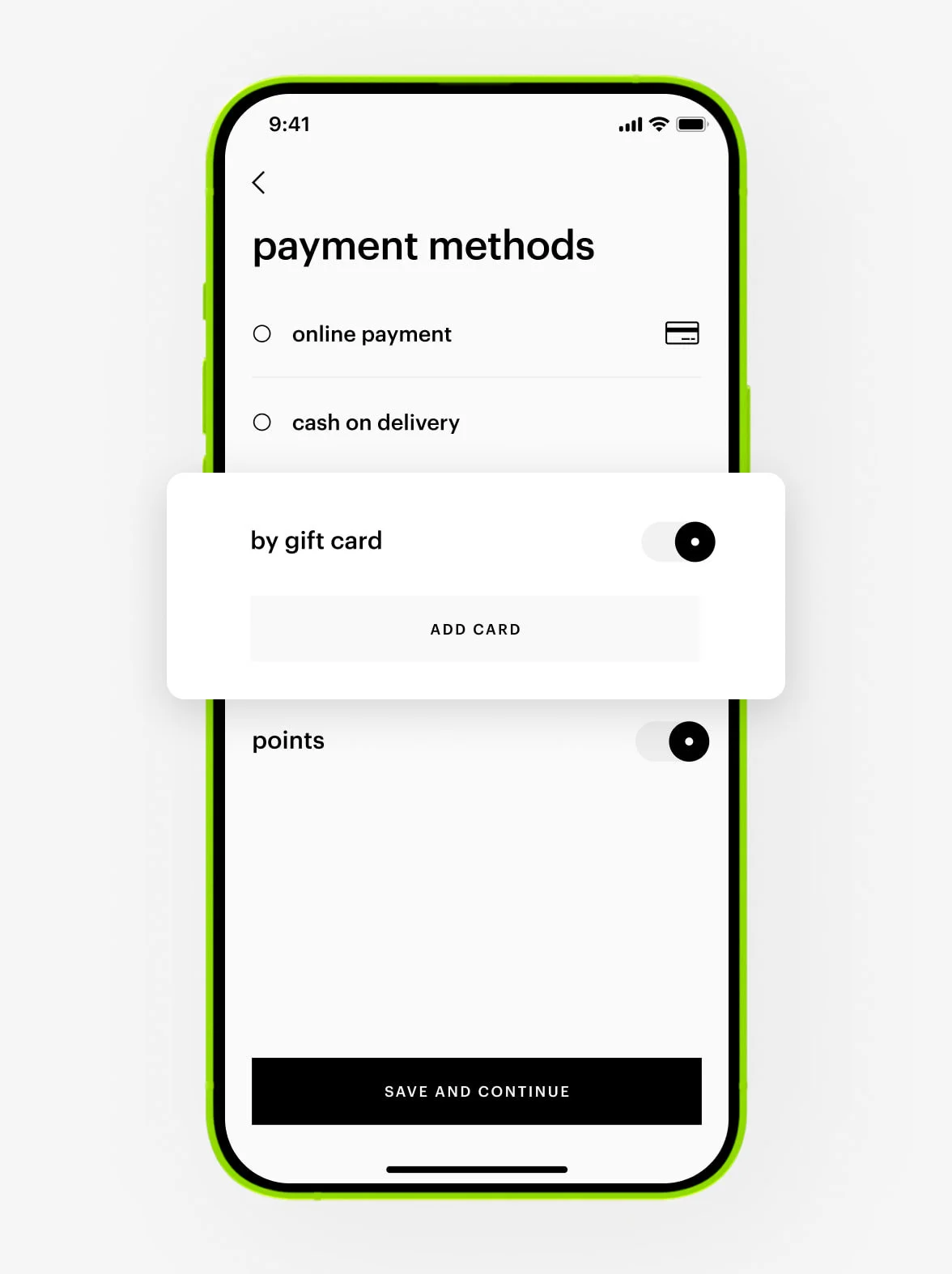
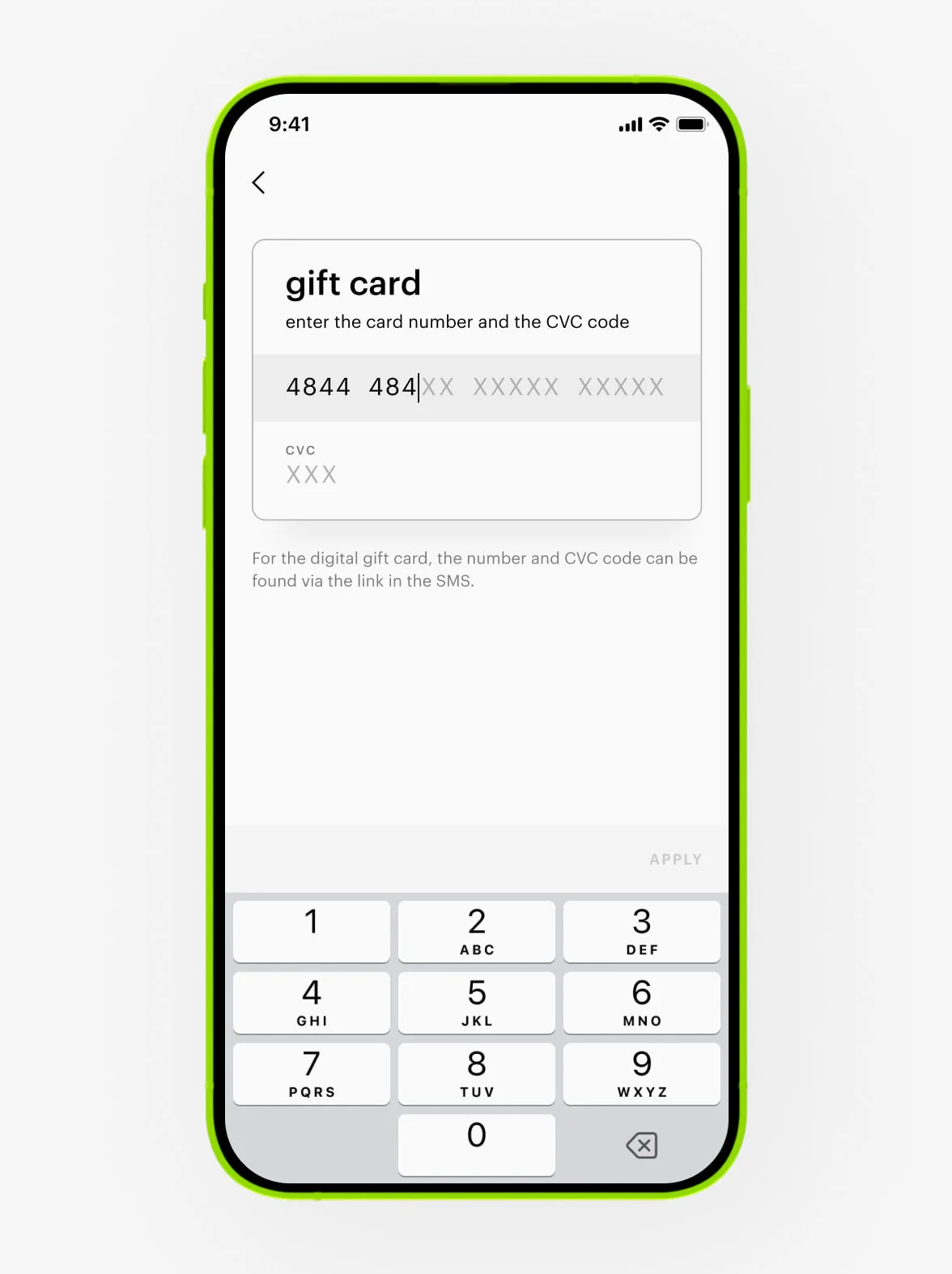
5. If the card is not added, tap the «add» button and enter the card number and CVC code,
which you will find via the link in the message or on the back of the plastic gift card.
If you don’t use the gift card for payment, the details will be saved in your personal account, and you will not need to enter them again. Please note that the gift card is valid only in the country where it was purchased.
There can be several reasons:
— The operator didn’t deliver the message, or the recipient had no network signal.
— An incorrect phone number or email address for the recipient was entered when sending the card.
— A technical error has occurred.
— The message has been delivered, but the recipient didn’t see it.
We send the status of the digital gift card to the sender via SMS or WhatsApp — when the card was sent and when the recipient opened it.
Contact our Customer Care at +97 145 569 100, available daily from 10 am to 11 pm, or reach us via WhatsApp chat at +971 527 732 032.
The link to the digital gift card will be resent to the recipient’s number.
Digital and plastic gift cards from Gold Apple are non-returnable and can’t be exchanged for cash or other gift cards.
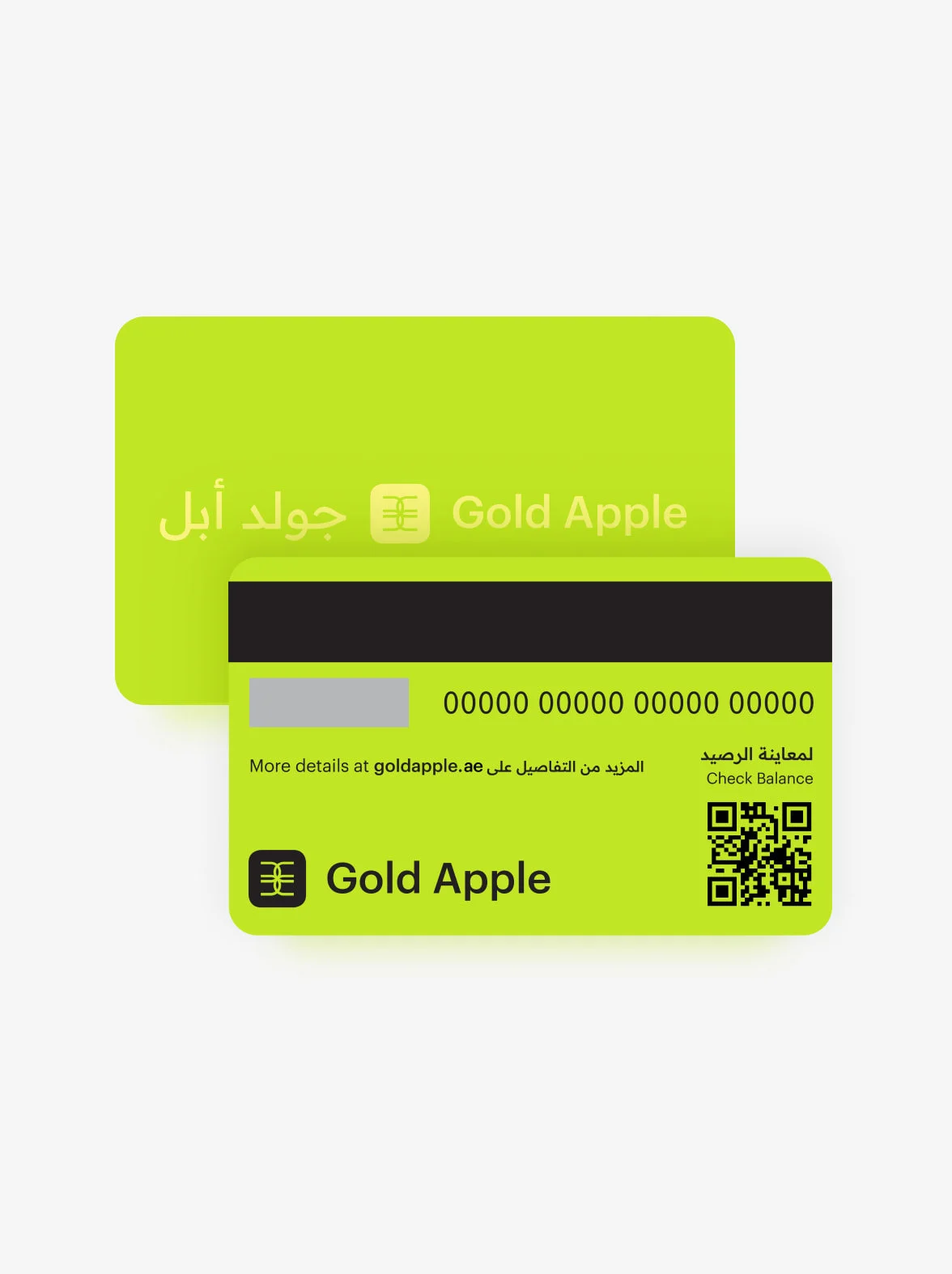
Plastic gift card
Scan the QR code on the back of the plastic card — a new page will open, where you can access the balance and information on how to use the card. If you have the mobile app, the link will open in it. If not, it will open in the browser. The information on the new page is only available via the link from the QR code.
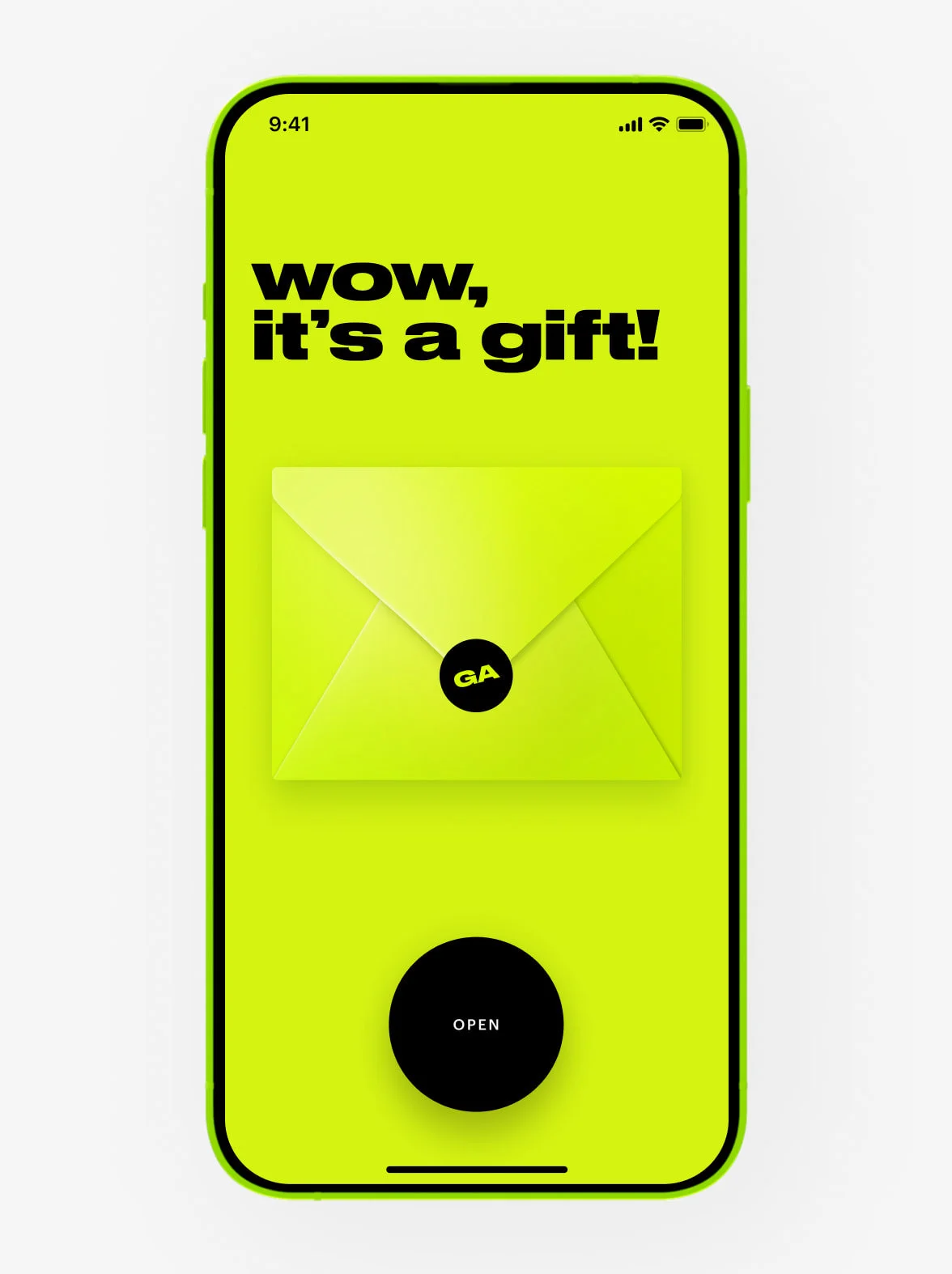
Digital gift card
The value of the digital gift card is available via the link in the message with the card. Clicking the link will open a new page where the value and information on how to use the card will be provided.
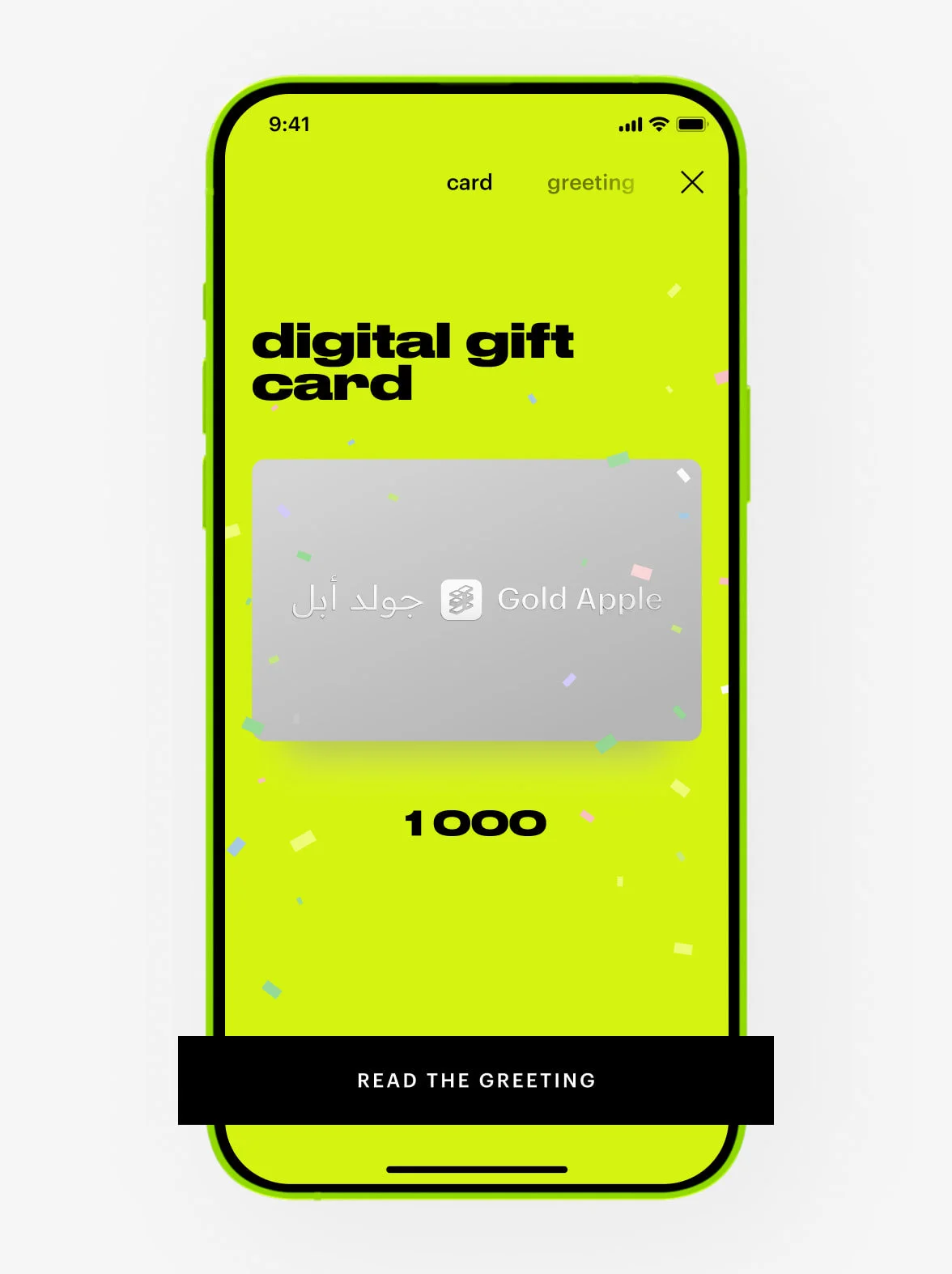
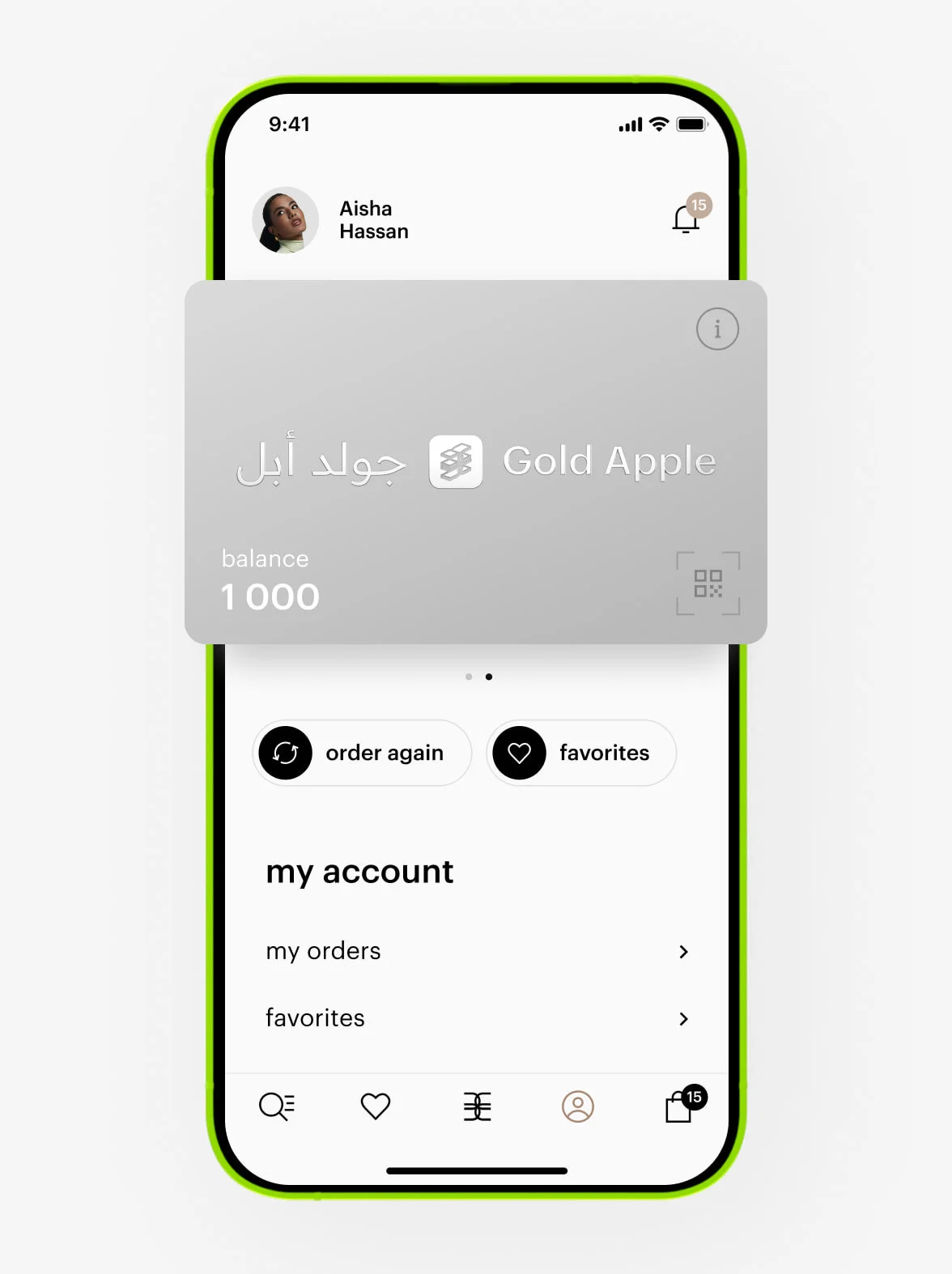
The balance of the digital card is available in your personal account in the mobile app or during checkout when you add the gift card as a payment method.
If you paid for an order with a gift card, the amount will be added to a new digital gift card. We will send you an email with all the details about your new gift card. The email will be sent to the address registered in your account — the same one you used when placing your order.
loyalty program
You can make purchases in the UAE, Qatar, and Saudi Arabia. All points you earn are equal: 1 point = 1 AED = 1 SAR = 1 QAR.
At Gold Apple, whether online or in-store, spend the required amount within 12 months from the date your card was upgraded:
— When your total spend reaches 1,000 AED/QAR/SAR, your card will be upgraded to the lime level.
— When your total spend reaches 4,000 AED/QAR/SAR, your card will be upgraded to the silver level.
— When your total spend reaches 10,000 AED/QAR/SAR, your card will be upgraded to the gold level.
To keep your current level, you need to spend the required amount within 12 months. Otherwise, your level will be downgraded to the previous one.
— To maintain your lime level, spend between 1,000 and 3,999 AED/QAR/SAR.
— To maintain your silver level, spend between 4,000 and 9,999 AED/QAR/SAR.
— To maintain your gold level, spend 10,000 AED/QAR/SAR or more.
At the store:
To earn or spend points, show your personal QR code from the Gold Apple app to the cashier at checkout.
Online:
Your rewards card applies automatically when you’re logged into your account. Points will be credited right after your order is delivered. To spend points, toggle the «points» option in the «payment method» section at checkout.
Points can cover up to 50% of your order total. They can only be used with online payment and are not valid with Tabby or cash on delivery.
At the store:
To earn points, show your personal QR code from the Gold Apple app to the cashier at checkout.
Online:
Your rewards card applies automatically when you place an order.
— Points will be credited to your personal account only if you shop as a registered member of the Gold Apple loyalty program.
— For online purchases, points are added after the order is delivered.
— For in-store purchases, points are added immediately after the transaction.
— It may take up to 24 hours after the purchase for points to appear in your account balance.
At the store:
Show your personal QR code from the Gold Apple app to the cashier during checkout.
Online:
Toggle the «points» option in the «payment method» section at checkout.
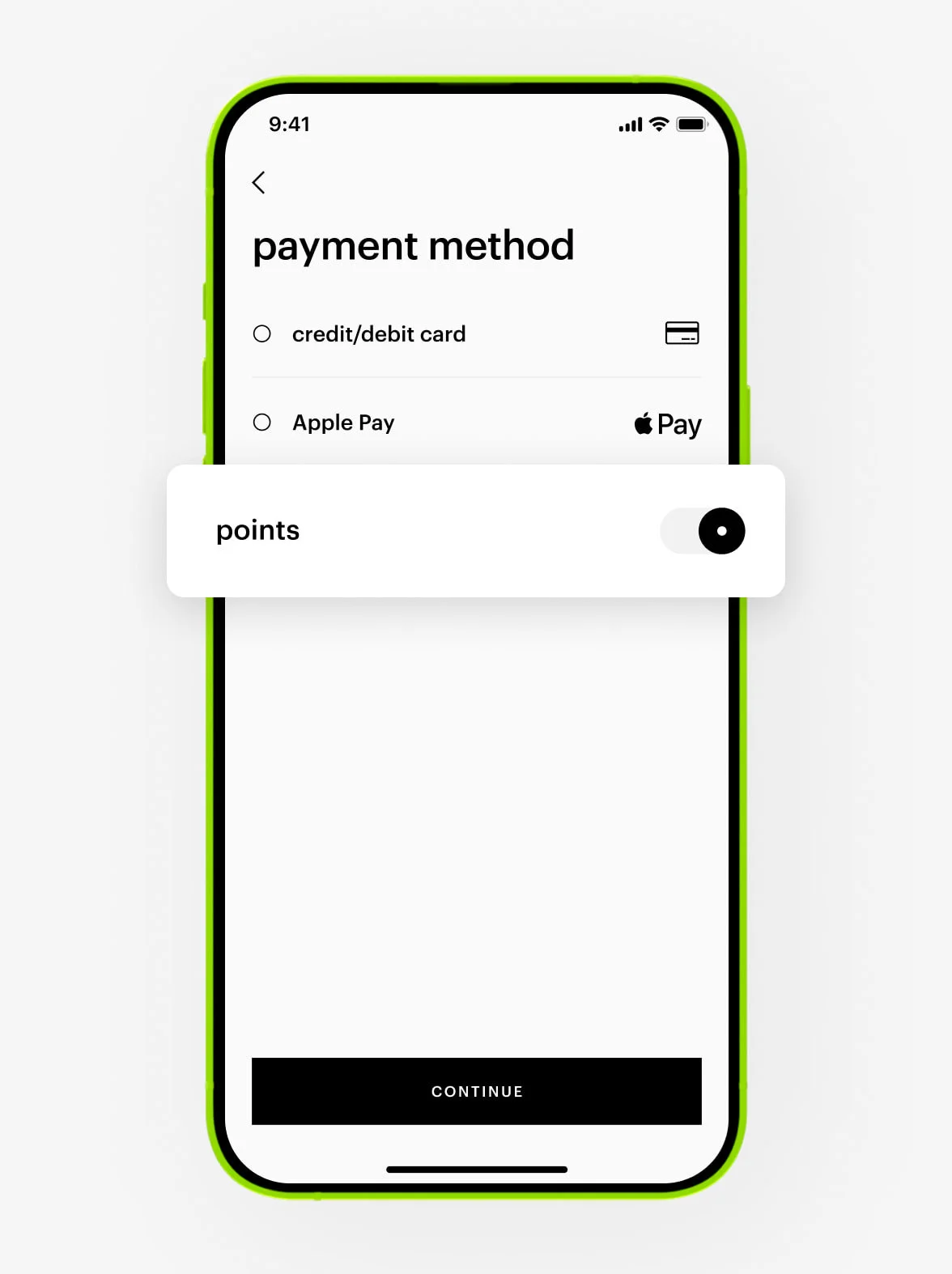
Points are not valid with Tabby or cash on delivery. They can be used to pay for up to 50% of your order total and can be redeemed partially over multiple transactions until they expire.
For your order, you can spend any number of points available on your rewards card. You can check your current points balance in your personal account.
Your earned points are valid for one year from the date of purchase. They can be redeemed partially over multiple transactions until they expire.
Refunds for online orders paid with points:
— Your points will be returned to your rewards card within 24 hours after we approve your refund.
— If we refund your full order, you will receive all your points back on the rewards card.
— If we partially refund your order, points will be returned proportionally to the value of the refunded products.
beauty procedures
1. Contact our Customer Care at +97 145 569 100, available daily from 10 am to 11 pm, or via WhatsApp chat at +971 527 732 032, and request an appointment for a makeover or hair styling.
2. Our specialist will check the calendar for available time slots that suit you.
3. The specialist will book the selected time slot for you.
Skincare procedures at our store:
— Available for women only.
— For individuals aged 18 and over.
— Not recommended for problematic skin.
If you’re more than 15 minutes late, your appointment will be automatically canceled.
Hands
Specialists always sanitize their hands before applying makeup.
Brushes
— Clean with a brush cleaner and wipe on a clean tissue until no residue remains.
— Allow to air dry completely, or use special brush-cleaning wipes.
Mascara, liquid lipstick, or liquid concealer
— Use a new disposable applicator for each dip.
— No double-dip with the same applicator.
Powders (eyeshadow, blush, bronzer, pressed powder)
— Spray the product surface with antiseptic and gently wipe or skim the top layer with a tissue.
— Or spray antiseptic on a tissue and wipe the surface.
Lipsticks and cream compacts
— Spray the exposed product with antiseptic and wipe with a clean tissue.
Lip and eye pencils
— Sharpen before every use to remove the outer layer.
— Clean the sharpener regularly: soak in rubbing alcohol and dry with a clean tissue.
Liquid foundations and blushes
— Wipe the nozzle and cap with alcohol or antibacterial wipes.
— For hard-to-reach areas: spray with alcohol. Allow to air dry.
personal data
If you want to change your phone number, please contact our Customer Care at +97 145 569 100, available daily from 10 am to 11 pm, or via WhatsApp chat at +971 527 732 032.
1. Go to the «profile» section in your personal account.
2. Enter your new email address.
3. Confirm the change via the verification email we will send you.
You can change the date of birth in the «profile» section in your personal account. This field can be edited only once per year.
reviews
You can leave reviews for products purchased online or in-store at Gold Apple.
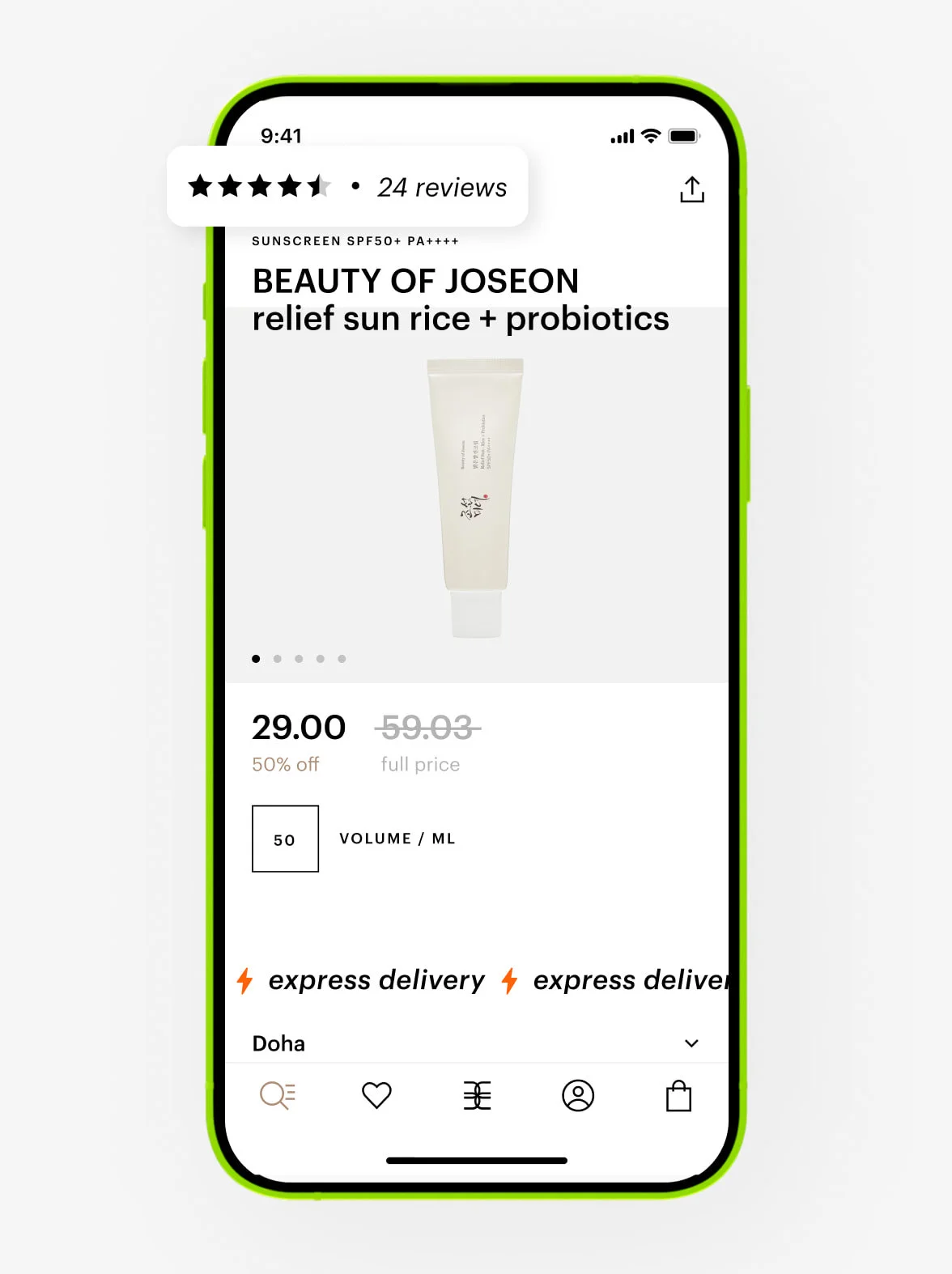
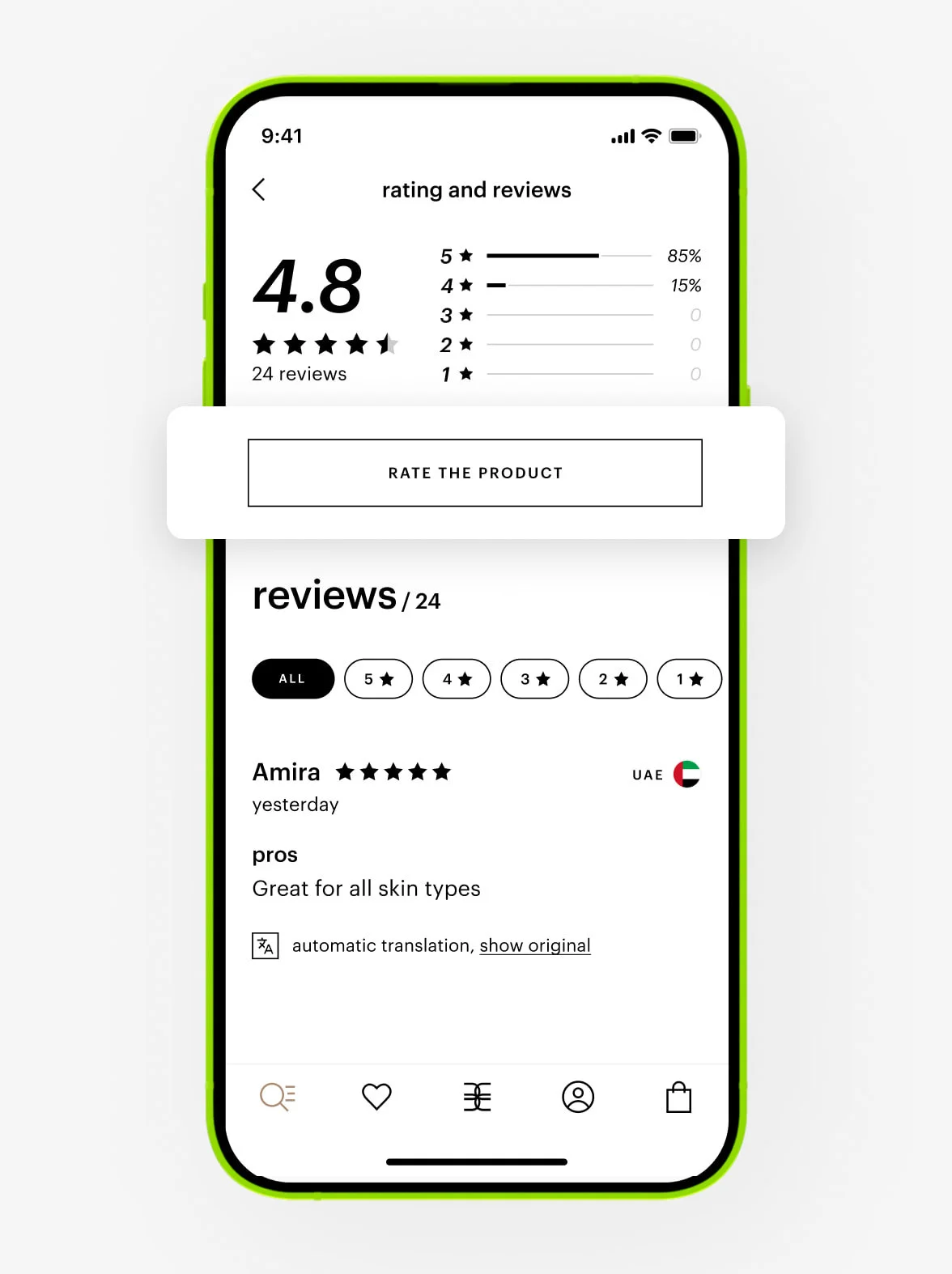
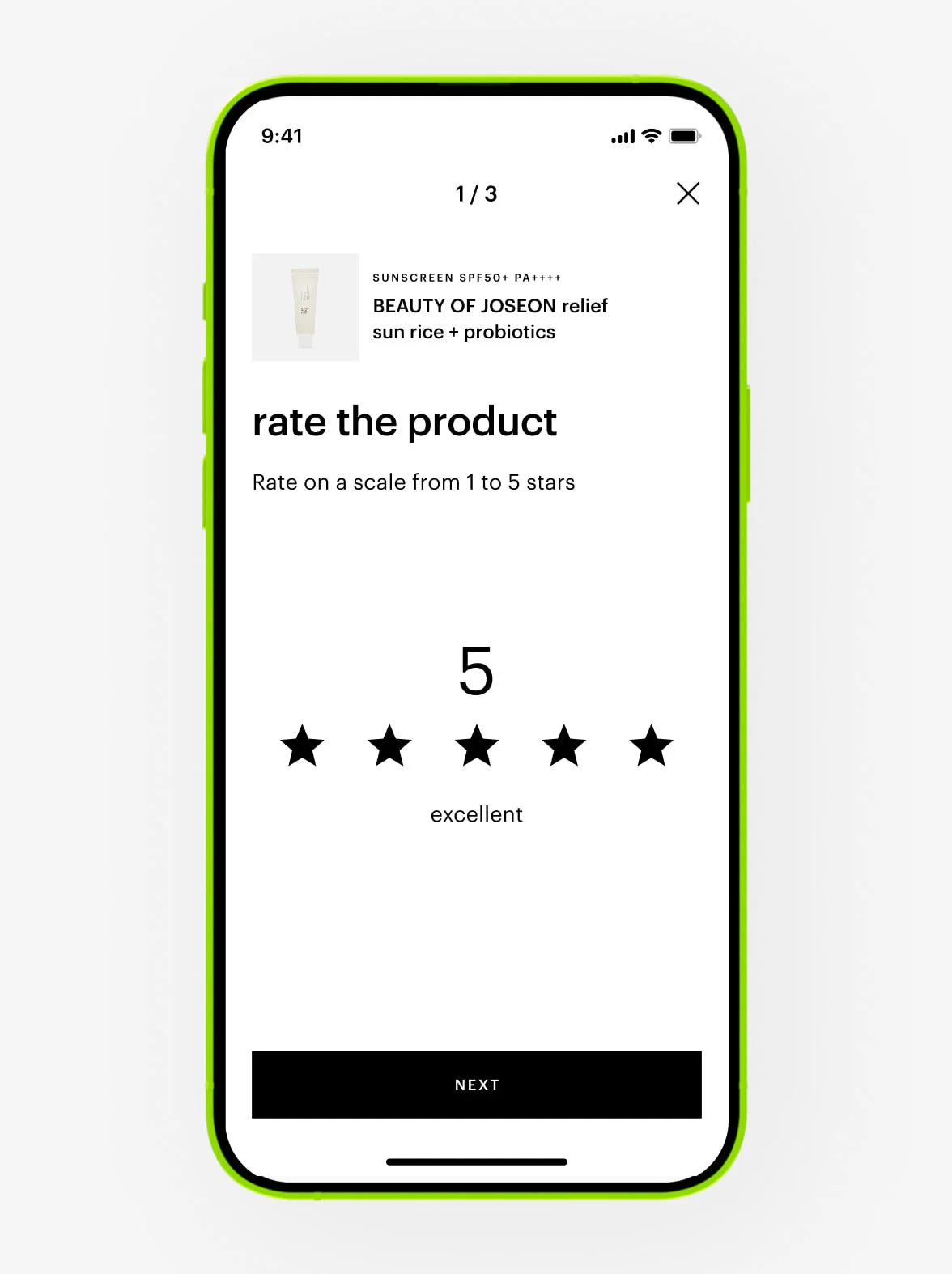
Want to delete your review? No problem! Contact our Customer Care at +97 145 569 100, available daily from 10 am to 11 pm, or via WhatsApp chat at +971 527 732 032.
Our moderators review all submissions and may reject or remove your review—or parts of your photos or videos, if they don’t comply with the requirements. Moderators may reject reviews for following these reasons.
Our moderators review all submissions within seven days. Reviews are published if they comply with all requirements. You can check your published reviews here.
We will also notify you when your review is published. If your review is about order issues, our Customer Care team will contact you for more details.
how to get notifications from Gold Apple
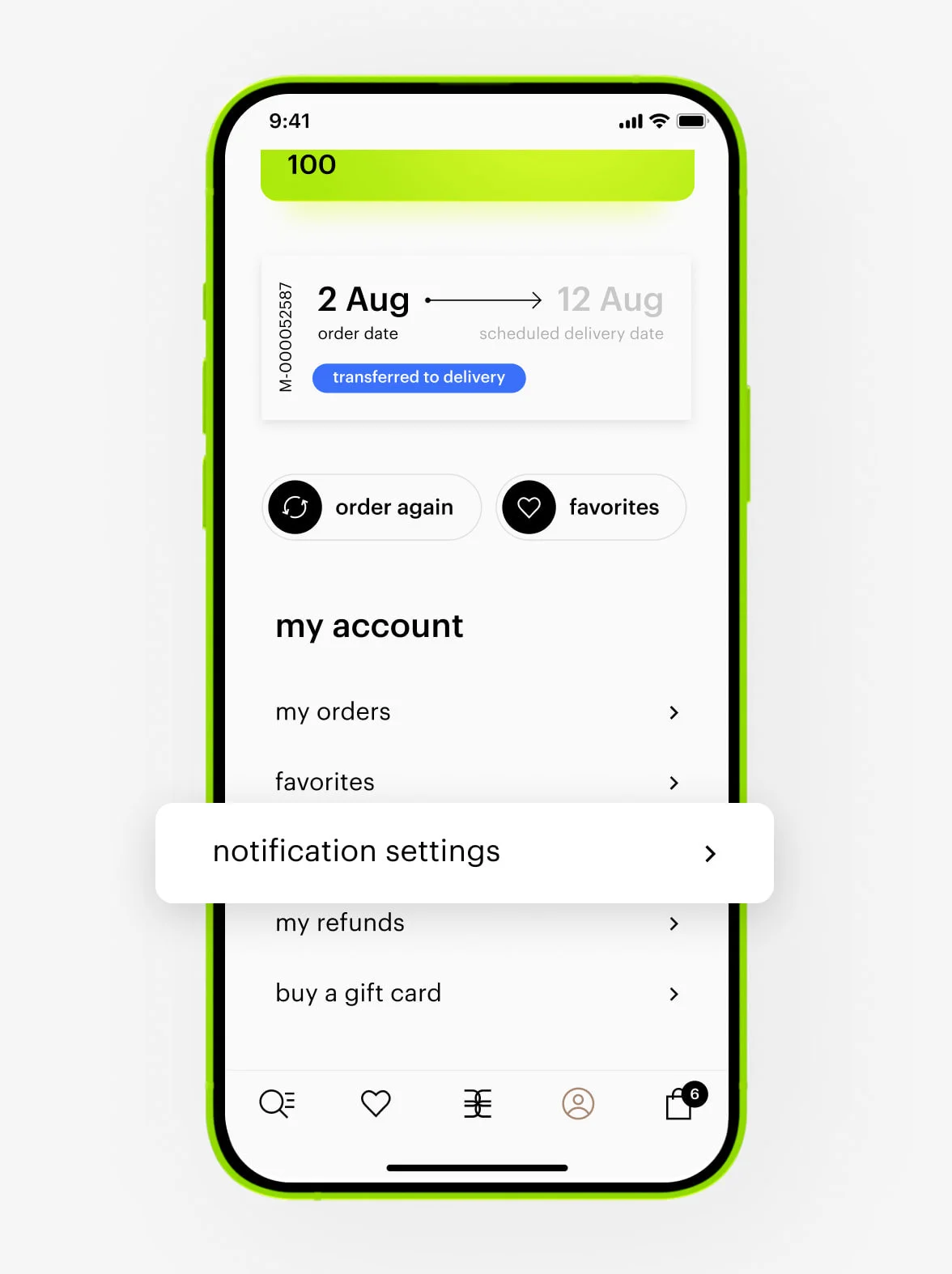
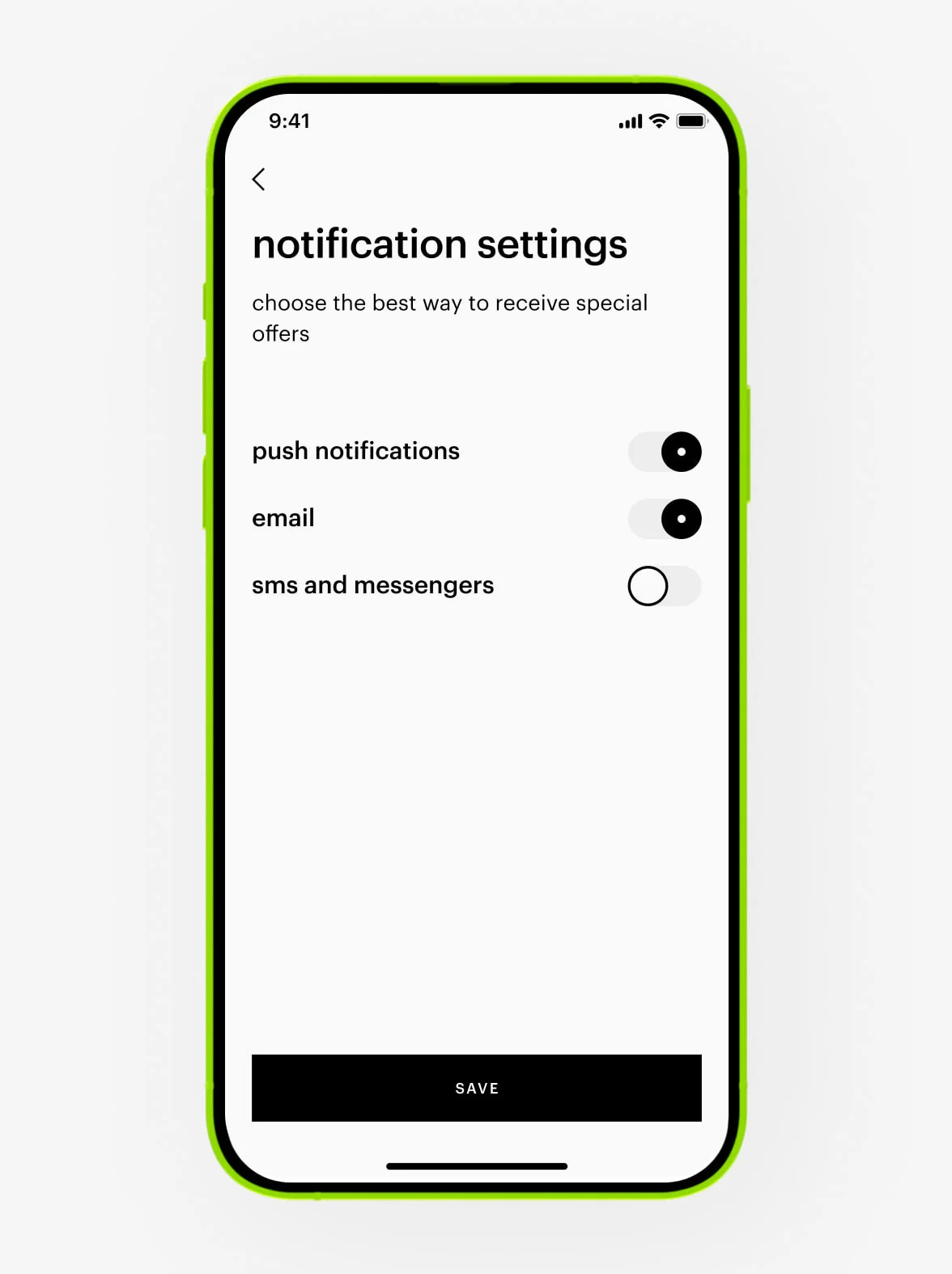
Your notifications may be turned off. Go to «notification settings» in your personal account to choose how you want to receive offers and news.
feedback
To review your purchase:
Rate it in the «my orders» section of your personal account.
How can we improve?
We’d love your suggestions to make our services even better! You can share your feedback by phone at +97 145 569 100, available daily from 10 am to 11 pm, or via WhatsApp chat at +971 527 732 032.
quality assurance
All items are carefully packed at our warehouse to prevent damage during shipping. If you received a defective product (e.g., broken dispenser, cracked lid) — submit a return request. Note: cosmetics and perfumes can only be returned if they are defective.
If your product has changed in appearance or texture, spoiled before its expiration date, or has an undesirable smell or consistency:
- For liquid and cream products, separation during storage is normal. Try gently shaking the closed bottle or stirring with a clean spoon.
- Always check the label first — some products shouldn’t be shaken!
Still unsatisfied? Contact our Customer Care at +97 145 569 100, available daily from 10 am to 11 pm, or via WhatsApp chat at +971 527 732 032. We will help you find a solution.
We purchase all products directly from manufacturers or official distributors. Our Customer Care team can provide authenticity documentation if needed.
Perfume scents can vary depending on the application method, your body chemistry, the environment, and olfactory fatigue. Frequent wear can make scents seem weaker. If your favorite perfume seems less strong, take a 1–2 week break. When you return to it, the scent will be vibrant again.
Storage note: Always keep perfume away from sunlight to preserve its quality.
We purchase all products directly from manufacturers or official distributors. Our Customer Care team can provide authenticity documentation if needed.
Companies may change packaging. Some products, like perfumes, come in handcrafted bottles or containers, making each package unique and slightly different from others.
For more information about a specific product purchased from Gold Apple, contact our Customer Care. We maintain direct communication with representatives from all brands in our assortment.
Contact us at +97 145 569 100, available daily from 10 am to 11 pm, or via WhatsApp chat at +971 527 732 032.
our store
We’re waiting for you at City Centre Mirdif, Dubai, Sheikh Mohammed Bin Zayed Rd.
Find us on the 1st floor, above Victoria’s Secret and next to the Public restaurant. The closest entrance is B (accessible from the parking lot).
online security
An important point for Gold Apple is your security on the internet. In the following points information about security issues that you may encounter while using Gold Apple online store (https://goldapple.ae) or the internet in general.
1. Keep your private information confidential.
Your private information may include: your last name and first name, date of birth, identity number, etc.
2. You should be cautious of people who ask for your private information.
3. You should be cautious about sharing your private information on messaging services, in chat rooms or in emails, even if they are sent from people you know well.
4. It is highly recommended not to share any private or sensitive information to third parties.
Your sensitive information may include: your password, PIN, or credit card number.
5. Update operating systems, anti-virus, and firewall products with security patches or newer versions on a regular basis.
6. Clear your browser cache after online sessions.
7. Remember to log-off after online sessions.
8. Install anti-virus software.
9. To be secure during the use of online services it is recommended to have an up-to-date anti-virus and other anti-malware software installed on your mobile device, computer or other devices.
It will help you to protect your sensitive or private information even if you visit a fake website. Even if there is malicious software on your devices, it will minimize its effects. It provides protection against the latest viruses through automatic updates. It protects against malware software that impersonates your identity by collecting sensitive or private information from your devices, which can be used to access your accounts without your authorization.
10. Set and always use a security PIN code to lock your devices.
11. Adjusting your devices' settings so that it locks automatically if you don’t use it for five or ten minutes.
12. Not storing passwords or other sensitive or private information on your devices in a way that can be understood by someone else.
13. Be wary of voicemail and text message scams. Clicking on links in text messages can be risky — be careful when you attempt to click on links, and make sure that the source of the message and the visited site are authentic.
14. Attackers may also create fake mobile applications that look like the authentic legitimate ones so when you try to log on, they can steal your password and other sensitive information about you. Make sure that mobile applications are downloaded from trusted application stores and recognized publishing sources.
15. Only download and install applications from trusted application stores such as the App Store and Google Play.
16. If you lose your phone, report it to your mobile phone provider immediately.
Thank you for joining our effort to combat online fraud. Gold Apple goes to great lengths to protect our customers from fraud. If you suspect having received fraudulent emails, SMS or found a website or social media account that tries to pass off as Gold Apple, we encourage you to let us know at your earliest convenience, so that we can quickly take actions to stop the fraud.
Please report all suspicious activity to our Mailbox at security@goldapple.ae
We investigate every report of suspected fraud, not respond to personal inquiries.